40% off until 31 October on selected products·8 days left

Author: Helene

  • Italian Wedding Clipart: 6 Easy Steps to a Full Suite

    Italian Wedding Clipart: 6 Easy Steps to a Full Suite

    Italian wedding clipart is a set of illustrations, think olive branches, lemons, terracotta and hand-painted florals, that you drop into your invitation design to give the whole suite a Tuscan, Mediterranean feel.

    It works because an Italian wedding already has a ready-made look: sun-warmed gardens, long tables, citrus and olive. A few well-placed motifs carry that mood across the save-the-date, the invite and the menu without a single word of explanation.

    What is Italian wedding clipart and where does it fit?

    Italian wedding clipart is digital art, usually transparent PNGs, that you layer into a design tool like Canva, Photoshop or Procreate. You build the invitation suite on screen, then either keep it digital or export it at full quality and send it to a printer. The clipart is the decoration; your layout, fonts and photos do the rest.

    It sits at the heart of any Tuscan, Amalfi or Italian-garden theme. Couples reach for it when they want warmth and a sense of place rather than a stiff, formal card. A destination wedding in Puglia, a back-garden party with a long table and string lights, a vineyard ceremony: the same handful of motifs reads right for all of them.

    It also stretches well past the invite. The same olive branch can carry through to the order of service, the welcome sign, the table plan and the favour tags, which is exactly what gives a wedding that pulled-together feel on the day.

    The pieces of a stationery suite

    A full suite usually runs to a handful of matching pieces, and the clipart is what holds them together:

    • Save-the-date
    • Main invitation
    • RSVP card
    • Details or information card
    • Menu and place cards
    • Thank-you card

    Which Italian wedding clipart motifs suit stationery?

    Not every illustration earns its place on a wedding invite. Some carry elegance, others tip into a fruit-stall look fast. Here’s how I’d sort the usual Tuscan motifs.

    MotifMood it setsBest placement
    Olive branchUnderstated, timelessBorder, corner sprig, monogram wreath
    Lemon & citrusBright, summery, relaxedSave-the-date, welcome sign, menu accent
    Fig & grape vineRich, late-summer, rusticMenu header, table numbers
    Hand-painted floralsRomantic, softTop of the invitation, RSVP
    Terracotta jug or urnEarthy, characterfulDetail card, single feature spot
    Oil-paint frameFormal, framedAround names or a monogram
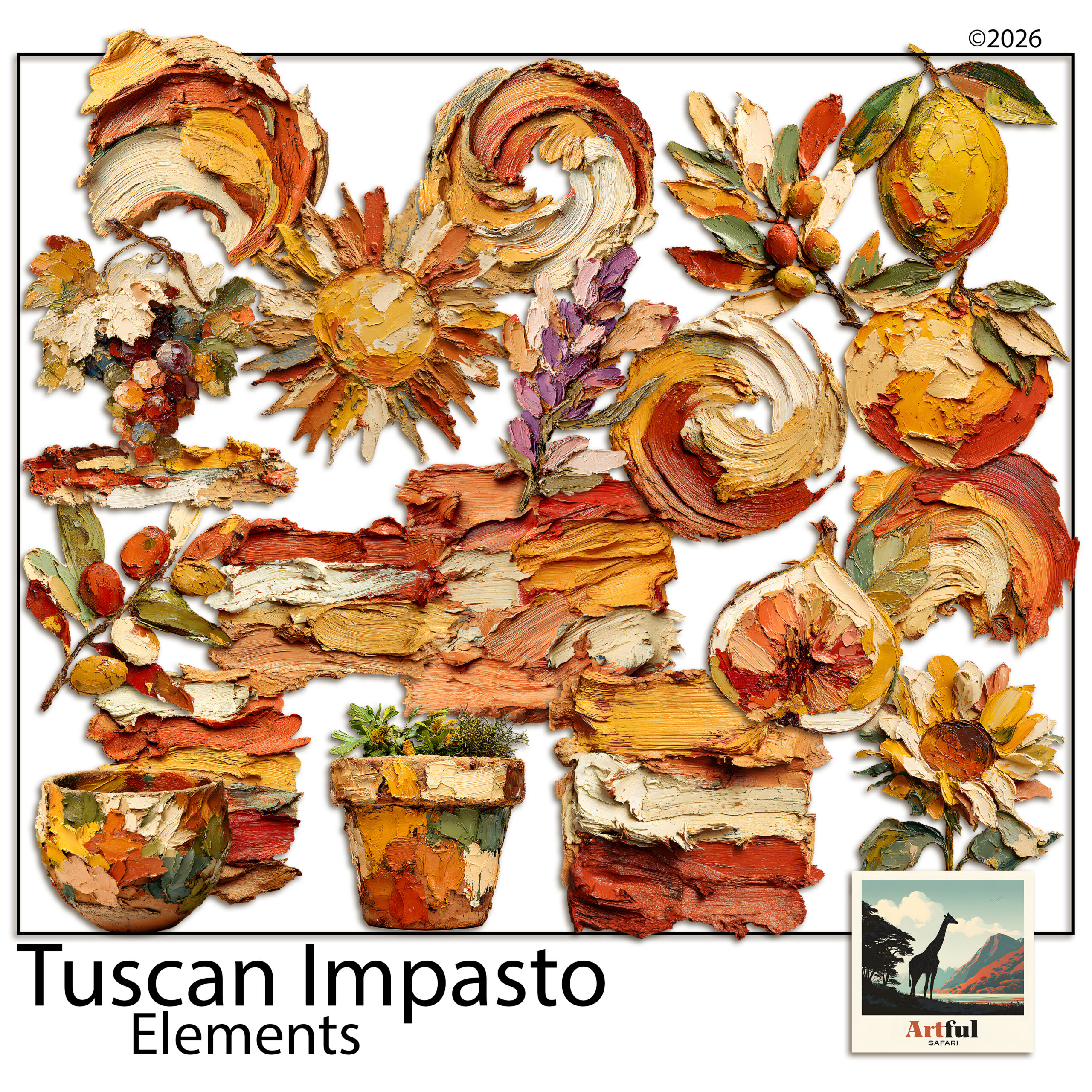
    Italian wedding clipart with olive branches, lemons and oil-paint florals
    Italian wedding clipart in practice: olive, lemon and floral motifs from my Italian Fruit Clipart Olives Lemons Oil pack.

    Building an invitation suite with Tuscan clipart

    Once you’ve picked the Italian wedding clipart you’re working with, the build is straightforward. I work in this order:

    1. Settle the palette first. Two or three colours from the clipart, no more.
    2. Design the main invitation before anything else. It sets the tone every other piece copies.
    3. Pick one hero motif. An olive wreath or a single floral spray. Let it lead.
    4. Repeat it smaller across the suite. A corner sprig on the RSVP, a sprig on the menu. Repetition is what makes a set look like a set.
    5. Leave breathing room. White space reads as expensive. Crowding reads as a flyer.
    6. Export at full quality, 300 DPI. If the pieces are going to a printer, this is the difference between crisp and fuzzy.

    Build the save-the-date last, not first. By then you’ve made every design decision on the main invite, so the save-the-date becomes a five-minute job: same motif, same palette, a few words swapped. Working in that order saves you redoing the look twice.

    Colour palettes for a Tuscan wedding theme

    Italian wedding clipart already gives you a palette. These three combinations almost never miss:

    • Olive, cream and soft gold for a classic, garden-formal feel.
    • Lemon yellow, white and navy for a brighter Amalfi-coast summer wedding.
    • Terracotta, sage and ivory for an earthy, autumn-leaning Tuscan day.

    Whichever you pick, hold the line at three colours. The art carries the warmth, so the page itself can stay mostly cream or white with the motifs doing the talking.
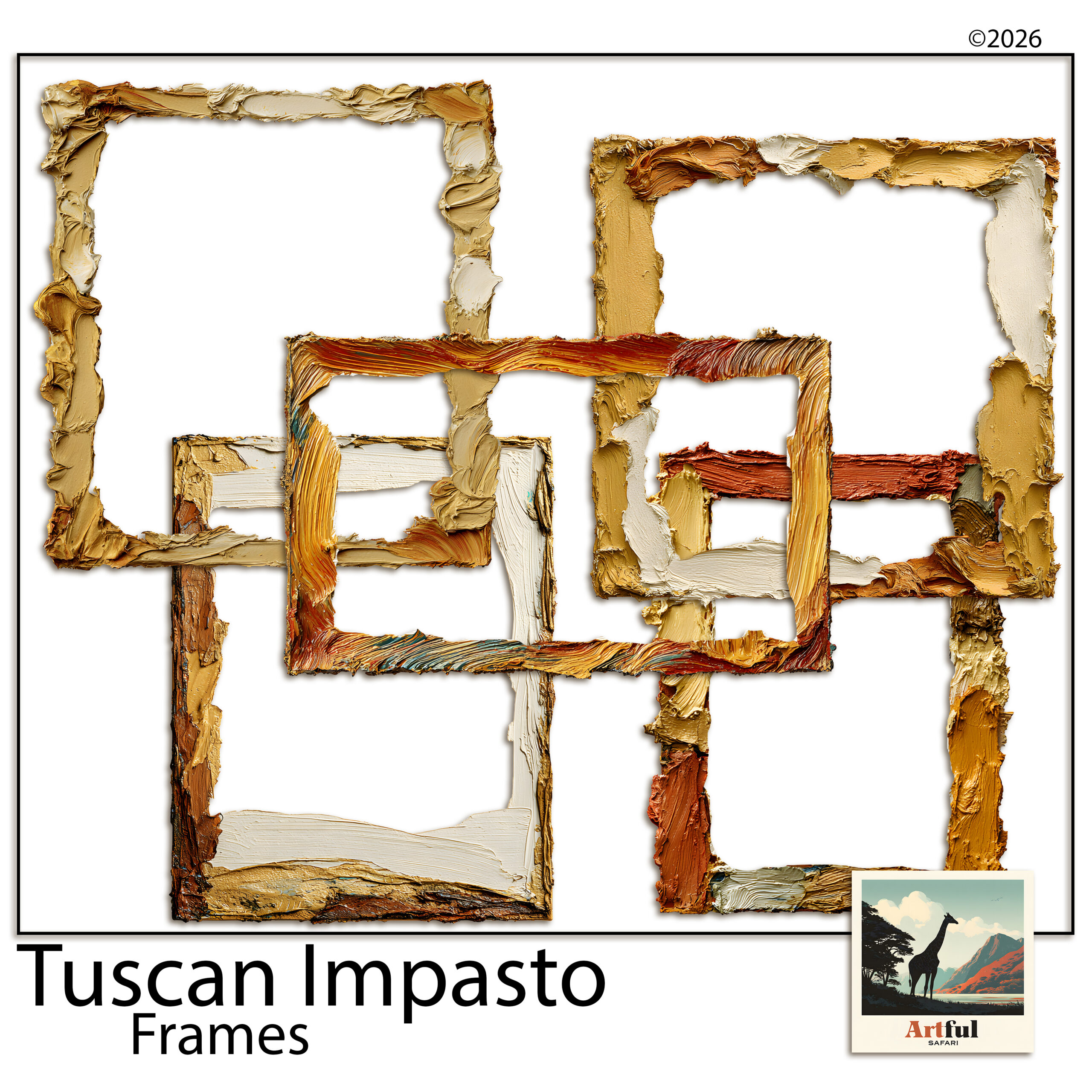
    Tuscan oil-paint frame clipart PNGs for wedding stationery and monograms
    Hand-painted borders from the Tuscan Frame Clipart Italian Oil Paint set.

    Which fonts pair with Italian wedding clipart?

    Clipart sets the scene, but typography is what makes a suite feel grown-up or homemade. The pairing I trust: one elegant script for the couple’s names, and one clean serif for everything else. The script brings the romance, the serif keeps the details legible, which matters most on the part where Aunt Sandra needs to read the date and the postcode.

    Two small habits keep it tidy:

    • Use the script sparingly. Names and a heading, not the body text. Script in long paragraphs is hard work to read.
    • Give the type room. Let the clipart frame the words rather than crowd them, so the page doesn’t feel stuffed.

    Digital invitations or printed: does it change anything?

    Italian wedding clipart works either way, but the finish differs. For a digital invite sent by email or a wedding-website graphic, export as a PNG or JPEG at screen size and you’re done. For printed stationery, set your canvas at the final card size, keep everything at 300 DPI, and leave a few millimetres of bleed if your printer asks for it. Same design, two exports.

    One thing to watch with print: deep terracotta and navy can shift slightly on uncoated card. If the colour really matters, a test print before the full run saves a nasty surprise.

    Where Italian wedding clipart tips into kitsch

    The fastest way to cheapen an Italian suite is to use everything at once. Lemons and olives and figs and a jug and a frame on one card, and suddenly it’s a tablecloth, not a wedding invite. A few rules keep it on the right side:

    • One hero motif per piece, supporting motifs kept small.
    • Skip cartoonish, glossy art. Hand-painted and oil-paint styles read grown-up.
    • Let the typography do the formal work; the clipart only sets the scene.

    If you’re stuck, take the rule of thumb most stationers swear by: design the card, then remove the last thing you added. Nine times out of ten it was one motif too many. An invite that feels a touch too plain in your editor almost always looks elegant printed and in someone’s hand. Busy rarely does.

    What to check before you use Italian wedding clipart on stationery you sell

    If you’re a stationer designing for paying couples, the licence matters as much as the look. Designing invitations for clients is commercial use, so you need a commercial licence, not a personal one. Check whether there’s a cap on the number of finished suites, and never pass the original PNGs on to the couple as files. You sell them the finished, flattened stationery, not the art.

    One more for stationers: keep your working files and a copy of the licence together, per couple. If a client comes back a year later wanting a thank-you card to match, you’ll be glad you can find the exact pack and the exact terms without guessing.

    Not sure where to source good packs in the first place? I put together a guide on Where to Buy Tuscan Clipart that covers what to look for before you buy.

    Key takeaways

    • Italian wedding clipart gives a stationery suite an instant Tuscan, Mediterranean feel.
    • Olive branches and hand-painted florals are the safest, most elegant motifs.
    • One hero motif per piece, repeated small across the suite, keeps it cohesive.
    • Selling stationery to clients needs a commercial licence; never hand over the source files.

    Frequently asked questions

    What is Italian wedding clipart used for?

    It’s digital art you layer into a design tool to decorate wedding stationery, from save-the-dates to menus, giving the suite a Tuscan or Mediterranean look. You can keep it digital or export it for printing.

    Which Italian motifs look most elegant on invitations?

    Olive branches and hand-painted florals are the safest choices for an elegant feel. Lemons and figs work well too, but keep them small so the suite doesn’t tip into a fruit-stall look.

    Can I sell wedding invitations I design with the clipart?

    Yes, if you have a commercial licence. Designing stationery for paying couples is commercial use, so check the licence covers it and never hand the original art files to the client.

    What colours suit a Tuscan wedding theme?

    Olive, cream and soft gold for a classic look; lemon, white and navy for a bright Amalfi feel; or terracotta, sage and ivory for an earthier, autumn-leaning palette.

    What size or quality should wedding clipart be for printing?

    Use transparent PNGs and export your finished design at 300 DPI. That keeps the art crisp when the stationery goes to a printer.
  • How to Build a Woodland Junk Journal in 5 Easy Steps

    How to Build a Woodland Junk Journal in 5 Easy Steps

    There’s a reason so many junk journals end up full of trees. A woodland palette — bark white, sage, cream, a bit of charcoal — sits comfortably behind almost anything you glue on top of it: old receipts, handwriting, pressed leaves, a train ticket from 2011. If you’ve been wanting to make a woodland junk journal but you’re not sure where the “look” actually comes from, this is the walkthrough I wish I’d had: how to pick a forest palette, how to balance showy pages against quiet ones, and how to print and layer it all so the finished journal feels collected rather than assembled.

    Start your woodland junk journal with a palette walk, not a supply haul

    The fastest way to a cohesive woodland junk journal is to steal your palette from one real landscape instead of collecting “forest things” from everywhere. A birch stand is a brilliant one to steal from because it’s mostly neutrals: chalky white trunks, black bark scars, leaves that read as sage and soft yellow-green rather than primary green, and whatever the sky is doing behind them — usually a grey-blue mist.

    Write your palette down before you gather anything. For birch it looks like this:

    • Bark white — not printer-paper white; a warm, chalky off-white
    • Sage and yellow-green — the canopy colours, kept dusty
    • Dusty blue-grey — mist, shadow, winter sky
    • Blush and cream — the warmth that stops it going cold
    • Deep charcoal — the bark scars; your contrast colour, used sparingly

    Now everything you add to the journal gets tested against that list. A ribbon, a scrap of book page, a paper clip rusted just so — if it doesn’t sit inside the palette, it waits for another journal. This one rule does more for the finished look than any technique.

    Feature pages and quiet pages — the 1:2 rule

    Open any junk journal that feels “professionally” made and you’ll notice the rhythm: a painterly, look-at-me page, then a couple of subdued ones, then another feature. The quiet pages are doing real work — they give journaling, tuck spots, and ephemera somewhere to live without fighting a busy background.

    A ratio of roughly one feature page to every two quiet pages keeps a woodland junk journal breathing. In practice:

    • Feature pages — full painted scenes: a birch grove, a misty forest path, big expressive trunks. Use them as spread openers, section dividers, or backdrops for a single photo or tag.
    • Quiet pages — textures and near-solids in your palette. These become pockets, tags, journaling cards, mats behind photos, and the “rest” pages between features.

    When you shop or print papers, count with that ratio in mind. A kit that ships only showstoppers is harder to bind into a usable journal than one that includes its own supporting cast.

    Layering that looks collected, not crafted

    Woodland junk journal pages take beautifully to the classic moves, and the palette does half the work for you:

    • Tear, don’t cut, your horizons. A torn edge across a misty forest page reads like a hill line. Tear towards yourself for a white deckled edge that echoes birch bark.
    • Ink your edges in charcoal, not brown. Vintage-style journals usually reach for sepia distress ink; on a birch palette, a soft grey-black edge keeps the cool, misty mood. Save brown for autumn kits.
    • Let one tree cross the gutter. If a painted trunk runs off the right-hand edge of one page, place the next page so a branch or trunk picks up on the left. It stitches the spread together without a single embellishment.
    • Use the quiet pages for the machine-stitched bits. Pockets, belly bands, and tabbed dividers cut from texture pages hold the journal’s structure, so the scenic pages never get buried under hardware.

    Printing woodland papers so they look hand-painted

    Woodland junk journal papers are the one corner of digital scrapbooking where printing is the whole point, so it’s worth doing properly. Three settings matter more than the printer you own:

    • Paper weight: 120–160gsm matte. Standard 80gsm copy paper wrinkles under glue and ink; heavy cardstock fights the needle when you bind. The middle weight folds, stitches, and tears like an old book page.
    • Finish: always matte or uncoated. Painterly birch art on glossy stock looks like a brochure; on matte it looks like a print you found in a folio.
    • Scale: pages designed at 11 × 8.5 inches print full-bleed on US Letter and trim cleanly to A4, A5, or whatever your signature size is. Print a test page at 100% first — never “fit to page”, which shrinks and re-borders the art.

    One quiet advantage of printable pages over sourced ephemera: you can tear a woodland junk journal page badly, glue it down crooked, or overwrite it entirely, then print another. That freedom changes how boldly you work.

    Putting the woodland junk journal together

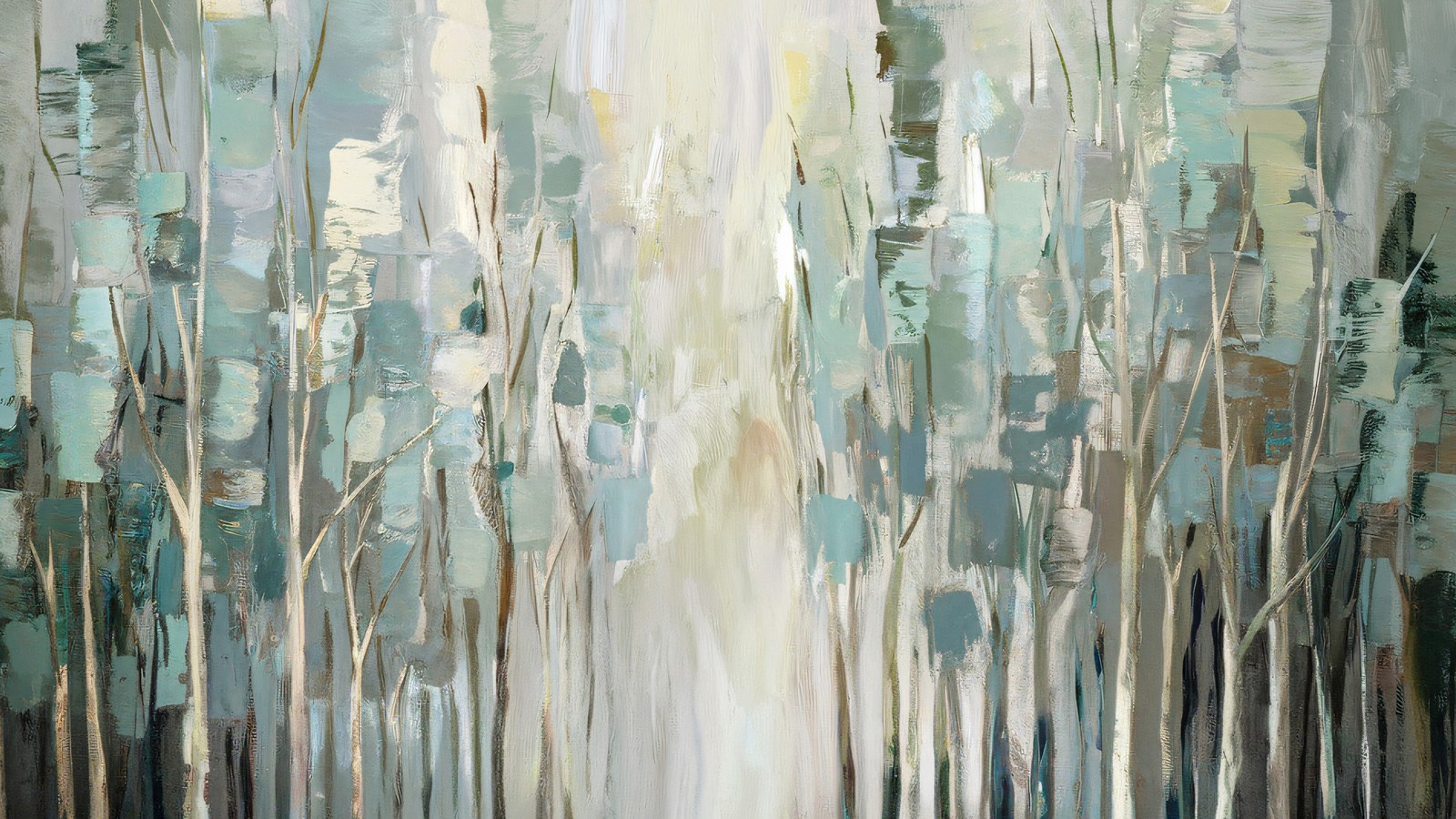
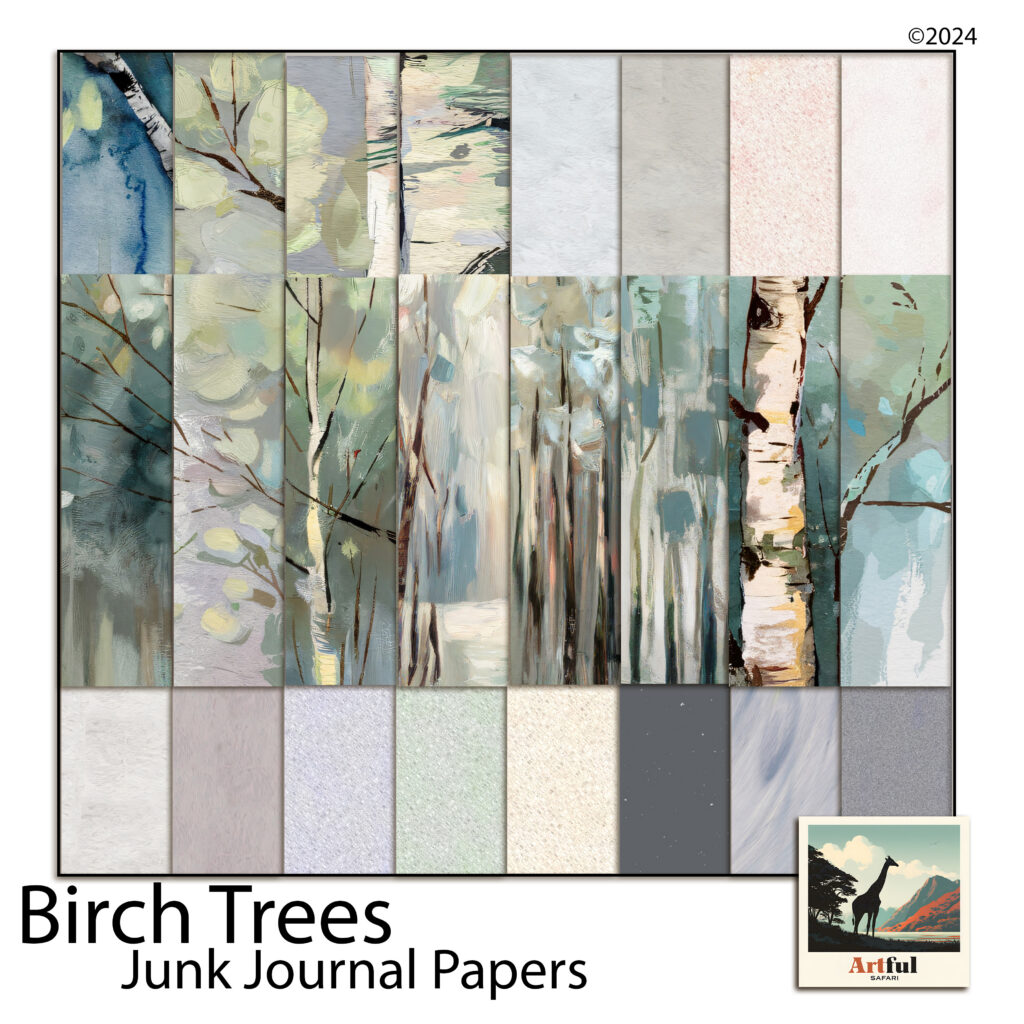
    Woodland junk journal papers from the Birch Trees kit — 23 printable pages of painted birch scenes and coordinating textures
    The worked example for this guide: 11 painted scenes and 12 quiet coordinating woodland junk journal textures in one kit.

    Here’s how this plays out with a real kit. The Birch Trees junk journal papers follow exactly the feature-to-quiet rhythm above — 11 painted birch and woodland scenes (groves, misty paths, big expressive trunks) alongside 12 coordinating texture pages in bark white, cream, blush, sage mist, dusty blue, and deep charcoal.

    A single print run gives you enough for two signatures: scenes as spread openers and dividers, textures folded into pockets and tag blanks, and the charcoal page cut into edging strips and photo corners for that sparing touch of contrast.

    If you’re binding your first woodland junk journal, start small: one signature, five sheets folded to ten leaves, three feature pages spaced through it. Bind it with waxed linen thread, ink the edges grey, and leave every pocket half-filled — a junk journal wants room to keep collecting.

    A last thought on restraint

    The woods aren’t busy. That’s the whole appeal — a birch forest is a few colours, repeated with variation, given room. Let the journal work the same way: one palette, a steady rhythm of feature and quiet pages, charcoal used like punctuation. Restraint is what makes a finished woodland junk journal feel like a walk somewhere real rather than a craft project about one.

  • Commercial Use Clipart: 5 Easy Rules Before You Sell

    Commercial Use Clipart: 5 Easy Rules Before You Sell

    Yes, you can usually sell physical or digital products you make with commercial use clipart, as long as the licence that came with your download covers commercial use and you’re not reselling the art files on their own.

    That one word, licence, decides everything. The same olive or lemon illustration can be fine on a batch of wedding menus and against the rules in a clipart pack you bundle up yourself. Here’s how to read the line.

    Most of our clipart sets are together on the clipart and elements page.

    What does commercial use clipart actually mean?

    Clipart almost always ships with a licence, and the licence is what you’re really paying for. It spells out what you’re allowed to do with the art. Two versions turn up again and again.

    • Personal use only. You can use the art in projects for yourself, family and friends. No selling, no paid client work.
    • Commercial use. You can use the art in things you sell, within whatever limits the shop sets. Sometimes there’s a cap on how many finished items, sometimes a seat limit if a team is working from the same files.

    So commercial use clipart is simply clipart sold with a licence that allows that second row. Most of my Italian and Tuscan packs are written with small makers in mind, but you should never assume from the listing alone. Open the licence file in your download and read it before the first sale.

    Where the licence actually lives

    It’s usually a small PDF or text file tucked inside the download folder, or a terms page on the shop itself. If you can’t find one anywhere, ask the seller before you build a single thing you plan to sell. A clear answer in writing is worth keeping.

    Can you sell things made with fruit and olive clipart?

    With a commercial licence, yes. Olive, lemon and fruit commercial use clipart is some of the most useful art around for handmade goods, because it sits so naturally on kitchen and wedding products. Things people commonly make and sell with it:

    • Greeting cards and recipe cards
    • Wedding invitations, menus and place cards
    • Print-on-demand tea towels, aprons and mugs
    • Labels and packaging for a small food, oil or soap business
    • Finished digital scrapbook pages sold as a one-off keepsake

    The thread running through every one of those: the art is baked into a finished product. That is the part that matters, far more than what the art happens to show.

    Italian fruit, olive and lemon commercial use clipart for cards and stationery
    Olive and lemon commercial use clipart from my Italian Fruit Clipart Olives Lemons Oil pack.

    Commercial use clipart: what you can and can’t do

    Most licences come down to the same handful of rules. This is the general shape of it. Your specific licence wins if it says something different, so treat this as a map, not the law.

    You can usually…You usually can’t…
    Sell finished cards, invitations and productsSell the clipart files as clipart
    Use the art in paid client workShare, swap or give the files to others
    Make print-on-demand items with the designsDrop the art into your own digital kit or template
    Flatten the art into a single finished imageHand over editable, layered originals to a buyer
    Use it across many products (check the cap)Claim the artwork as your own creation

    Selling finished pages vs reselling the kit

    This is the line that trips most people up, and it’s worth slowing down on. There’s a world of difference between selling something you made and selling the thing you bought.

    Fine: a flattened card design, a printed invitation suite, a finished digital scrapbook layout exported as a single image.

    Not fine: pulling the PNGs back out and offering them as clipart, dropping them into a kit with your name on it, sharing the files, or selling an editable template that quietly hands the original art to the buyer.

    The test I use: if your customer ends up holding the original art in a form they could lift and reuse, you’ve slid from selling a product into redistributing the commercial use clipart itself. That is the one thing nearly every licence forbids, free or paid.

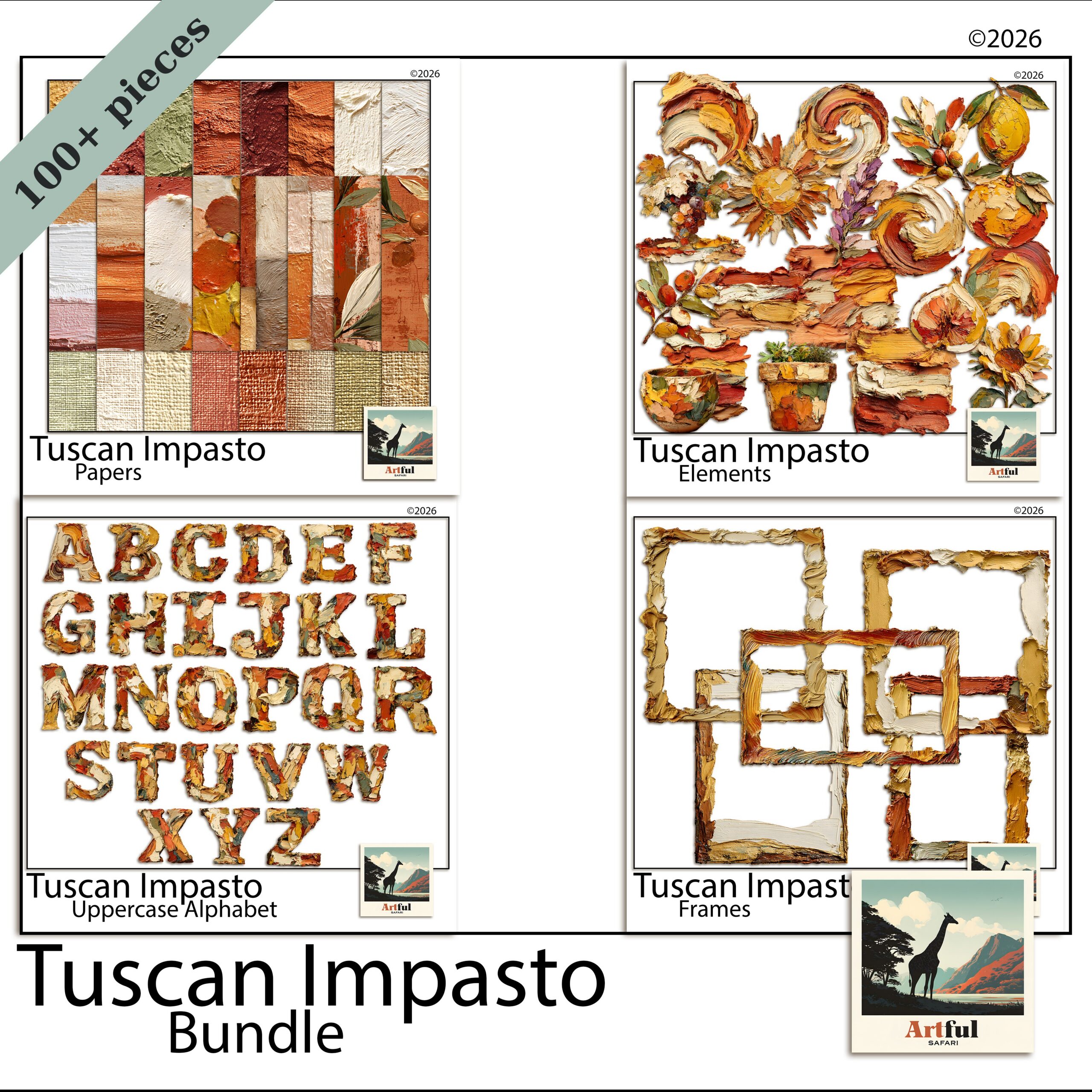
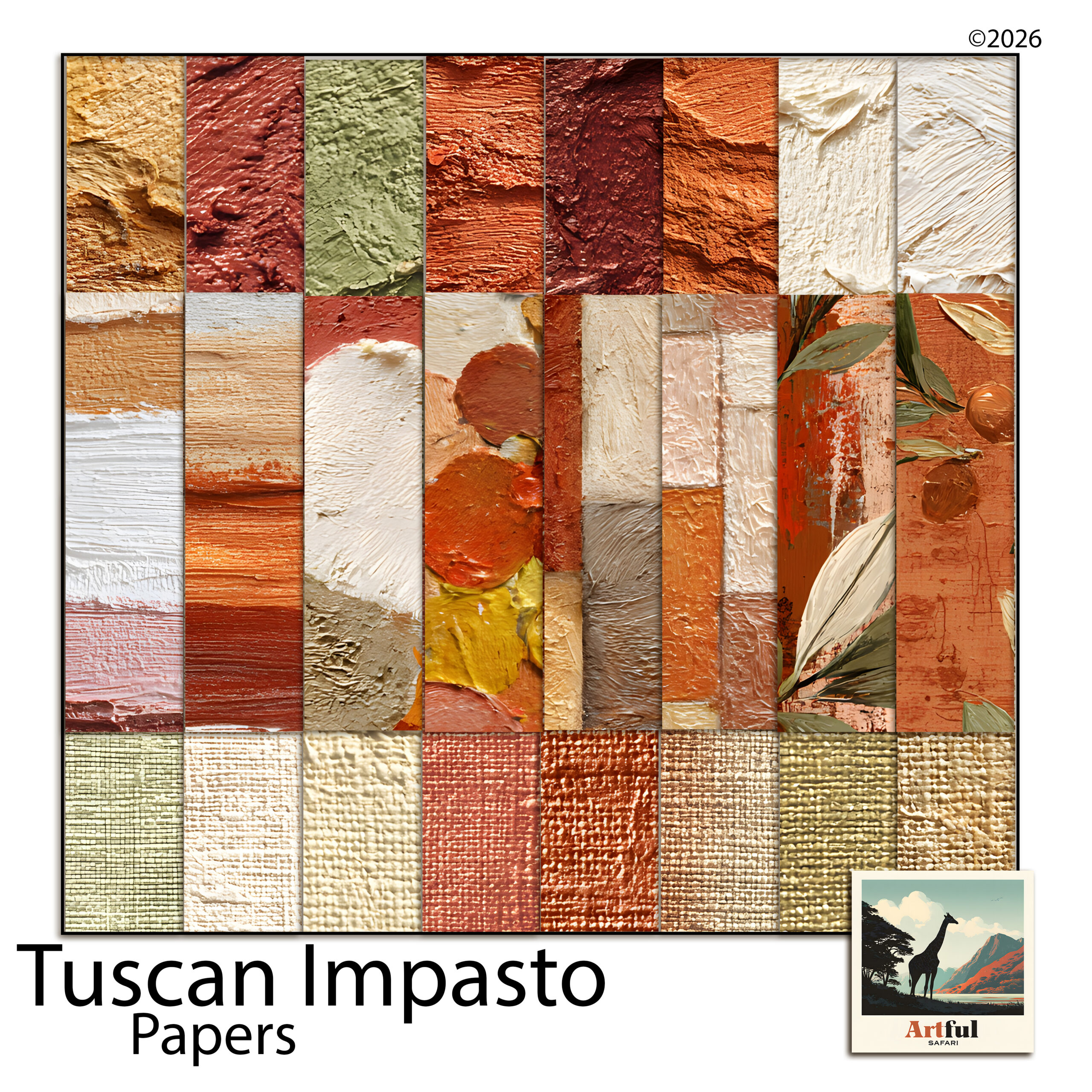
    Tuscan Impasto digital scrapbook bundle of papers, frames and clipart
    The full Tuscan Impasto Digital Scrapbook Bundle: commercial use clipart, papers and frames under one licence.

    What about print-on-demand and mass production?

    Print-on-demand sits in a grey area for a lot of sellers, so check it by name. Some licences allow unlimited finished items, some cap you at a few hundred, and a few treat POD as its own tier because the platform technically stores your uploaded design. If you’re listing tea towels or mugs through a print service, look for the words mass production or a quantity number in the licence. The standard small-maker licence on most of my commercial use clipart packs is written for exactly this kind of handmade and small-batch selling. A giant retail run of thousands is a different conversation, and that’s when you email the seller first.

    Free vs paid commercial use clipart: mind the gap

    It’s tempting to grab free clipart off a search and skip the whole licence question, but free is where people get caught out. A lot of free art is personal use only, even when the page doesn’t say so loudly, and some of it isn’t the uploader’s to give away in the first place. If you build a product line on a free download that turns out to be someone else’s stolen art, the problem becomes yours, not theirs.

    Paid commercial use clipart is usually cheaper than the headache. You get a written licence, a named seller you can email, and art that’s actually theirs to license. For anything you intend to sell, I’d treat a clear commercial licence as part of the cost of doing business, the same as your packaging or your listing fees.

    A quick sanity check before you commit

    Before you design a whole range around one pack, ask: does the licence name commercial use in writing, is the seller findable if I need to ask a question, and am I selling a finished product rather than the art itself? Three yeses and you’re almost always fine.

    Do you have to credit the artist?

    For a paid commercial licence, usually not. A credit is a kindness, not a requirement, and many shops say so plainly in the terms. Free downloads are where credit lines appear more often, so read those especially closely. And if you want to tag the shop because you’re chuffed with how a card turned out, that’s always welcome on my end.

    Staying on the right side of a commercial use clipart licence

    1. Read the licence file before you make anything for sale, and save a copy with your shop records.
    2. Note any limits: number of finished items, number of users, whether mass production is allowed.
    3. Flatten or export your finished work so the original art can’t be recovered.
    4. Never sell, share or give away the source files as art.
    5. If a use isn’t mentioned and you’re unsure, email the seller. A two-line question saves a lot of grief later.

    Want to go deeper on selling your own finished layouts rather than clipart? I wrote a companion piece, Can You Sell Digital Layouts?, that picks up right where this one leaves off.

    Key takeaways

    • Commercial use clipart can be sold on finished products when the licence allows it.
    • Selling a finished item is fine; reselling or sharing the art files is not.
    • Read the licence, keep a copy, and note any quantity or seat limits.
    • Credit is usually optional on paid licences, but always check free downloads.

    Frequently asked questions

    What is the difference between personal and commercial use clipart?

    A personal licence lets you use the art only in projects for yourself, family and friends. A commercial use clipart licence lets you use the art in things you sell, within the limits the shop sets.

    Can I sell cards and invitations made with the clipart?

    Yes, if your licence covers commercial use. Cards, invitations, menus and similar finished products are exactly what a commercial licence is for, as long as you sell the finished item and not the art files.

    Can I put the clipart in my own digital kit or template to sell?

    No. Reselling the art as clipart, bundling it into your own kit, or handing layered originals to a buyer breaks almost every licence. Sell the flattened finished product instead.

    Do I have to credit the artist when I sell something?

    Usually not for a paid commercial licence, though it’s a nice gesture. Free downloads more often ask for a credit, so read those terms carefully.

    Is there a limit to how many products I can make?

    Often yes. Many commercial licences cap the number of finished items or treat large mass-production runs separately. Check your licence and ask the seller for big print runs.

  • Uppercase Alphabet Clipart: 5 Easy Rules for Scrapbook Titles

    Uppercase Alphabet Clipart: 5 Easy Rules for Scrapbook Titles

    Alphabet clipart is a set of individual letter PNGs you place one at a time to build a title, and it works best for short, uppercase headlines of three words or fewer, where each letter can be sized and spaced by hand.

    For anything longer than a headline, a normal font is faster and easier to read. Clipart letters are for the title that’s meant to be the feature of the page.

    What is alphabet clipart, and when should you use it?

    Alphabet clipart is a set of letters saved as individual PNG files, one per character, usually with a painted, foiled or textured finish. You place them one at a time to spell out a title, instead of typing in a font.

    So when do you reach for it over a normal typeface? When the title is the feature. A few decorated capitals as a page header carry weight a plain font can’t. For a full sentence of journaling, though, a font is faster and far easier to read.

    Use alphabet clipart for short, loud titles. Use a font for everything you actually want people to read.

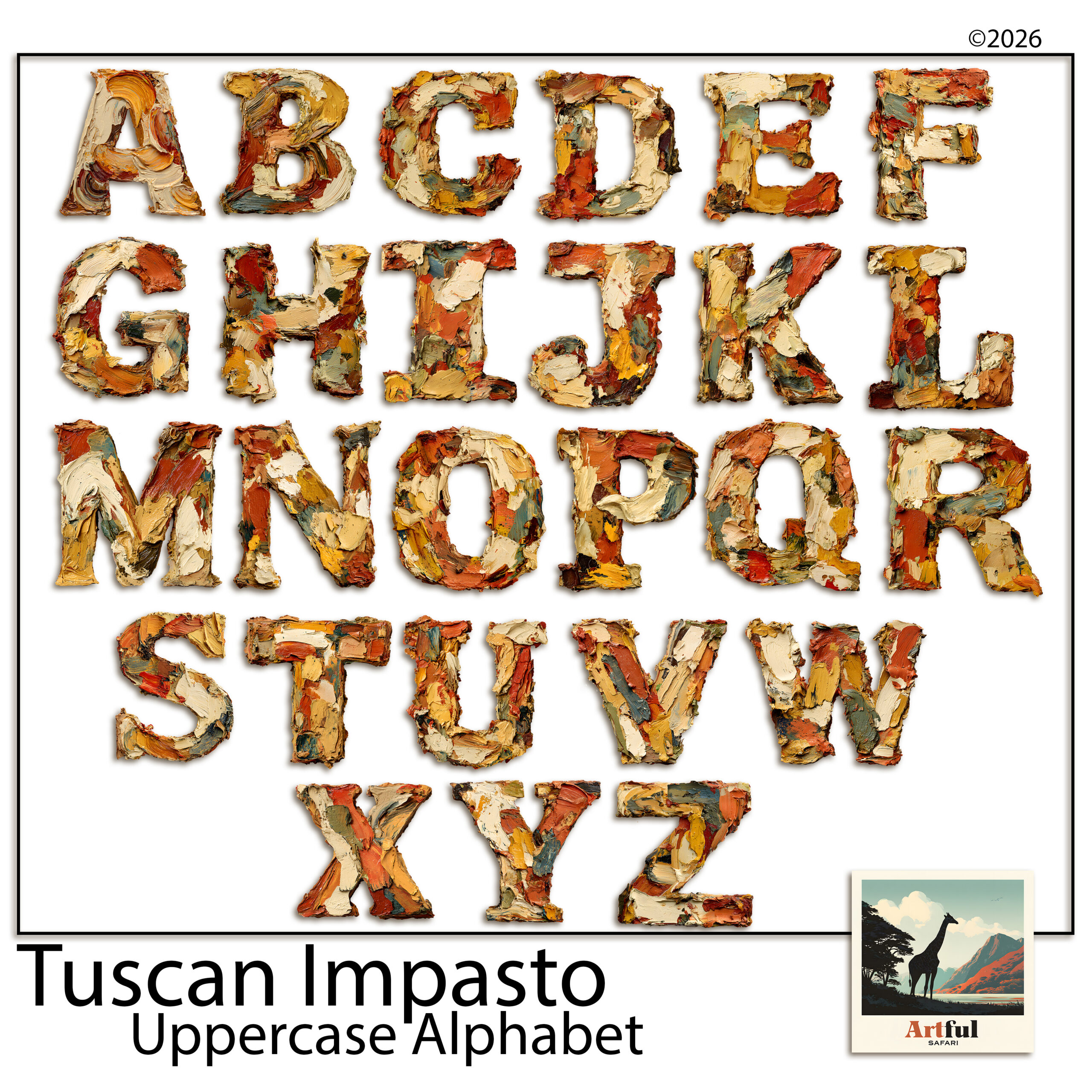
    Uppercase Italian oil-paint alphabet clipart letters for scrapbook titles
    Painterly capitals: the Tuscan Alphabet Clipart Italian Oil set.

    Where alphabet clipart works best on a page

    It’s worth being clear about where these letters earn their place, because that’s also where the spend is justified.

    • Page titles. The obvious one. “SUMMER”, “TUSCANY”, “HOME” across the top of a spread.
    • Single-letter monograms. One big decorated initial in a corner, used as a graphic rather than a word. A surprising amount of mileage from one letter.
    • Year and date markers. A big “2026” on a cover page does a lot of work for very little effort.
    • Album covers. The front of a memory book is exactly where a decorated title belongs, and it’s the page people see first.

    What they’re not for: body text, captions, or anything more than a few words. The moment you’re placing the tenth letter you should be reaching for a font instead.

    A trick I lean on: pair one clipart word with a plain typed word. “OUR” in a quiet font, “ADVENTURE” in big decorated capitals underneath. You get the decorative impact where it counts and keep the rest readable and quick to set.

    How to choose alphabet clipart for titles

    Three things decide whether a set earns its place.

    1. It has to match the kit

    Painterly capitals suit a Tuscan or rustic page. Blue-and-gold letters suit something formal or festive. A set that clashes with your papers will sit on the page like a sticker that wandered in from another album.

    2. Uppercase does the heavy lifting

    Most decorative titles are short and set in capitals, so a strong uppercase set covers nearly everything you’ll do. Lowercase decorative letters are fiddly to line up and rarely needed for a header.

    3. Check it’s a real PNG set

    Each letter should arrive on a transparent background as a proper PNG, at 300 DPI, so it drops onto your paper with no white box behind it. If the preview shows letters sitting on a white square, walk away.

    4. Make sure you get the whole alphabet

    Sounds obvious, but check. Some sets skip the rarer letters, or hand you capitals with no numbers. If you want to title a page “JOURNEY” and the set has no J, you’re stuck. A complete A to Z plus 0 to 9 and a couple of punctuation marks covers anything you’ll want to spell.

    Title lengthBest approachWhy
    1–3 wordsAlphabet clipart, uppercaseEach letter can be sized and placed by hand for impact
    4–6 wordsOne clipart word + a font for the restKeeps the feature without the fiddle
    A full phraseA font, every timeReadable, fast, and it won’t wander off the line

    How to build a title letter by letter

    This is the part people find slow until they have a method. Here’s the one I use.

    1. Drop in the first letter and size it to roughly what you want.
    2. Add the next letter on its own layer, sitting it close but not touching.
    3. Repeat across the word, eyeballing the gaps as you go.
    4. Once the word is built, select all the letters and align them along the bottom, so they sit on one line.
    5. Group them. Now you can move or resize the whole word as one piece.

    Build each word as its own group. A two-word title is then two blocks you can slide around the page until the spacing feels right.

    One habit that saves a lot of grief: size the letters once the word is grouped, not one by one. If you resize each letter individually you’ll never get them to match. Group first, then scale the whole word up or down as a single object, and they stay in proportion.

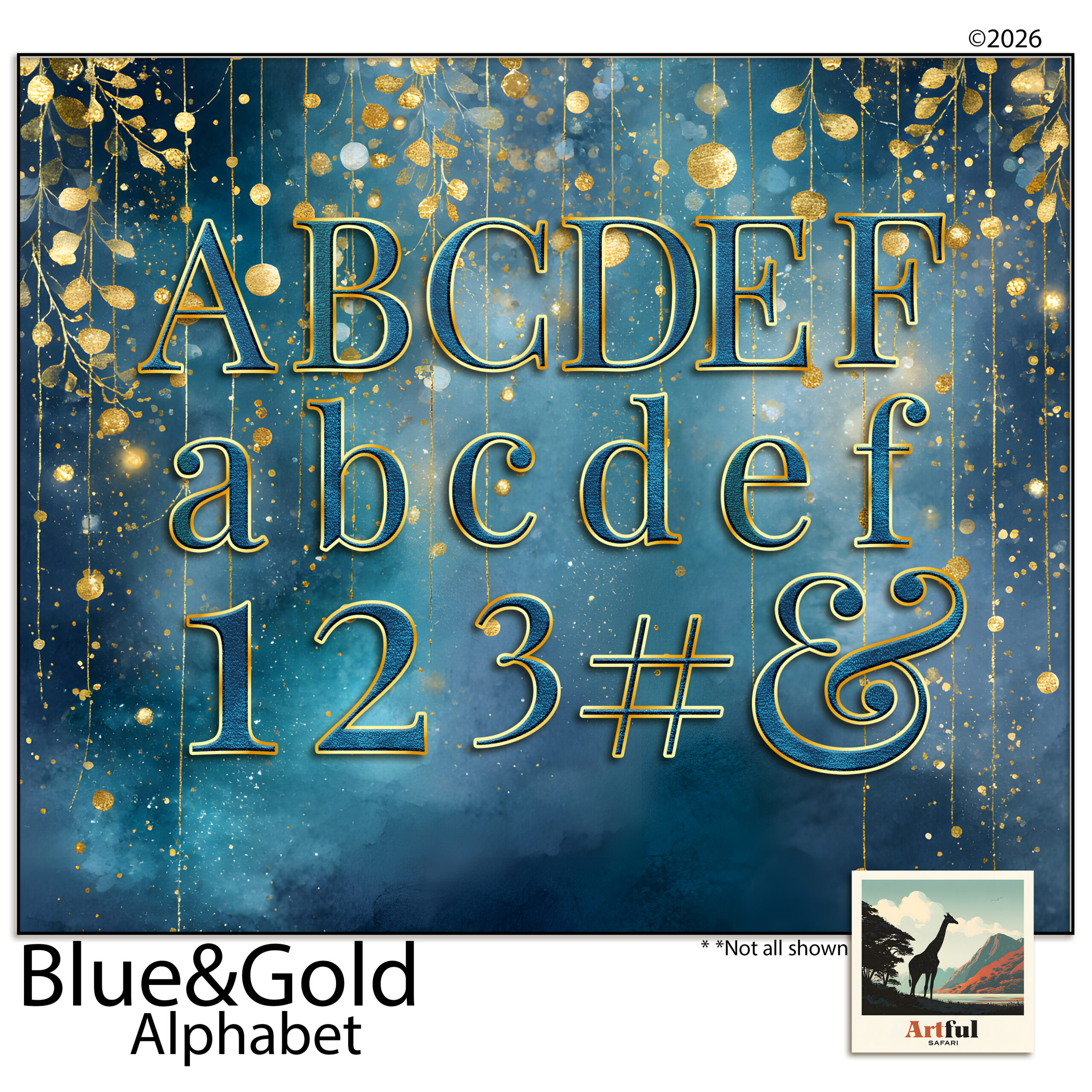
    Blue and gold decorative alphabet letters for album titles
    Richer and more formal: the Blue Gold Digital Scrapbook Alphabet.

    If your set comes in more than one colour or finish, pick one per title and stick to it. A word that mixes gold and blue letters reads as a ransom note, not a header.

    Spacing, kerning and the mistakes that make it look off

    Hand-placed letters can look brilliant or clumsy, and the difference is almost always spacing. A font handles the kerning for you behind the scenes; with clipart you’re the one doing it, so it pays to know what to watch for.

    • Even gaps beat equal gaps. An A next to a V can sit closer than two flat-sided letters. Trust your eye over the ruler.
    • Mind the baseline. Decorated letters often have flourishes that throw off where the letter “sits”. Line up the main body, not the curl.
    • Don’t mix two decorated sets in one title. One ornate alphabet plus a plain font for the small words. Two ornate sets together just shout.
    • Give it air. A title crammed edge to edge loses its impact. Leave space around it so it reads as the headline of the page.
    • Overlap on purpose, not by accident. Letters that just barely touch look like a mistake. Either keep a clear gap, or overlap them properly so it reads as a deliberate style. The halfway house is the one that looks wrong.

    If a title still looks off after all that and you can’t say why, try this: step back from the screen, or zoom out so the page is small. Spacing problems jump out at thumbnail size that you’d never spot up close. It’s the quickest fix I know.

    Titling is a whole skill in itself, and clipart is only one route into it. For the wider picture, including font pairings and placement, see Scrapbook Page Titles.

    Key takeaways

    • Alphabet clipart is for short, loud titles — three words or fewer. Use a font for anything longer.
    • Match the set to your kit and lean on uppercase; it covers nearly every header you’ll build.
    • Build each word as a group, align to the baseline, then move the whole thing as one piece.
    • Space by eye, not by ruler, and never stack two decorated alphabets in one title.
    • Buy a complete A to Z with numbers, and pick one colour per title so it reads clean.

    Frequently asked questions

    What’s the difference between alphabet clipart and a font?

    A font is typed and flows automatically. Alphabet clipart is individual decorated letter PNGs you place by hand, which gives a richer look but only suits short titles.

    Should alphabet clipart be uppercase or lowercase?

    Uppercase covers nearly everything. Most decorative titles are short and set in capitals, and lowercase decorative letters are fiddly to line up for a header.

    Why do my clipart letters look uneven?

    It’s almost always spacing. Space letters by eye rather than with equal gaps, and align the main body of each letter to one baseline rather than the flourishes.

    Can I mix two alphabet sets in one title?

    Better not to. One decorated alphabet plus a plain font for the small words reads clean. Two ornate sets in the same title fight each other.

  • Frame PNG: 5 Easy Checks Before You Buy One

    Frame PNG: 5 Easy Checks Before You Buy One

    A good frame PNG has a genuinely see-through centre, stays sharp at 300 DPI and matches the style of your kit. Before you buy one, check those three things plus the edge quality and the licence.

    Get any of them wrong and the frame either buries your photo under a white block or leaves a pale halo on every page. Both are easy to spot up front if you know where to look.

    What is a frame PNG, and why does the format matter?

    A frame PNG is a decorative border saved with a see-through middle. You sit it over a photo and the photo shows through the hole, so the frame looks like it’s wrapped around the picture.

    The format is the whole trick. A JPG can’t hold transparency, so a frame saved as a JPG comes with a solid white block in the centre that buries your photo. PNG keeps the centre genuinely empty. That single difference is what lets a frame drop cleanly onto anything underneath.

    This is also why you can’t just screenshot a frame off the internet and expect it to work. Most of those have a white or chequered centre baked in. A proper frame PNG has been cut out so the middle is real empty space, and that cut-out is exactly the bit cheap sets get wrong.

    Ornate Italian oil-paint frame PNG set for digital scrapbooking
    Painterly and ornate: the Tuscan Frame Clipart Italian Oil Paint set.

    What to check before you buy a frame PNG

    Most frames look fine on a product cover. The problems show up once you’re using them, usually after you’ve already paid. Run through this list before you buy and you’ll dodge the ones that look good in the thumbnail and fall apart on the page.

    CheckWhat good looks likeWhat to avoid
    Transparent centreThe middle is fully see-through, no white hazeA faint grey or white fill where your photo should sit
    Resolution300 DPI, large enough to sit at full page sizeSmall files that go soft the moment you enlarge them
    Edge qualityClean, slightly soft edges that don’t look cut out with scissorsHard pixel stair-steps or a white halo around the frame
    Style matchFrames that suit the kit and era you’re working inOne frame that fights every other element on the page
    LicenceA clear note on personal vs commercial useNo licence stated at all

    The halo test

    The most common fault in a cheap frame PNG is a pale outline left over from a sloppy cut-out. Drop the frame onto a dark background and look at its outer edge. If you can see a thin white line tracing it, the cut-out was rushed and it’ll show on every page.

    The licence is part of the buy

    If you make anything you sell, or even just share widely, the licence matters as much as the look. A set sold for personal use only can’t legally go on a card you’re selling. A good listing states it plainly. If you can’t find a word about licensing anywhere, treat that as a reason to walk, not a detail to sort out later.

    How many frames do you actually need?

    Fewer than the big bundles suggest. A working frame PNG set is small:

    • One or two ornate frames for hero photos and title pages.
    • A couple of simple frames for everyday photos and clusters.
    • One odd shape — oval, arch or torn-edge — for variety.

    You’ll reach for the same two or three over and over. That’s normal, and it’s a sign you bought well. A frame you trust is worth ten you have to think about.

    That’s it. Five or six frames you actually like will outwork a pack of fifty you have to hunt through every time.

    Big packs look like better value on the listing, and sometimes they are, but only if the frames inside are varied. Thirty near-identical gold ovals isn’t thirty frames, it’s one frame you paid for thirty times. Look past the count and check how different the shapes and weights actually are. A small set with real range beats a fat set of near-duplicates every day.

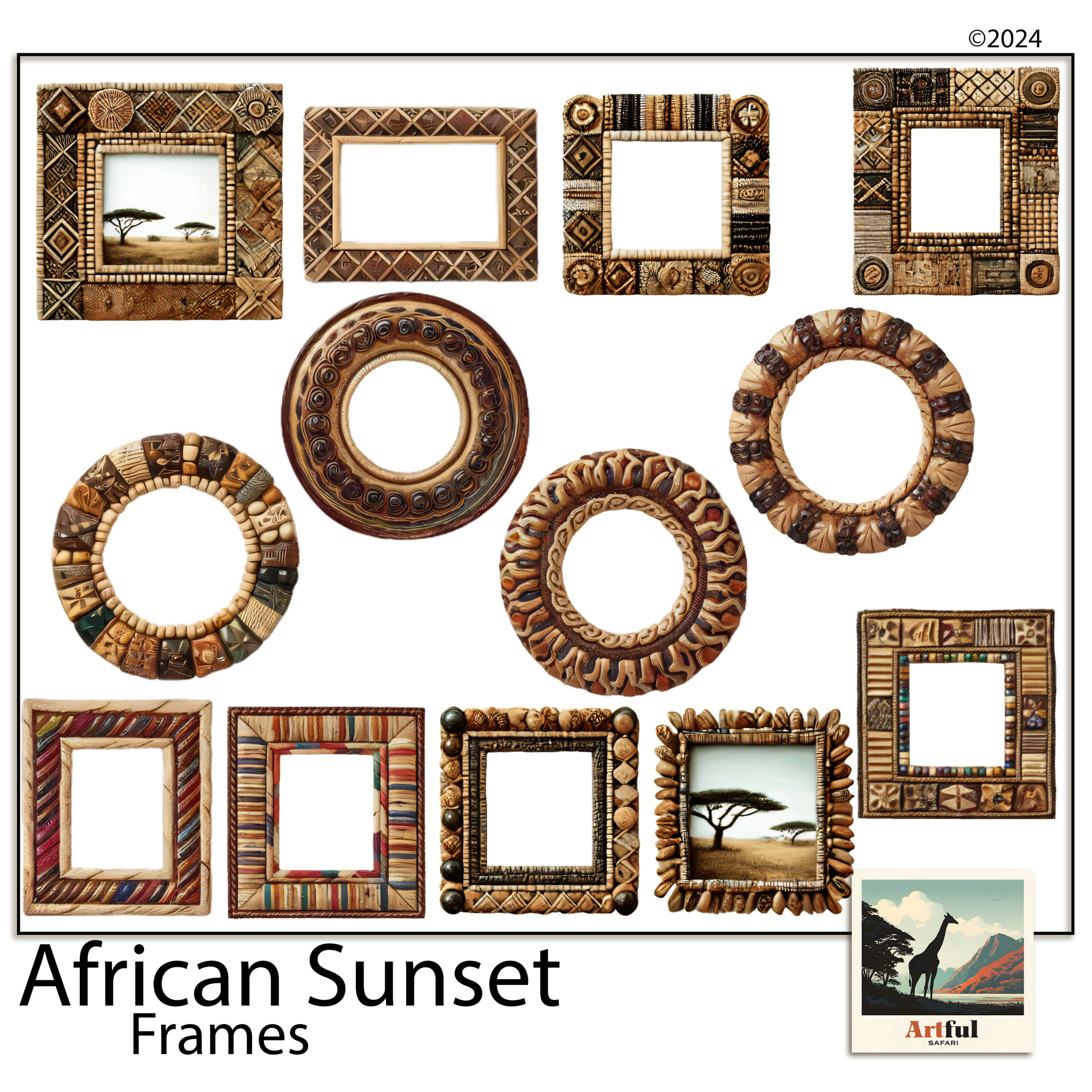
    Beaded African sunset photo frames with transparent centres
    A frame PNG set in a warmer register: the African Sunset Photo Frames PNG Beaded set.

    Ornate vs simple: matching a frame PNG to your photo

    Busy photo, plain frame. Plain photo, you can afford an ornate one. A beaded or carved frame around a cluttered market shot makes the eye give up. The same frame around a single quiet portrait looks considered.

    The rule of thumb I use: the frame and the photo shouldn’t both be loud. If the photo already has a lot going on, the frame’s job is to hold it, not compete with it. Save the showy frames for your quietest, strongest shots, the ones that can stand the attention.

    Colour matters as much as shape

    A frame that’s the right shape but the wrong colour still fights the page. A cool silver border on a warm ochre layout sits there like a guest who wandered into the wrong party. Pick frames whose tone already lives somewhere in your kit, a gilt that echoes a gold in the paper, a beaded brown that picks up a wood texture. When the frame shares a colour with the page, it stops looking added on and starts looking like it belongs.

    Match the era, not just the colour

    A painterly gilt frame suits a Tuscan or vintage page. A beaded frame suits something warm and earthy. Putting a sleek modern border on an aged-paper layout is the thing that quietly makes a page look wrong without you being able to say why.

    Once you’ve chosen well, placement is its own small craft: resizing without squashing, layering over paper, mixing styles. I walk through all of that in How to Use Photo Frame PNGs.

    Where do people go wrong with frame PNGs?

    The frames themselves are rarely the problem. The way they get used is. Four mistakes show up again and again.

    • Stretching to fit. Dragging a square frame to fit a tall photo squashes the corners. Resize from a corner handle so it keeps its shape, then crop the photo to the frame instead.
    • Framing everything. If every photo on the spread has an ornate border, none of them stands out. Frame one, let the rest sit plain.
    • Fighting the paper. A heavily patterned paper under a heavily detailed frame turns to noise. Give one of them room: busy frame, quiet paper.
    • Buying for the cover. The product image is styled. Open the frames at full size and check the centre and edges yourself before you commit to a whole album’s worth.

    None of these are about taste. They’re the difference between a frame that looks placed and one that looks pasted. Fix them and even a modest set of frames will carry a whole album.

    Key takeaways

    • Always PNG, never JPG — only PNG holds the transparent centre a frame needs.
    • Before buying, check the centre, the resolution, the edges, the style fit and the licence.
    • Run the halo test on a dark background to catch a lazy cut-out.
    • Five or six frames you like beat a pack of fifty you never reach for.

    Frequently asked questions

    Why does a frame have to be a PNG and not a JPG?

    JPG files can’t store transparency, so a JPG frame comes with a solid white centre that hides your photo. PNG keeps the middle see-through, which is the whole point of a frame.

    What resolution should a frame PNG be?

    Look for 300 DPI and a file large enough to sit at full page size. Small frames go soft as soon as you enlarge them, and the blur shows around every edge.

    How do I spot a poorly made frame?

    Drop it onto a dark background. If a thin white outline traces the frame, the cut-out was rushed and that halo will appear on every page you use it on.

    How many frames do I need for an album?

    Five or six is plenty: one or two ornate frames, a couple of simple ones, and one odd shape for variety. A huge pack mostly slows you down.

  • How to Make a Tuscany Scrapbook (5 Easy Page Ideas)

    How to Make a Tuscany Scrapbook (5 Easy Page Ideas)

    To make a Tuscany scrapbook, start with your strongest 30 to 40 photos, pick one warm Italian kit so every page already matches, then build outward from a title page using papers, olive and lemon clipart, and a few lines of journaling.

    That order matters. Choose the kit before you touch a single page and the colour-matching that usually eats an afternoon just disappears.

    What you need before you start a Tuscany scrapbook

    A Tuscany trip throws a lot at you: hill towns, long lunches, that gold light at five o’clock. If you open a blank page and try to fit all of it, you stall. So gather three things first.

    • Your photos, copied into one folder. Phone shots are fine.
    • One themed kit so every page already agrees with the next. A warm Italian palette saves you the colour-matching headache.
    • A rough order of the trip, day by day or place by place. You don’t need a plan, just a thread.

    I work in whatever I already have open. Procreate on the iPad, Photoshop on the desktop, Canva in the browser. The steps below hold up in all three. You don’t need a paid app or any design training. If you can drag a photo around a screen, you can build this album.

    One more thing worth doing up front: decide roughly how long you want it. A weekend in Florence and a three-week loop through Chianti are very different albums. Knowing the rough size keeps you from sprawling.

    Tuscany scrapbook bundle with warm ochre papers, olive clipart and frames
    Everything matched out of one kit: the Tuscan Impasto Digital Scrapbook Bundle.

    How do you choose photos for a Tuscany trip album?

    Cut harder than feels comfortable. Thirty to forty photos make a tidy album. Two hundred make a chore you never finish, and the album that never gets finished is the one nobody sees.

    Sort them into three piles:

    1. Anchor shots — the view from the vineyard, the duomo, the bowl of pasta you still think about. One per page, big.
    2. Detail shots — a tile, a lemon on a wall, your wine glass. These go small, in clusters.
    3. People — the ones where someone is actually laughing, not posing.

    If two photos say the same thing, keep the better one and bin the other. Your album gets stronger every time you delete. And don’t worry about chronological order yet. You can shuffle pages later; for now you’re just deciding what earns a place.

    The shots people forget to keep

    Wide, empty shots are the ones I almost always wish I had more of. The road in, an empty piazza at dawn, a table laid before the food arrives. They give a page somewhere to breathe and they set the scene better than another close-up of a plate. If you have a few, hold them back for title pages and quiet spreads.

    Building the title page of your Tuscany scrapbook

    The first page sets the mood, so give it room. Drop a warm paper as the background, sit your best wide shot in the middle, and add a short title. “Tuscany, May 2026” does more than a paragraph would.

    Layer order that works

    Think of it as stacking real paper on a table. Background paper at the bottom, then a photo or a frame, then clipart, then text on top. Keep text on its own layer so you can nudge it without disturbing anything underneath.

    Olive-toned Italian digital scrapbook papers for backgrounds
    Backgrounds do the heavy lifting in a Tuscany scrapbook: the Italian Digital Scrapbook Paper Olive set.

    The papers carry most of the feeling here. A faded ochre or an olive-print background reads as Italy before you’ve added a single lemon.

    Tuscany scrapbook spreads, page by page

    You don’t need a new idea for every page. Five layouts on rotation will carry a whole album. Here’s what I lean on.

    SpreadWhat goes on itClipart to use
    The long lunchOne food anchor shot, three detail shots in a row underneathOlives, lemons, a sprig of rosemary
    Hill townA wide rooftop view, a journaling card with the town nameAn ornate frame, a single olive branch in a corner
    Vineyard afternoonTwo photos side by side, plenty of paper showingGrapevine, a wine motif, kept small
    The marketA photo grid of four, tight togetherLemons and produce around the edges
    Quiet detailOne small photo, a lot of empty background, a line of journalingAlmost none — let the paper breathe

    Notice the last row. A near-empty page every few spreads gives the eye a rest and makes the busy ones land harder.

    A note on clipart restraint

    Lemons are charming until there are forty of them. One or two pieces per page, tucked into a corner or overlapping a frame, reads as styling. Scattered everywhere, it reads as a sticker sheet that fell over.

    Which parts of a Tuscany scrapbook kit do the most work?

    A Tuscan bundle gives you papers, clipart, frames and journaling cards. They don’t pull equal weight. Here’s what each one is really for.

    Papers carry the mood

    This is the part most people underuse. The background paper decides whether a page feels like sun-baked Italy or a generic photo dump, before any photo goes on. Pick a warm, muted paper and your job is half done. I tend to keep two or three papers in rotation across the album so it hangs together without going flat.

    Clipart adds the small touches

    Olives, lemons, a vine, a wine bottle. These are seasoning, not the meal. Use them to fill an awkward gap in a corner or to link a photo to a journaling card, then stop. The album should look like Tuscany, not like a produce aisle.

    Frames and journaling cards do the structure

    A frame tells the eye “look here first”, so save the ornate one for your strongest photo on each spread. Journaling cards are where the trip actually lives: the name of the trattoria, the road you got lost on, what the wine cost. Photos show what it looked like. The cards are what you’ll be glad you wrote down in ten years.

    Digital or printed: how to finish your Tuscany scrapbook

    Once the Tuscany scrapbook pages are built, you have two ways to keep them.

    • Digital — export each finished page as a high-quality JPG or PDF and keep them in an album on your iPad, or share the set with the people who were on the trip.
    • Printed — send your finished page exports to a photo-book service, or print them at home and slot them into an album. You’re printing your own completed layouts here, which is exactly what they’re built for.

    My own habit is to keep the album digital and order one printed photo book a year as a keepsake. You get the easy sharing and the thing you can hold, without printing every page yourself.

    For a step-by-step on the wider travel-album workflow, the same one I use for any trip, see How to Make a Travel Scrapbook.

    Key takeaways

    • Pick one warm Italian kit first so every page matches without effort.
    • Thirty to forty photos beats two hundred — cut hard, the album gets better.
    • Five rotating spreads carry a full album; one near-empty page every few pages gives the eye a rest.
    • Finish digitally for sharing, or print your completed page exports into a photo book.

    Frequently asked questions

    How many pages should a Tuscany scrapbook have?

    Ten to fifteen pages suits most one-week trips. That gives roughly thirty to forty photos room to breathe without the album dragging.

    What colours say ‘Tuscany’ on a page?

    Warm ochre, faded terracotta, olive green and a soft cream. Keep them muted rather than bright and the pages read as sun-worn Italy.

    Do I need design software to make one?

    No. The same steps work in Procreate, Photoshop or Canva. If you already use one of them for anything, you have what you need.

    Can I print a digital Tuscany scrapbook?

    Yes. Export each finished page as a high-quality JPG or PDF, then send those exports to a photo-book service or print them at home and slot them into an album.

  • 5 Quiet Things to Do in Paris You’ll Actually Remember

    5 Quiet Things to Do in Paris You’ll Actually Remember

    Most lists of things to do in Paris hand you the same four items: the Tower, the Louvre, a queue, a boat. You can do all of it and still come home feeling like you saw Paris through glass. The city people actually fall for is smaller and quieter — a warm bakery at eight in the morning, a museum almost to yourself on a Thursday night, a bottle of wine on the river as the lights come on.

    This is that Paris: five things to do in Paris that earn their place, with the details that make the difference. And at the end, the part nobody plans for — how to turn it into a travel journal or scrapbook page once you’re home and the photos start to blur.

    Things to do in Paris before nine: start at the boulangerie

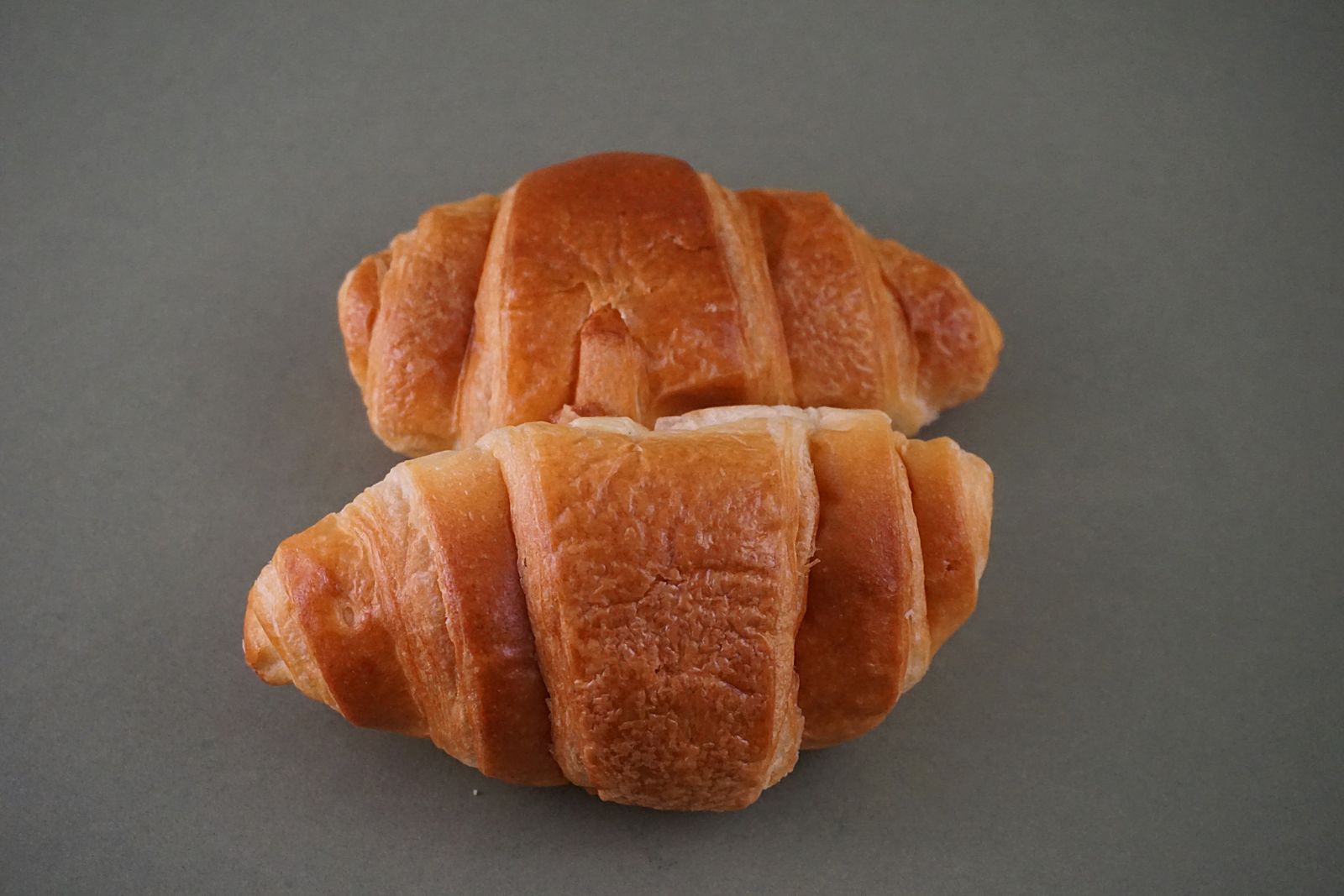
    Fresh croissants at a Paris boulangerie counter, one of the first things to do in Paris each morning
    Four euros, eaten walking. The best things to do in Paris rarely need a ticket.

    The most Parisian hour of your day costs about four euros. Find the neighbourhood bakery with a small queue of locals — and here’s the trick most visitors miss: French bakeries are required to close one day a week, on a rolling rota, so the one that’s open and busy is the one the street trusts. Order a pain au chocolat and a noisette (an espresso with a drop of milk), and eat it walking.

    Do it near the Luxembourg Gardens just after they open, when it’s joggers and old men with newspapers and almost no one else. That half hour will outrank half the monuments on your list.

    One museum, done right — and it’s probably not the Louvre

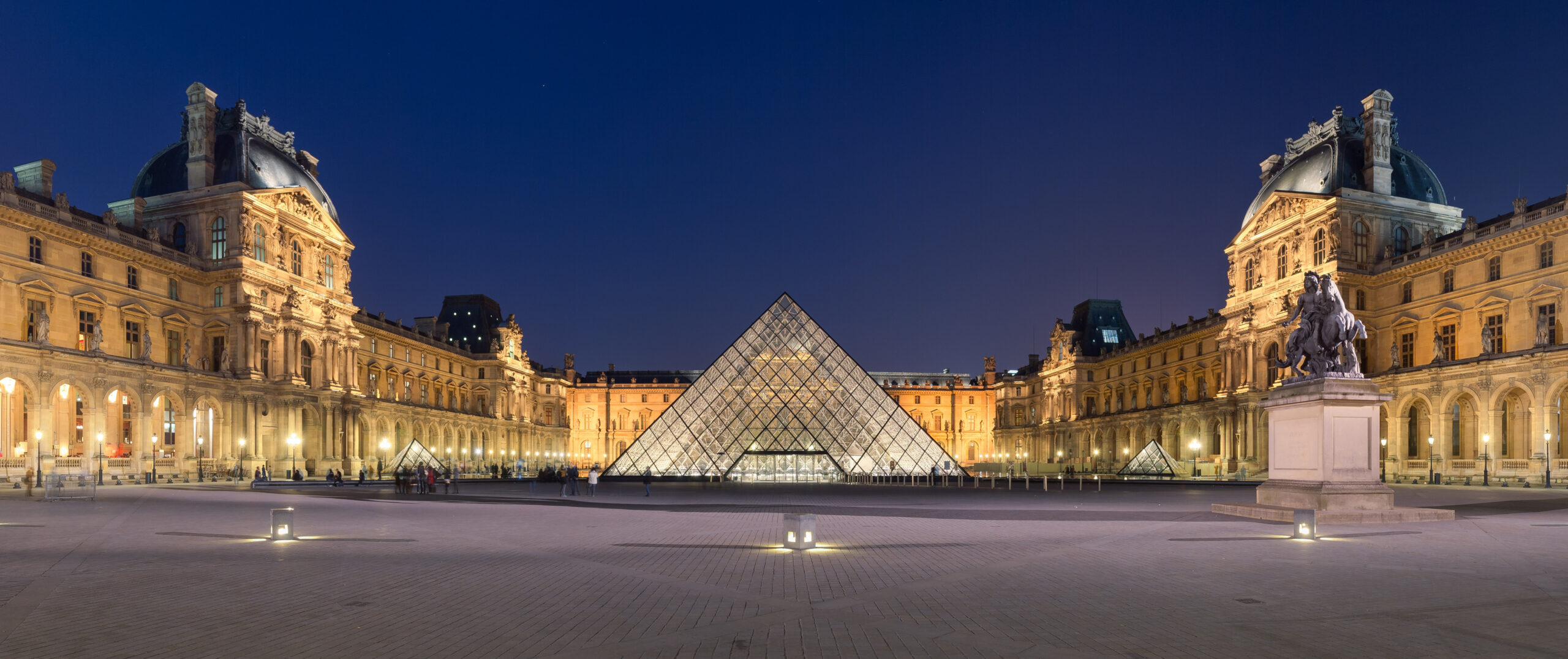
    The Louvre and its glass pyramid in Paris

    Of all the things to do in Paris, the Louvre is the one most likely to eat a full day and leave you numb in front of your fourth hallway of marble. Unless there’s a specific painting you came for, give it a miss — or go for exactly one thing (the Winged Victory of Samothrace, mid-staircase, is the one that earns the visit) and walk out without guilt.

    The better afternoon is the Musée d’Orsay, across the river in a converted railway station. Go on a Thursday: it stays open until 9:45pm and empties out after six. The Impressionists everyone pictures when they think of Paris — Monet, Degas, Renoir — are up on the top floor, and there’s a café behind a giant glass clock that looks back over the city. For something quieter still, Sainte-Chapelle’s stained glass is staggering — but only on a sunny day. The whole point is the light coming through, so don’t spend it there in the rain.

    See the Eiffel Tower without the scrum

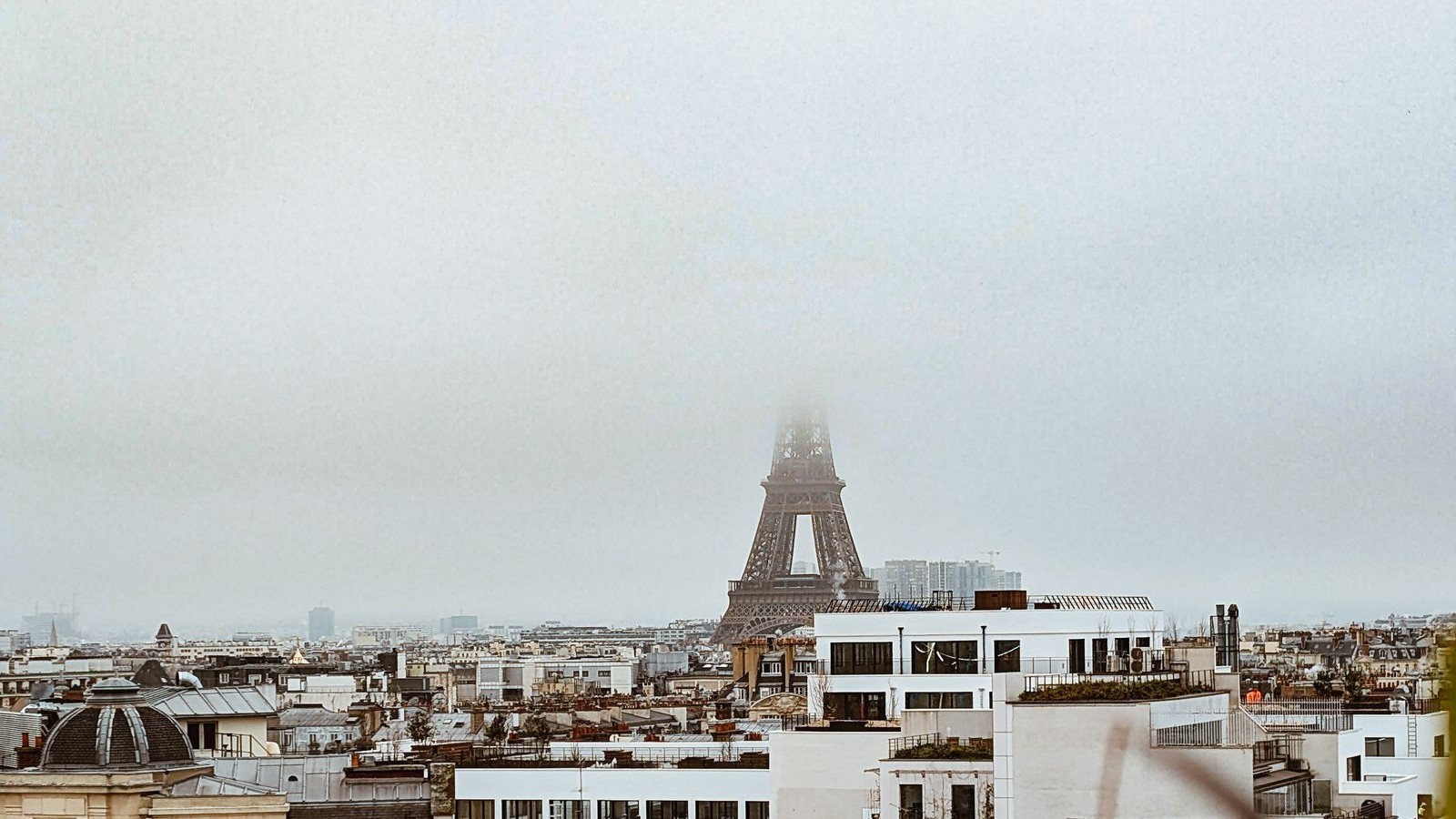
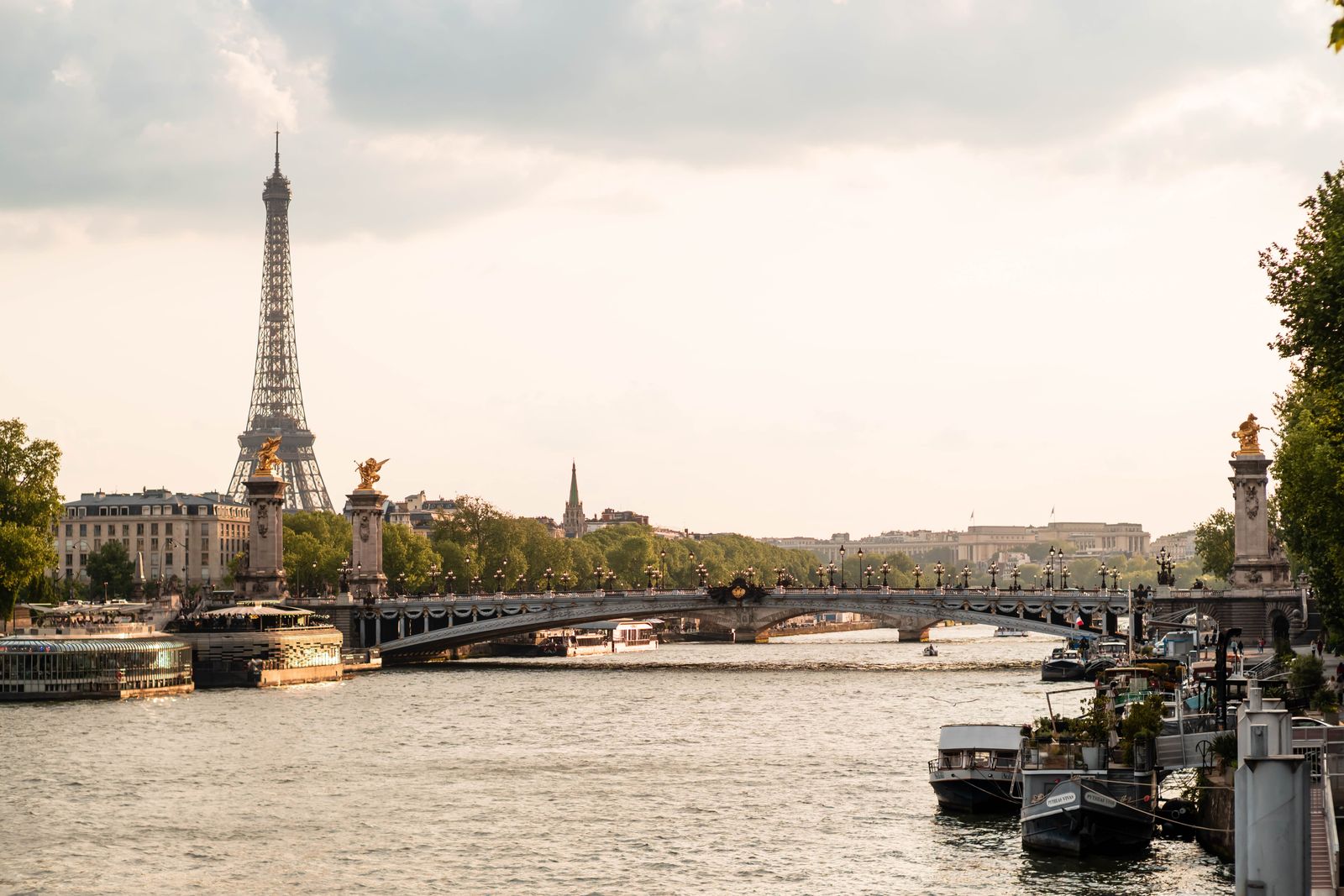
    The Eiffel Tower rising over Paris

    Every list of things to do in Paris puts the Tower near the top, which is why Trocadéro at midday is a crush of crowds and men selling keyrings. Skip it. For the photo — the Tower framed at the end of a street — stand on Rue de l’Université, around number 5. For the whole thing rising over the river, walk out onto the Bir-Hakeim bridge. Either way, time it for dusk: on the hour after dark, the Tower sparkles for five minutes, and it’s worth building an evening around catching it once.

    Give an evening to the river

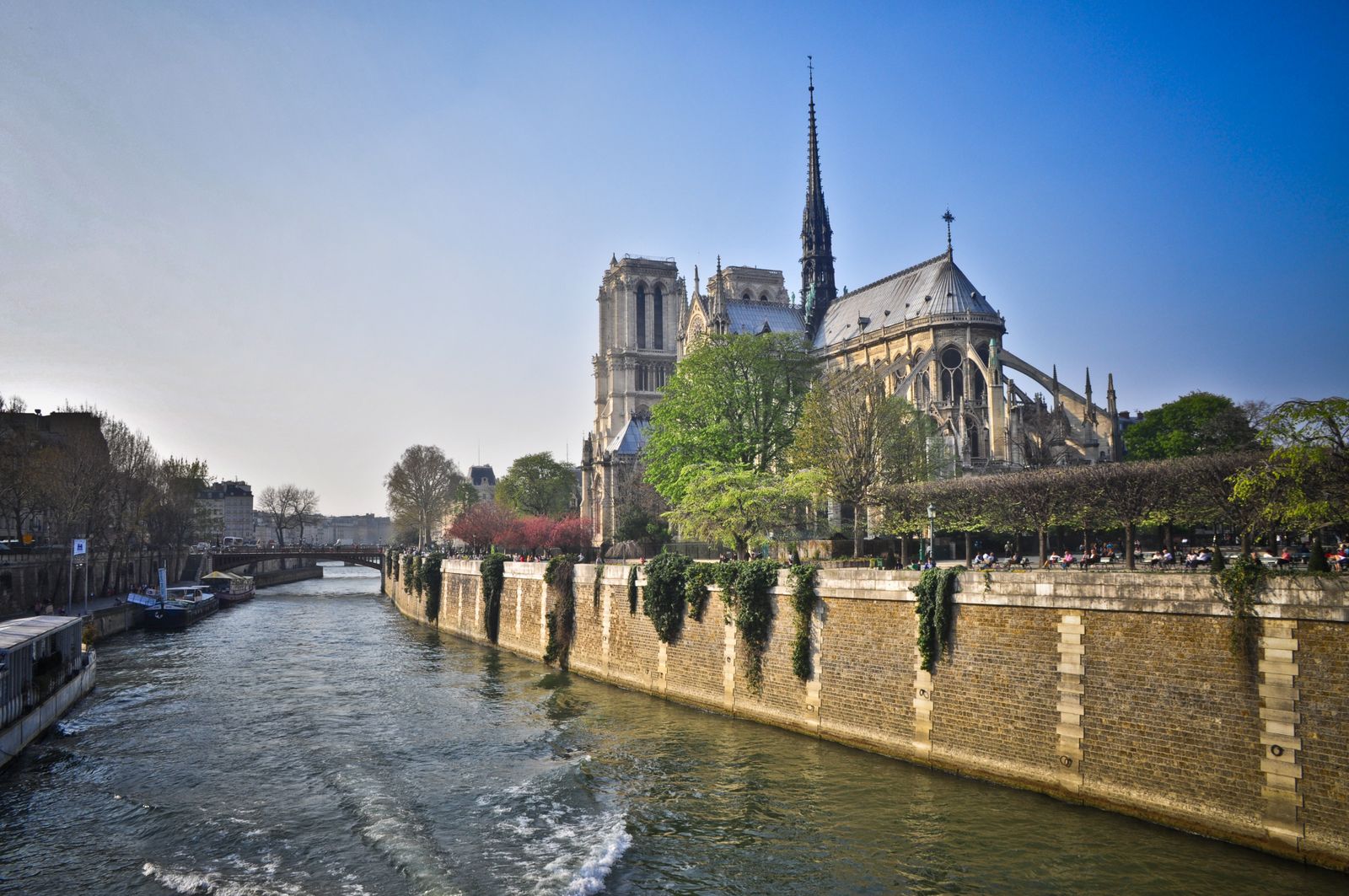
    Notre-Dame de Paris seen from across the Seine at dusk

    Walk the Seine with no destination. Along the quais you’ll pass the bouquinistes — the green book boxes clamped to the wall, selling old paperbacks and prints the way they have for centuries. Buy something small.

    Pick up wine and cheese on the way and head for the Square du Vert-Galant, the little park at the very tip of Île de la Cité, and sit on the stone steps at the water’s edge as the lights come up. On the next island over, Île Saint-Louis, Berthillon makes the ice cream Parisians actually queue for — the salted caramel is the one. Of all the things to do in Paris, this evening is the cheapest, and the one people still talk about a year later.

    Free things to do in Paris: pick a neighbourhood and get lost

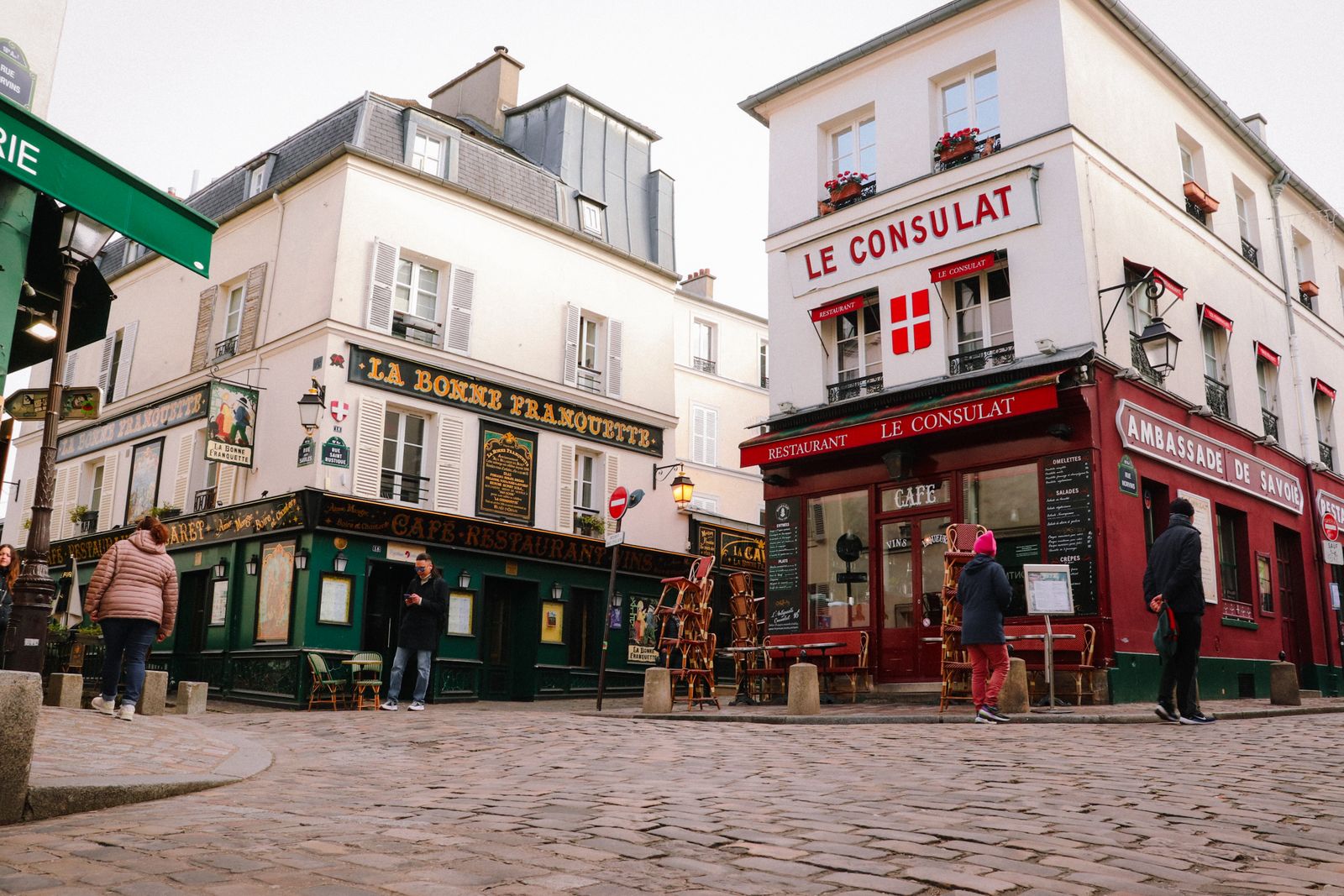
    A quiet cobblestone street in Montmartre, Paris

    Montmartre is magic before nine in the morning and after the tour buses leave at night — the cobbled lanes behind Sacré-Cœur, not the painters’ square. Canal Saint-Martin is where young Paris brings a bottle to the water’s edge on a warm evening. Le Marais rewards having no plan at all. And when it rains, duck into the covered passages — Galerie Vivienne, Passage des Panoramas — 19th-century glass-roofed arcades most visitors walk straight past. None of these things to do in Paris cost more than the coffee you carry through them.

    Travel scrapbook ideas: keep the trip, not just the photos

    Here’s what happens after every good trip. The photos pile up in your phone, and within a year the small stuff is gone — the name of that café, the date you sat on the steps by the river, the busker who played as the Tower lit up. The monuments you’ll remember. The details that made it yours are the ones that fade, and a camera roll doesn’t hold a name or a feeling.

    The fix takes two minutes a night, whatever your own things to do in Paris turned out to be: write down three lines — where you were, what you ate, the one thing that stood out. Then when you’re home, give them somewhere to live. One travel page — the few photos that mattered, those three lines beside them — beats four hundred pictures you’ll never scroll back through. Some people keep a running trip journal as they go; others build one travel scrapbook page a day once they’re home. Either way it becomes a travel memory book you’ll actually open again.

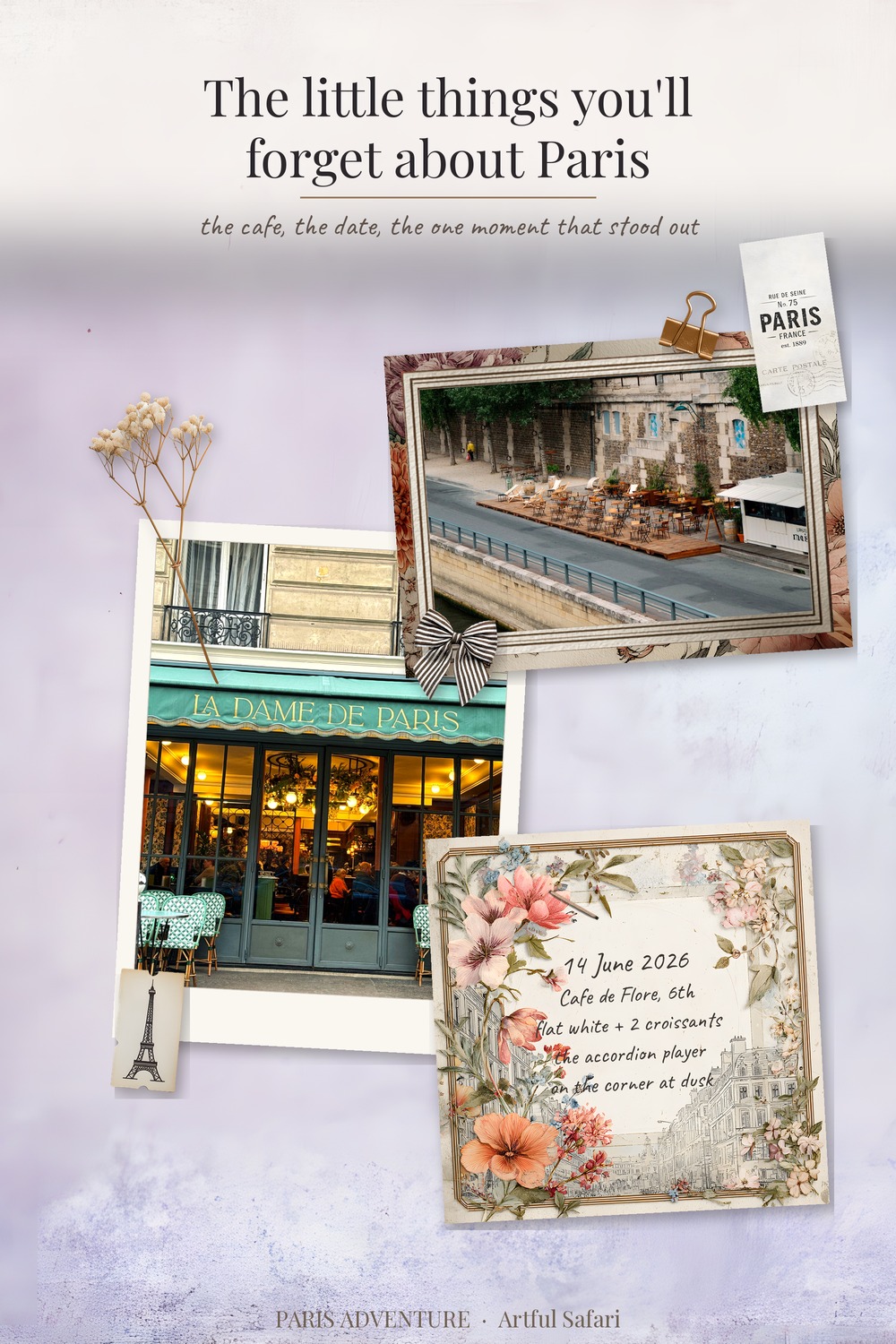
    A finished Paris travel scrapbook page made with the Artful Safari Paris Adventure kit: two photos and a journaling card noting the date, the cafe and the one moment that stood out

    That page took about ten minutes. The photos are yours; everything else — the frames, the papers, the note cards with a space already set for the date and the place — is our Paris Adventure kit: drop-in pieces for Procreate, Canva, Photoshop or GoodNotes, so it looks like that without you being a designer. It’s the quick way to a digital travel journal or scrapbook page, no design work needed.

    Get the Paris Adventure kit →
    Papers, frames, note cards and elements. Instant download, iPad or desktop.

    You went all that way. Keep more of it than the camera roll.


    Going somewhere else, or marking something closer to home? The same idea works for any trip or any moment worth keeping — a wedding, a graduation, the year your kid actually remembers. Browse the Artful Safari shop →

  • Where to Buy Tuscan Clipart (and 5 Easy Checks First)

    Where to Buy Tuscan Clipart (and 5 Easy Checks First)

    You can buy Tuscan clipart from dedicated digital shops, Etsy, subscription libraries and free sites, but for one themed project a matched set or bundle from a maker beats hunting a giant library. Whichever you choose, check the file type, resolution, cut-out quality and licence before you pay.

    The preview image is what sells the set. The file details are what tell you whether it will actually hold up on your page.

    Where can you buy Tuscan clipart?

    Tuscan and Italian clipart turns up in a few places, and they are not all equal. Knowing the difference saves you from a set that looks lovely on the cover and falls apart the moment you zoom in.

    • Dedicated digital shops. Smaller makers who design matched sets, usually with the frames, papers and alphabet built to go together. You tend to get cleaner cut-outs and a consistent palette.
    • Etsy. The widest choice and the widest range in quality. Read the listing for file type and resolution before you trust the preview.
    • Big subscription sites. Endless libraries for a monthly fee. Handy if you buy constantly, wasteful if you want one good Tuscan set.
    • Free clipart sites. Tempting, but the licence is often vague and the files are usually low resolution. Fine for a quick mock-up, risky for anything you keep.

    For a single themed project, a matched set or bundle from a maker beats hunting through a giant library. You spend less time fixing mismatched styles, and the pieces already look like they came from the same place. A library can still earn its keep if you make a lot of pages across many themes, but for one Tuscany album it is more choice than you need, and more sifting than you want.

    Tuscan clipart set of Italian olives, lemons and oil on a transparent background
    Tuscan clipart in practice: the Italian Fruit Clipart Olives Lemons Oil set ships as transparent PNGs you can drop straight onto a page.

    What to check before you buy Tuscan clipart

    The preview image sells the set. The file details tell you whether it will hold up. Run through this before you pay:

    CheckWhat you wantWhy it matters
    File typeTransparent PNGJPG clipart comes with a white box you can’t remove cleanly.
    Resolution300 DPILow-res art looks soft and pixelated once you enlarge it.
    Cut-out qualityClean edges, no white haloA rough cut-out leaves a fuzzy outline on every element.
    What’s includedElement count listed“Tuscan clipart” can mean five pieces or fifty. Check the number.
    LicenceStated clearlyYou need to know if you can use it on things you sell.

    Style matters as much as the file

    Italian clipart swings between two looks: crisp watercolour and loose oil-paint. Decide which suits your project before you buy. Watercolour olives sit well on a soft, pale page. Brushy impasto lemons want a warmer, textured background. Mixing the two in one layout usually reads as a clash, so pick a lane and stay in it.

    Tuscan or generic Italian: does the difference matter?

    “Tuscan” and “Italian” get used as if they mean the same thing, and for clipart they mostly overlap. The Tuscan label tends to bring a specific palette: olive green, terracotta, soft gold, dusty cream, with cypress and rolling-hill cues. Generic Italian clipart casts wider, picking up Amalfi blues, Venice motifs and bright lemon yellows.

    It matters when you have a clear scene in mind. A Tuscan farmhouse album wants the muted, sun-warmed palette. A Mediterranean coast page wants the brighter blues. Buying the wrong one isn’t fatal, but you’ll fight the colours the whole way.

    Transparent PNGs vs flat images

    This is the detail people skip, then regret. A transparent PNG has nothing behind the artwork, so an olive branch drops onto your page with only the branch showing. A flat JPG carries a background, usually white, that boxes the art in.

    You want PNGs. They layer over papers, photos and frames with no extra work. If a listing only offers JPGs, or won’t say which it is, treat it as a flat image set and move on.

    Red flags worth spotting in a listing

    A few signs tell you a Tuscan clipart set will disappoint before you’ve spent a penny:

    • No file type or size named. If the seller won’t say PNG and won’t give the resolution, assume the worst.
    • One glossy mock-up and no flat-lay of the pieces. The styled photo hides the cut-out quality. You want to see the elements on a plain background.
    • The same art you’ve seen in ten other shops. Cheap resold packs float around everywhere, usually low-res and with a murky licence.
    • A licence link that goes nowhere, or no licence at all. For anything you sell, that is a deal-breaker.

    None of these are about taste. They are about whether the file does what the picture promises once it lands on your page.

    What a good Tuscan clipart set includes

    A set worth buying gives you enough range to build several pages, not just one. Look for:

    • Fruit and produce: olives, lemons, grapes, a bottle of oil.
    • A few botanicals: olive branches, cypress, herbs.
    • One or two larger feature pieces for a focal point.
    • Smaller filler elements for corners and borders.

    If you want the papers and frames to match without guesswork, a full bundle solves it in one go. Everything shares a palette, so the page hangs together from the start. The same logic carries into wedding work, which I cover in Italian Clipart for Wedding Stationery.

    Tuscan Impasto digital scrapbook bundle with papers, frames, alphabet and clipart
    A full kit like the Tuscan Impasto Digital Scrapbook Bundle keeps papers, frames and clipart in one matched palette.

    How to test a set before you commit

    If a shop has a free sample or a single low-cost element, grab that first. Drop it onto a dark background and look hard at the edges. A clean cut-out stays crisp; a rough one shows a pale fringe you’ll see on every page. Zoom to full size and check the art doesn’t go blocky. Five minutes of testing saves you from a set you never use.

    Where will you actually use it?

    Match the set to the job, because a pack built for one use can be a poor fit for another. A few common ones:

    • Digital scrapbook pages. You want transparent PNGs you can layer over papers and frames, plus a few larger feature pieces.
    • Wedding stationery and invitations. Look for delicate line-and-wash pieces and corner motifs that frame text without crowding it.
    • Recipe cards and menus. Small produce icons and borders earn their keep; big busy scenes fight the words.
    • Junk journal pages. Here printing is the point, so resolution matters even more. A 300 DPI olive branch prints crisp; a low-res one prints fuzzy.

    Knowing the use up front stops you buying a gorgeous set of huge feature illustrations when what you needed was twenty small fillers.

    How much should Tuscan clipart cost?

    For a digital download, a focused element set usually lands in the few-pounds range, and a full matched bundle costs more because you get papers, frames and an alphabet alongside the clipart. Free sets exist, but you pay in low resolution and unclear licensing.

    The real cost is your time. A cheap set with rough cut-outs makes you clean up every element by hand. A well-made one drops straight in. For anything you care about keeping, the made-for-purpose set is the cheaper choice once you count the hours.

    Key takeaways

    • Buy from a maker or a matched bundle for a single Tuscan project; libraries suit constant buyers.
    • Insist on transparent PNGs at 300 DPI with clean, halo-free edges.
    • Pick the palette that fits your scene, muted Tuscan or brighter Italian, and one style not both.
    • Check the element count and the licence before you pay, not after.

    Frequently asked questions

    Where is the best place to buy Tuscan clipart?

    For a single themed project, a dedicated digital shop or a matched bundle gives you cleaner cut-outs and a consistent palette. Etsy has the widest choice but the most variable quality, so read the file details first.

    What file format should Tuscan clipart be?

    Transparent PNG at 300 DPI. PNGs layer over papers and photos with no white box behind them, and 300 DPI keeps the edges sharp when you enlarge an element.

    Is free Tuscan clipart any good?

    It is fine for a quick mock-up, but free sets are often low resolution with a vague licence. For anything you keep or sell, a made-for-purpose set is safer and saves cleanup time.

    What is the difference between Tuscan and Italian clipart?

    They overlap, but Tuscan usually means a muted olive, terracotta and gold palette with cypress and hill cues. Generic Italian casts wider, with Amalfi blues, Venice motifs and brighter lemon yellows.

    What should a good Italian clipart set include?

    Enough range to build several pages: produce like olives and lemons, a few botanicals such as olive branches and cypress, one or two larger feature pieces, and smaller filler elements for corners and borders.