40% off until 31 October on selected products·8 days left

Author: Helene

  • How to Make a Travel Scrapbook in 7 Easy Steps

    How to Make a Travel Scrapbook in 7 Easy Steps

    A travel scrapbook comes down to five moves: sort and cull your photos by day, pick one digital kit for the whole trip, build a title page, lay out a page per day, then add journaling that tells the part the photos cannot.

    Do those in order and a folder of holiday photos turns into a travel scrapbook you will actually reopen. Here is the full workflow I use for every trip.

    What you need before you start a travel scrapbook

    The work goes faster when the pieces are in one place. You need three things: your photos, a digital scrapbook kit that matches the trip, and an app you already know your way around.

    For photos, pull everything from your phone and camera into one folder and rename them by day. You will not use all of them. Getting them in order first means you build pages instead of hunting for files.

    For the kit, pick papers, frames and clipart that carry the place. A Paris trip wants ironwork and soft greys. A safari wants warm golds. When the kit already has the mood, you spend your time arranging, not searching for a sticker that fits.
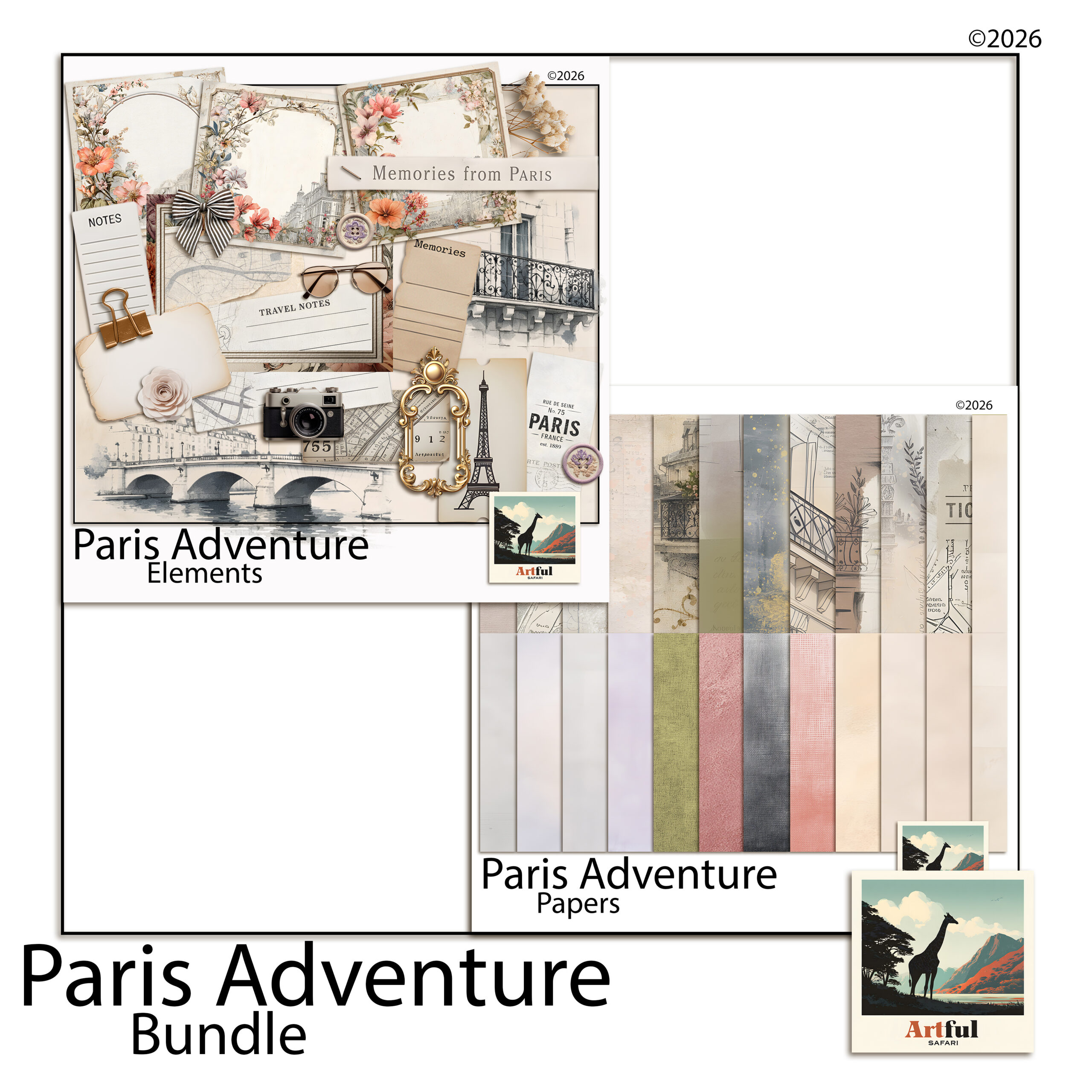
    How to make a travel scrapbook with the Paris Adventure digital kit
    Travel scrapbook pages built from the Paris Adventure Digital Scrapbook Bundle.

    For the app, Canva, Procreate and Photoshop all work. Use the one you open without thinking. A new tool on top of a new project is how albums stall at page two.

    Choosing the right kit for your destination

    The kit is the single biggest shortcut. A good one carries the colour, the textures and the small clipart that say “this is the place” before you have placed a photo. The wrong one fights you the whole way.

    Match the kit to the feeling of the trip, not just the geography. A city break wants clean papers, a few landmark touches and plenty of white space for street photos. A wildlife trip wants warm earthy tones and animal motifs. A beach holiday wants sea blues and soft sand textures. When the mood is already baked into the papers, the album holds together without you doing colour theory at midnight.

    One more thing on kits: pick one that has more than papers. The frames, journaling cards and alphabet pieces in a full bundle are what let you finish a page without hopping between five different downloads. A single coordinated set is faster to work in and looks tidier on the page.

    How to make a travel scrapbook step by step

    This is the order I use for every trip album, short weekend or three-week holiday. Each step hands you something to build on.

    1. Sort and cull your photos. Group by day, then keep five to eight per day that move the story along. A blurry one with a great memory beats a sharp one of nothing.
    2. Set your page size. A 12×12 inch square is the standard for digital scrapbook layouts and it gives album printers and online viewers an easy ratio to work with.
    3. Choose one kit for the whole trip. One palette across every page is what makes a finished album feel like a set rather than a pile of unrelated pages.
    4. Build the title page first. Trip name, dates, one hero photo. This sets the tone and you will reuse its fonts on the rest.
    5. Block out a page per day or per place. Drop the day’s photos in rough positions before you fuss over framing. Get the bones down, then refine.
    6. Add frames, then journaling. A photo frame PNG tidies the edges. A line or two of journaling tells the part the photo cannot.
    7. Review the whole album, then export. Look at it start to finish for repeated layouts and gaps, fix those, then export each page at full quality.

    That is the spine of how to make a travel scrapbook. The steps stay the same whether you have forty photos or four hundred.

    Title pages vs map and ticket-stub pages

    Not every page does the same job, and mixing the types is what keeps an album from feeling flat.

    A title page opens a section. It carries the trip name, the dates and one strong photo, with a lot of breathing room. A map page sets the scene: a route line, pins on the cities, maybe a small photo at each stop. A ticket-stub or ephemera page holds the bits you would have taped into a paper travel scrapbook, the boarding pass, the museum ticket, the cafe receipt. Scan or photograph those, drop them in as their own little collection, and they carry more of the trip than another posed shot would.

    A rough rhythm that works: title page, map page, then two or three photo spreads, then an ephemera page to close the section. Repeat per leg of the trip.

    How to tell the trip story, not just show photos

    A wall of photos is an album anyone can make. The story is what you remember when you reopen it in ten years.

    Write journaling in your own voice. Not “Day 3, Louvre” but the queue in the rain, the room you walked past three times, what you actually ate. Short is fine. Specific beats long.

    • Caption the unglamorous shots. The train delay and the wrong turn age better than the posed ones.
    • Use journaling cards for prompts: best meal, what surprised me, what I would do again.
    • Leave one page for the people, not the places. Faces date a trip better than landmarks.
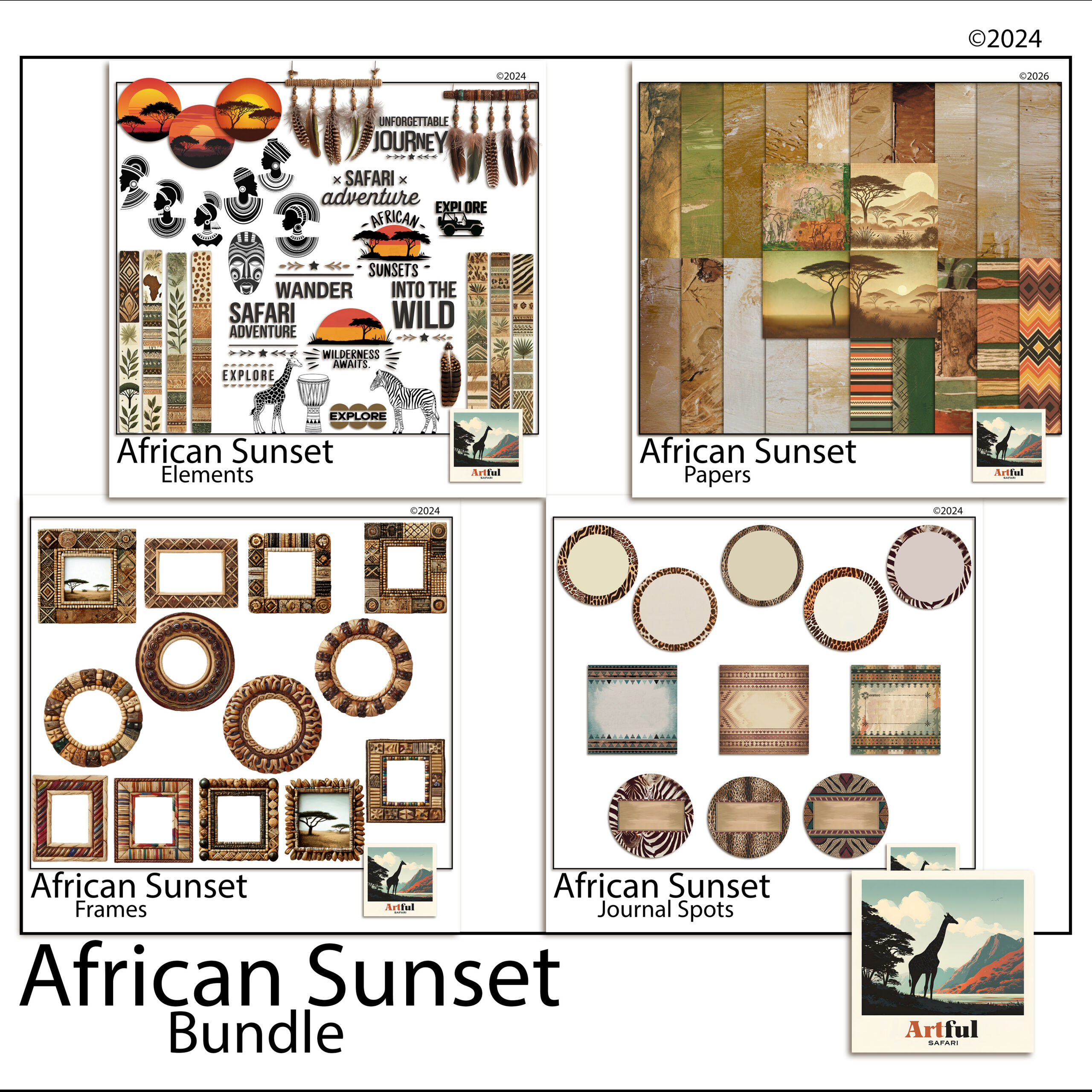
    African Sunset travel scrapbook kit pages for a safari album
    Warm safari pages from the African Sunset Digital Scrapbook Bundle.

    If you want a worked example for a city break, my Paris scrapbook kit ideas for a travel album walks through the same approach with one kit start to finish.

    Common mistakes that slow a travel album down

    Most stalled albums fail for the same handful of reasons. Knowing them up front saves you the redo.

    • Too many photos per page. Six photos crammed into a 12×12 read as a contact sheet. Three or four with room around them read as a memory.
    • Mixing kits. Two palettes on facing pages make the album feel borrowed from different books. Commit to one set for the whole trip.
    • Skipping journaling until later. Later never comes. Write a line while the trip is fresh, even if it is rough.
    • Editing photo by photo before laying out. Build the pages first, then do any colour tweaks in one pass. Otherwise you polish shots that never make the cut.

    None of these are hard to avoid. They just tend to creep in when you start arranging before you have a plan, which is why the photo cull and the single-kit choice come first.

    A page-type plan for a one-week trip

    Here is a plan I would hand someone with a week of photos and no idea where to start. Treat the page counts as a starting point, not a rule.

    Page typeHow manyWhat goes on it
    Title page1Trip name, dates, one hero photo
    Map / route page1Route line, city pins, small stop photos
    Daily photo spread5 to 7Five to eight photos per day with short captions
    Food page1Every meal worth remembering in a grid
    People page1Faces, candids, who you travelled with
    Ephemera page1 to 2Tickets, stubs, receipts, scanned and arranged
    Closing page1One favourite photo and a few lines on the trip

    That lands a one-week trip at roughly twelve to fifteen pages, which prints into a tidy album and reads in one sitting.

    Key takeaways

    • Sort and cull photos first, by day, before you open a single page.
    • Pick one digital kit for the whole trip so the album reads as a set.
    • Build the title page first, then block out a page per day before refining.
    • Mix page types: title, map, photo spreads, ephemera, people.
    • Journaling in your own voice is what carries the story years later.

    Frequently asked questions

    How many photos should go in a travel scrapbook?

    Keep five to eight photos per day of the trip. For a one-week holiday that lands you around forty photos across twelve to fifteen pages, which reads well and prints into a tidy album.

    What size should travel scrapbook pages be?

    A 12×12 inch square is the standard for digital scrapbook layouts. It gives album printers and online viewers an easy ratio and keeps every page consistent.

    Do I need design experience to make a travel scrapbook?

    No. If you can move and resize a photo in Canva, Procreate or Photoshop, you can build the pages. A pre-made kit does the colour and clipart work for you.

    What is the best app for a digital travel scrapbook?

    The one you already know. Canva is the easiest start, Procreate suits iPad users, and Photoshop gives the most control. Pick the app you open without thinking.
  • Digital Scrapbook File Formats: The 3 Types, Made Easy

    Digital Scrapbook File Formats: The 3 Types, Made Easy

    The three digital scrapbook file formats you’ll meet are PNG, JPG and PDF: PNG holds transparent clipart, frames and overlays; JPG carries full-colour papers in a smaller file; and PDF packs pages or a guide into one tidy document.

    Knowing the file formats tells you, at a glance, what each file in a kit is for and how to use it.

    What are the main digital scrapbook file formats?

    Most kits use three file formats, and each one has a job. The fastest way to read a kit is to know what the extension on each file is telling you.

    • PNG, for anything that needs a see-through background: clipart, frames, alphabets, overlays.
    • JPG, for solid rectangular images, mainly patterned papers, in a smaller file size.
    • PDF, for multi-page documents: a printable journal, a guide, or a sheet of elements on one page.

    You don’t need new software for any of them. Procreate, Photoshop, GoodNotes, Canva and even your tablet’s photo app open all three.

    PNG vs JPG: the two file formats you’ll touch most

    This is the distinction that trips people up most, so here it is plainly.

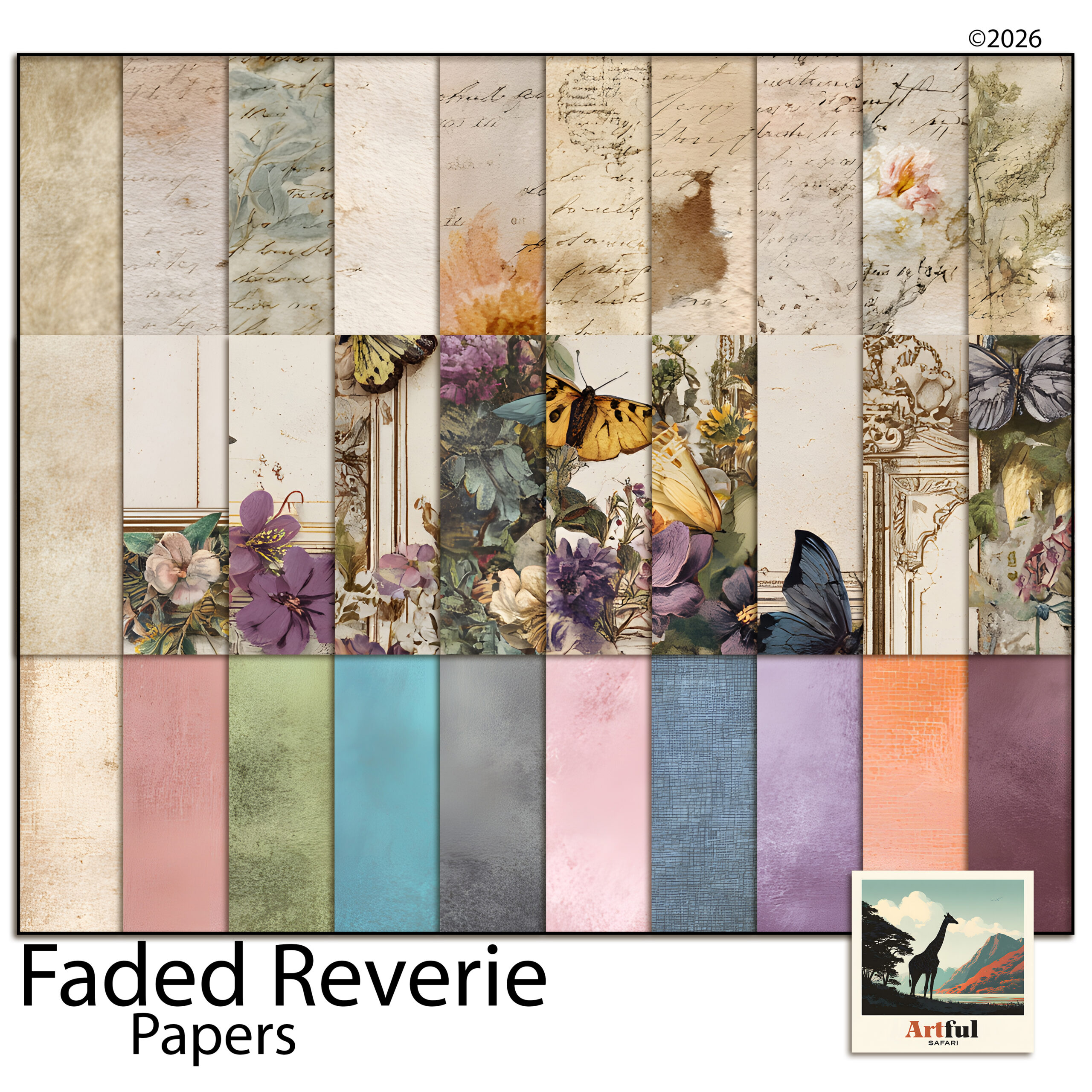
    A JPG is always a full rectangle with no transparency. That’s perfect for a patterned paper, where you want the colour to fill the whole page. JPGs also compress well, so a pack of papers stays a reasonable download size. The papers in the Faded Reverie Digital Scrapbook Papers are supplied as JPGs for exactly that reason.

    JPG digital scrapbook papers from the Faded Reverie set
    Full-colour JPG papers in the Faded Reverie Digital Scrapbook Papers set.

    A PNG can carry a transparent background. Drop a PNG lemon or a frame onto your page and only the shape shows, with no white box around it. That’s why clipart, frames and alphabets come as PNGs, like the cutouts in the Italian Fruit Clipart, Olives, Lemons & Oil set. If a flower arrived as a JPG, you’d see an ugly square behind it.

    FormatTransparent?Best forWatch out for
    PNGYesClipart, frames, alphabets, overlaysLarger files than JPG
    JPGNoPatterned papers, photo backgroundsNo transparency, slight compression
    PDFPage-basedMulti-page sets, guides, single-sheet layoutsNot a layer you drop onto a page
    Transparent PNG clipart showing why digital scrapbook file formats matter
    Transparent PNG elements from the Italian Fruit Clipart set, one of the file formats built for layering.

    Why does 300 DPI matter on digital scrapbook files?

    DPI, dots per inch, describes how much detail is packed into each inch of an image. The higher the number, the more pixels you have to play with, so the image stays crisp when it’s shown large.

    300 DPI is the standard for craft files because it gives you room. At 300 DPI a 12-inch paper is 3600 pixels across, which holds up whether you view it full-screen on a tablet, zoom in to crop, or one day send it out for print. A 72 DPI web image would turn soft and blocky the moment you enlarged it.

    • You can always scale a 300 DPI file down without losing quality.
    • You can’t realistically scale a low-resolution file up; the detail simply isn’t there to invent.

    So 300 DPI is headroom. Even if you only ever view your pages on a screen, starting high means the file never looks soft when you zoom or resize.

    When does the PDF in a kit actually matter?

    Of the three file formats, PDF is the odd one out: it’s a document, not a layer you drop onto a page. You’ll see it used three ways.

    1. Printable journals and inserts arrive as a PDF so the pages stay in order and at the right size.
    2. Guides and instructions ride along as a PDF you read once.
    3. Single-sheet element collections sometimes come as a PDF, with all the pieces laid out on one page.

    If you want to use one element off a PDF sheet on a digital page, you’ll usually have a PNG version alongside it. Reach for the PNG to layer, and keep the PDF for the full document.

    How do the file formats fit together on a page?

    A typical digital page stacks them: a JPG paper on the bottom, PNG elements and a PNG frame on top, your photo tucked behind the frame. The file formats aren’t competing, they each sit on a different layer.

    That layering is where a lot of the craft lives. If you want a photo to sit neatly inside a shape or frame, my How to Use Clipping Masks guide shows the move that ties it all together.

    How do I keep my files organised by format?

    A kit can land as dozens of files, and a tidy habit on day one saves a lot of hunting later. The file formats are a useful sorting clue in themselves.

    • Keep each themed kit in its own folder, named for the theme so you can find it by mood, not by date.
    • Inside it, the JPGs are your papers and the PNGs are your elements and frames. Many kits already split them into Papers and Elements subfolders; if not, it takes a minute to do yourself.
    • Leave the PDF where it is. It’s usually the guide or a printable set, not something you’ll layer.

    One more thing worth checking: file size. PNGs run larger than JPGs because they store the transparency data, so a folder of frames can be heavier than a folder of papers. That’s expected, not a fault.

    What format will my finished page be?

    When you flatten and export a page, you pick from the same file formats, and the right choice depends on what the page holds.

    • Export as JPG for a finished page that fills the whole canvas with no transparency. It’s the smaller file and fine for sharing on screen.
    • Export as PNG if any part of the page needs to stay transparent, for example a title graphic or a single element you want to reuse elsewhere.

    For a normal full layout, JPG is the usual export. Keep your editable, layered file too (the app’s own format), so you can go back and change a photo or move an element without rebuilding the page.

    What format mistakes cost people the most time?

    A few small mix-ups come up again and again. They’re quick to avoid once you know the file formats behind them.

    • Using a JPG where you needed a PNG. Drop a JPG element on a page and you get a white box around it. If a cutout has an ugly square, you’ve grabbed the wrong file; look for the PNG version.
    • Flattening too early. Once a page is exported to JPG, the layers are gone. Save the editable file first, then export a copy.
    • Resizing a small file up. Stretching a low-resolution image past its size turns it soft. Start from the full 300 DPI file and scale down only.

    None of these break anything permanently if you’ve kept your originals, which is the real lesson: hold on to the high-resolution files a kit comes with, and work on copies.

    Key takeaways

    • The three file formats split cleanly: PNG = transparent cutouts (clipart, frames, alphabets); JPG = full-colour rectangular papers; PDF = multi-page documents and guides.
    • Use PNG when you need a see-through background and JPG when you want colour to fill the whole sheet.
    • 300 DPI is headroom: it stays sharp when you zoom, crop or resize, and you can always scale down but not up.
    • Layer them together, JPG paper at the bottom, PNG elements and frames on top, and keep PDFs for reading or full-page sets.

    Frequently asked questions

    What is the difference between PNG and JPG in a scrapbook kit?

    PNG files can have a transparent background, so they suit clipart, frames and alphabets. JPG files are solid rectangles with no transparency, which makes them right for patterned papers.

    Why are digital scrapbook papers 300 DPI?

    300 DPI packs enough detail for the image to stay sharp when viewed large, zoomed or cropped. It gives you headroom; you can scale a high-resolution file down but you can’t add detail by scaling up.

    Which format should I use for clipart?

    PNG. Its transparent background means only the shape shows when you place it, with no white box around the edge.

    What is the PDF in a digital kit for?

    PDF is a document format used for multi-page sets, printable journals, guides, or a single sheet of elements. It’s for reading or printing in order, not a layer you drop onto a page.

    Do I need special software for these file formats?

    No. Apps like Procreate, Photoshop, GoodNotes and Canva open all three file formats, and your tablet’s built-in photo app handles PNG and JPG too.

  • Grandparents Scrapbook: 5 Easy Pages Your Family Will Keep

    Grandparents Scrapbook: 5 Easy Pages Your Family Will Keep

    The photos are already there. Grandad teaching someone to fish, the two of them on the bench outside the dairy, a small boy in enormous gumboots following a large man across a paddock. They sit in phones, backed up and unlooked-at. A grandparents scrapbook is the difference between having those photos and keeping them.

    This post lays out five pages you can build from photos you already have, plus a way to get the words that make a grandparents scrapbook worth opening in twenty years. National Grandparents Day lands in early September in the US, which makes the next few weeks a natural deadline, but none of these pages needs an occasion.

    What makes a grandparents scrapbook different

    Most scrapbook pages record an event. A grandparents scrapbook records a relationship, and relationships live in repeated, ordinary moments rather than milestones. The pages below are deliberately built around errands, habits and sayings instead of birthdays.

    The other difference is time. This is the scrapbook most likely to be pulled out at a ninetieth birthday or read aloud at a funeral. Words matter more here than in any other album, which is why two of the five pages are mostly writing.

    Five grandparents scrapbook pages worth making

    1. The errand page

    One photo of a completely unremarkable outing: the hardware shop, the bakery, the car wash. Caption it with the actual errand and the date. In a grandparents scrapbook the mundane pages become the treasures, because nobody else thought to keep them.

    2. The silhouette page

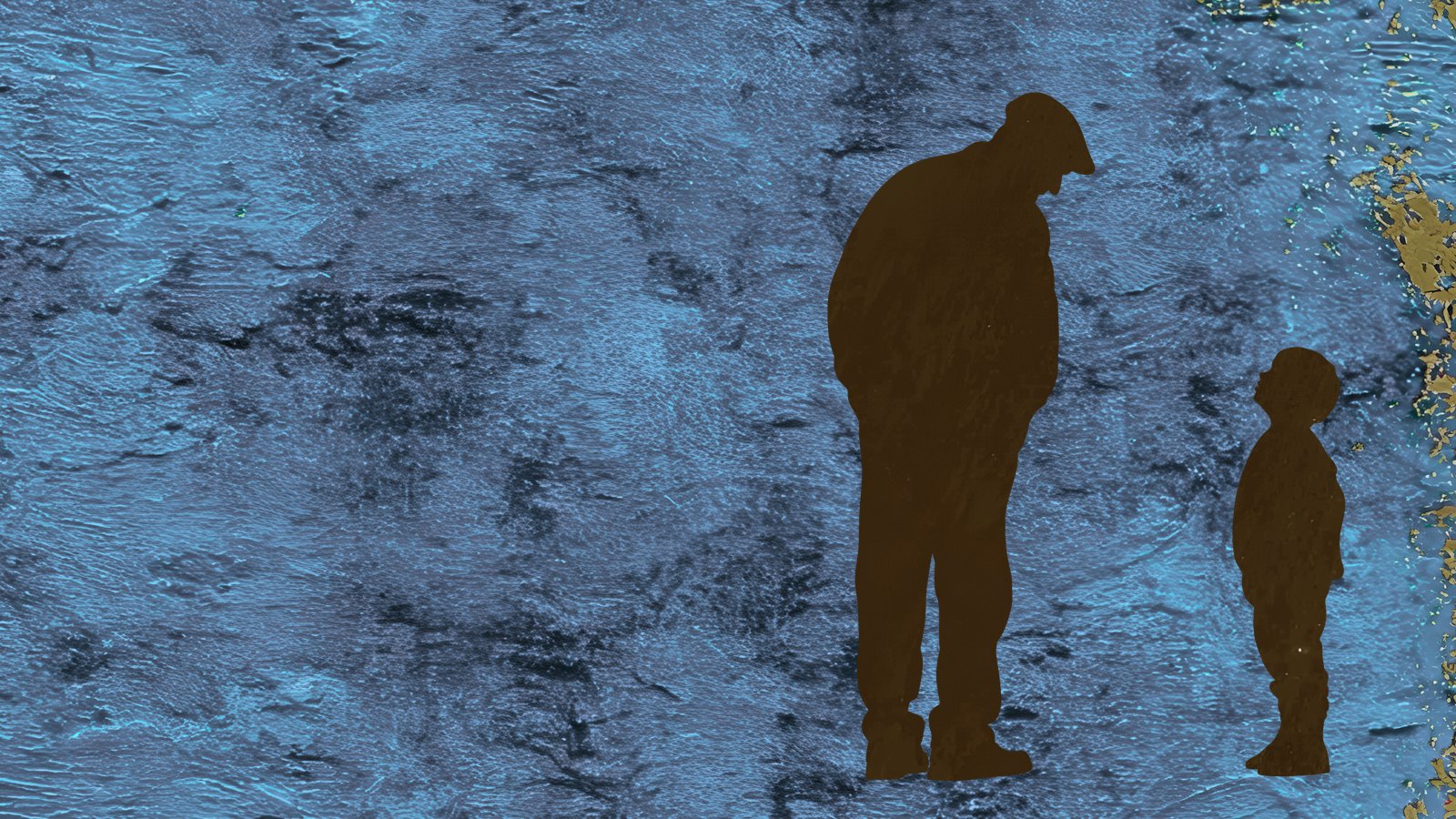
    Two figures, one large and one small, side by side. If you have a photo of the two of them from behind, use it; if not, silhouette clipart carries the same shape. Denim and kraft papers keep the page masculine and quiet, and the height difference does all the emotional work.

    3. The “things he says” page

    No photo at all. Collect five or six phrases everyone in the family can hear in his voice and set them in word art on a newsprint background. If titling pages is not your strength, our guide to scrapbook page titles covers how to make text carry a layout.

    4. Then and now

    Grandad at seven on the left, the grandson at seven on the right. Same age, sixty years apart. Old family photos work even when they are creased and underexposed; the imperfection is the texture of the page.

    5. The letter page

    Ask him to write, or record him talking and transcribe it. One page, his words, addressed to the grandchild by name. This is the page that turns a grandparents scrapbook from a nice object into a family document.

    Getting the stories out of him

    Most grandfathers will not volunteer stories but will answer questions. StoryCorps’ great questions list is the best starting set there is, and the Library of Congress has a practical guide to family oral history for going deeper.

    Record the conversation on a phone while you look through old photos together. The photos are the prompt; the transcript becomes captions for half the grandparents scrapbook without anyone sitting down to write.

    Building the pages digitally

    Every page above can be made on a tablet or laptop by layering papers, silhouettes and word art, and a digital grandparents scrapbook has one advantage a physical one cannot match: it duplicates. Build it once, print a copy for grandad and export a PDF for every branch of the family.

    If you have never assembled a digital page, start with our digital scrapbooking for beginners walkthrough; the first page takes an evening and the skills carry to everything else on this site.

    Putting it together: a worked example

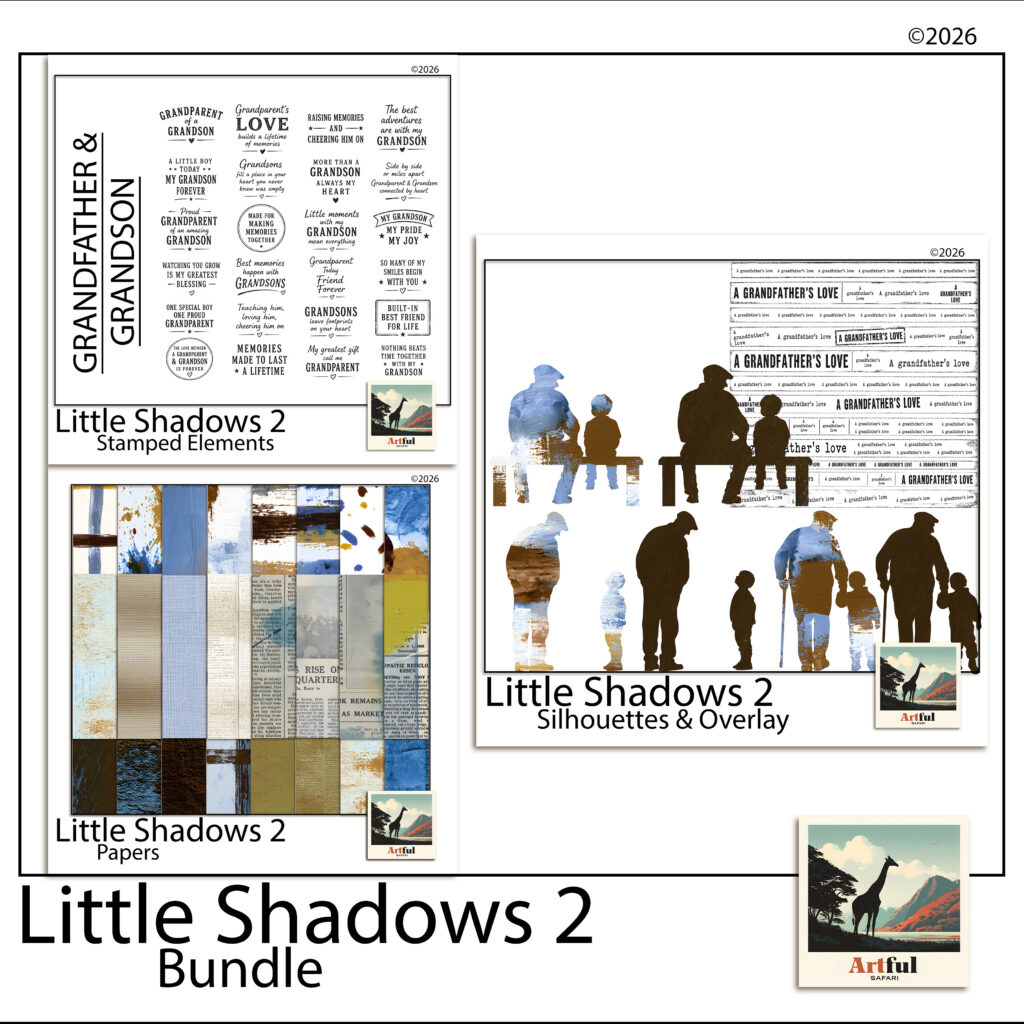
    The pages in this post use the Little Shadows grandpa-and-grandson bundle: 58 coordinated pieces including denim, kraft, olive, weathered grunge and newsprint papers, grandad-and-grandson silhouettes and word-art sentiment stamps, all at 300 DPI.

    Little Shadows kit for a grandparents scrapbook — denim papers, silhouettes and word art
    The Little Shadows bundle: papers, silhouettes and sentiment stamps in one muted palette.

    The silhouettes and sentiments in the Little Shadows grandpa and grandson bundle are drawn for exactly the five pages above, and the muted palette means pages built months apart still sit together as one album.

    Make the errand page first

    It takes one photo and ten minutes, and it teaches the core lesson of a grandparents scrapbook: the ordinary stuff is the good stuff. The letter page can wait until you have momentum. The errand page can be done tonight.

  • Christmas Junk Journal: 5 Easy Victorian Pages to Start Now

    Christmas Junk Journal: 5 Easy Victorian Pages to Start Now

    Nobody starts a christmas junk journal in December. There is no time in December. The crafters who have one ready to fill by Christmas Eve started it in the quiet months, and July, oddly enough, is the traditional moment: Christmas-in-July is a real fixture on the craft calendar for exactly this reason.

    This post is a plan for starting one now, built around the look that suits a christmas junk journal better than any other: the Victorian parlour. Aged letters, sheet music, poinsettias, plum and burgundy washes, a little gold. If you are new to the format, our guide to what a junk journal is covers the basics; here we get straight into pages.

    For a darker, Victorian-gothic take on Christmas pages, see the Gothmas collection.

    Why the Victorian look works for a christmas junk journal

    Most of what we recognise as Christmas was assembled by the Victorians. The first commercial Christmas card was printed in London in 1843, the same year Dickens published A Christmas Carol, and the V&A keeps the original card in its collection.

    That is why aged paper, copperplate handwriting and deep reds read as instantly festive. A christmas junk journal in this palette borrows 180 years of association and does not have to try very hard. It also ages well: pages that lean on old letters and music look better every year, while glitter-and-cartoon pages date fast.

    Five christmas junk journal pages to build before December

    Five pages is a realistic summer target. One a fortnight, and the journal is ready before the season starts.

    1. The sheet-music base

    Use a page of aged sheet music as the full background and cluster three poinsettias in the bottom corner. Add a strip of torn burgundy wash down one edge. This page needs no photo and sets the register for the whole journal.

    2. Letters home

    Layer two or three aged letters at angles, as if they had just been unfolded. On top, one journal line of your own: what you want to remember about this year. The contrast between old handwriting and yours is the whole point of the page.

    3. The ornament frame

    One photo inside an antique-gold ornament frame, centred on a plum wash. Frames like this carry a lot of visual weight, so resist adding anything else. If the page feels empty, it is finished.

    4. The quiet page

    Every christmas junk journal needs one page with almost nothing on it: a burgundy painterly wash, a single sprig, gold foil catching one corner. It gives the eye somewhere to rest between the busy spreads, the same way a rest works in music.

    5. The Christmas Eve spread

    Leave this one intentionally unfinished until the night itself. Build the background now, sheet music on the left and a plain wash on the right, and pencil in the spaces for one photo and a few written lines. A christmas junk journal with a page waiting for the actual evening is far more likely to get completed than one you assemble entirely in hindsight.

    Digital first, printed if you like

    All five pages work in Procreate, Canva or GoodNotes, layering transparent PNG elements over paper backgrounds. If you have not built pages this way before, our walkthrough on how to make a digital junk journal covers the mechanics in six steps.

    Working digitally also means the journal can become December gifts: a finished spread prints as a card, and grandparents are reliably undone by a printed page with a child’s photo inside a gold frame.

    For period atmosphere while you work, the Charles Dickens Museum in London is a good browse: the house where A Christmas Carol was written, kept much as it was, and a reminder of where this whole aesthetic comes from.

    Putting it together: a worked example

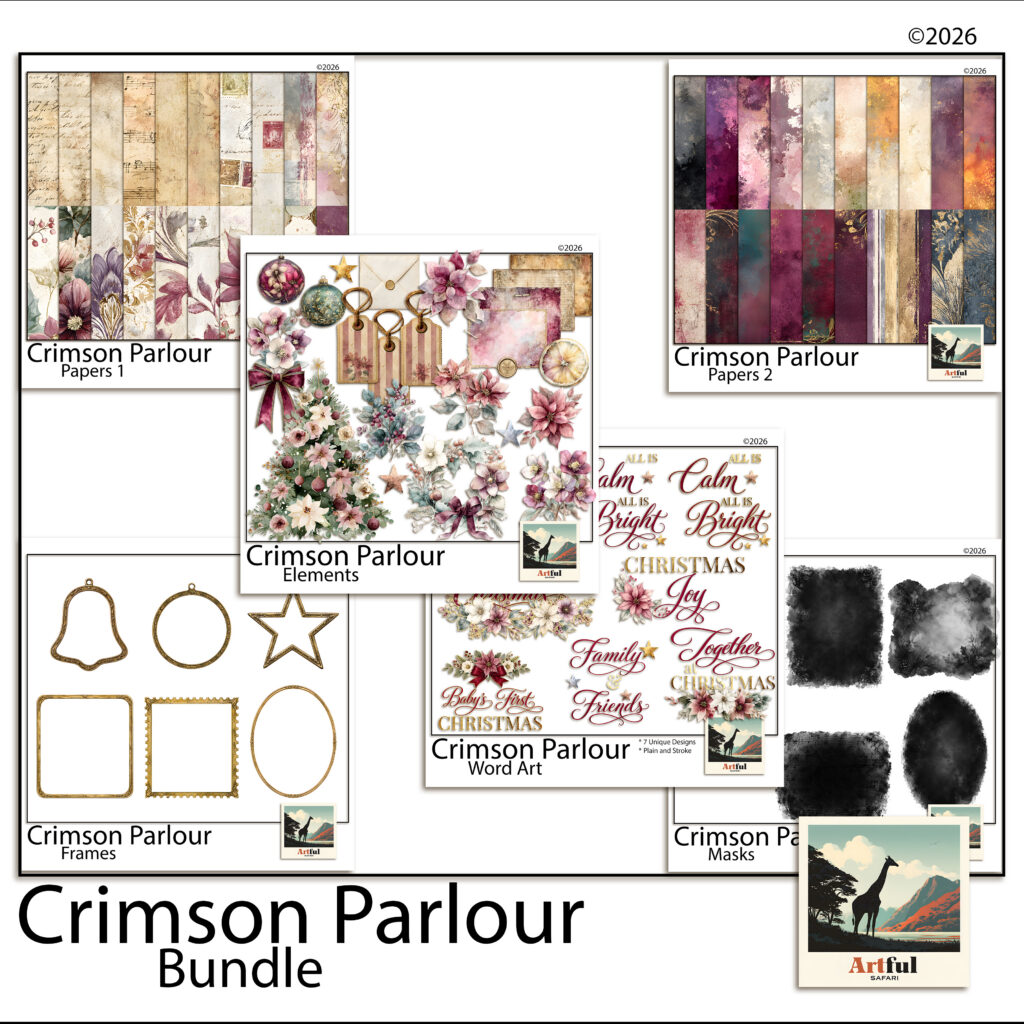
    The pages above use the Crimson Parlour bundle: 92 coordinated pieces including aged letters and sheet music, plum and burgundy painterly washes with gold foil, poinsettias and antique-gold ornament frames, all 12 x 12 inches at 300 DPI.

    Crimson Parlour Victorian kit for a christmas junk journal — aged letters, sheet music and poinsettias
    The Crimson Parlour bundle: letters, sheet music, washes, poinsettias and gold frames in one palette.

    Because every piece in the Crimson Parlour digital scrapbook bundle is drawn in the same palette, the five pages above stay consistent without any colour-matching work, and the journal reads as one object rather than five experiments.

    Start with the sheet-music page

    It is the easiest win and it teaches the layering habit the rest of the christmas junk journal depends on. One page in July, and December-you inherits a journal instead of a to-do list.

  • Travel Junk Journal: 6 Easy Pages from Maps and Tickets

    Travel Junk Journal: 6 Easy Pages from Maps and Tickets

    Every trip leaves a paper trail. Boarding passes, museum tickets, a metro map folded the wrong way eleven times. Most of it ends up in a drawer while the photos sit in your camera roll, and the two never meet. A travel junk journal is where they finally do.

    If you already keep a junk journal of any kind, you know the appeal: layered paper, handwriting, things that look collected rather than designed. A travel junk journal simply points all of that at one trip. This guide walks through what goes in one and six pages you can build this week, digitally or with a printer.

    What goes into a travel junk journal

    The short answer is anything flat that proves you were there. The longer answer is a mix of four ingredients, and the balance between them is what gives a travel junk journal its character.

    • Maps. City maps, transit maps, old survey maps. They make the best base layers because they are busy without demanding attention.
    • Tickets and passes. Train stubs, boarding passes, entry tickets. Small, dated, and instantly evocative.
    • Postage. Stamps and postmarks tie a page to a place and an era in a few square centimetres.
    • Journal cards. Somewhere to actually write. A page with no words is a collage; a page with three dated lines is a record.

    You do not need to have kept any of it. Digital kits exist precisely because most of us threw the real tickets away, and scanned ephemera often looks better on a page than the crumpled original would.

    Six travel junk journal pages to try

    Each of these works as a single page or half of a spread. None of them needs more than one photo, and two need none at all.

    1. The map base page

    Lay a city map down as the full background, then place one photo dead centre with a plain border. Let the map do all the work. This is the fastest page in any travel junk journal and a good one to start with, because it cannot really go wrong.

    2. The ticket cluster

    Gather every ticket from one day and fan them out in a loose stack, slightly rotated, corners overlapping. Add one line of handwriting underneath: the date and where you slept that night. No photo needed.

    3. The postal corner

    Build a small cluster in one corner from stamps, a postmark and a torn paper edge, and leave the rest of the page quiet. Vintage stamps are tiny pieces of graphic design; if you want a rabbit hole, the New York Public Library’s digital collections are full of scanned ephemera you can study for layout ideas.

    4. The day-log card

    Take one journal card and write the day on it: what you ate, what it cost, what went wrong. Mount it on a torn map scrap. Pages like this are the reason to keep a travel junk journal at all — in five years the failed bus connection will be the story you tell.

    5. One photo, one map

    A spread: photo on the left page, the map of exactly where it was taken on the right, with a hand-drawn circle around the spot. If you like this structure, our travel scrapbook ideas post has four more pages built on the same photo-plus-context idea.

    6. Arrivals and departures

    First page and last page of the trip section. Arrival: boarding pass, time stamp, one line about the weather. Departure: the return pass and one sentence you would want your future self to read. Bookending a travel junk journal this way makes even a chaotic middle feel finished.

    Building a travel junk journal digitally

    Everything above works on a tablet, and working digitally has one large advantage: you can resize and recolour ephemera to fit the page instead of fitting the page around the ephemera.

    In Procreate or Canva, start with a paper or map as the bottom layer, then drag each piece on as its own layer. Keep rotation small, two to five degrees, so the page looks placed rather than scattered. Transparent PNG elements sit over any background without white boxes around them.

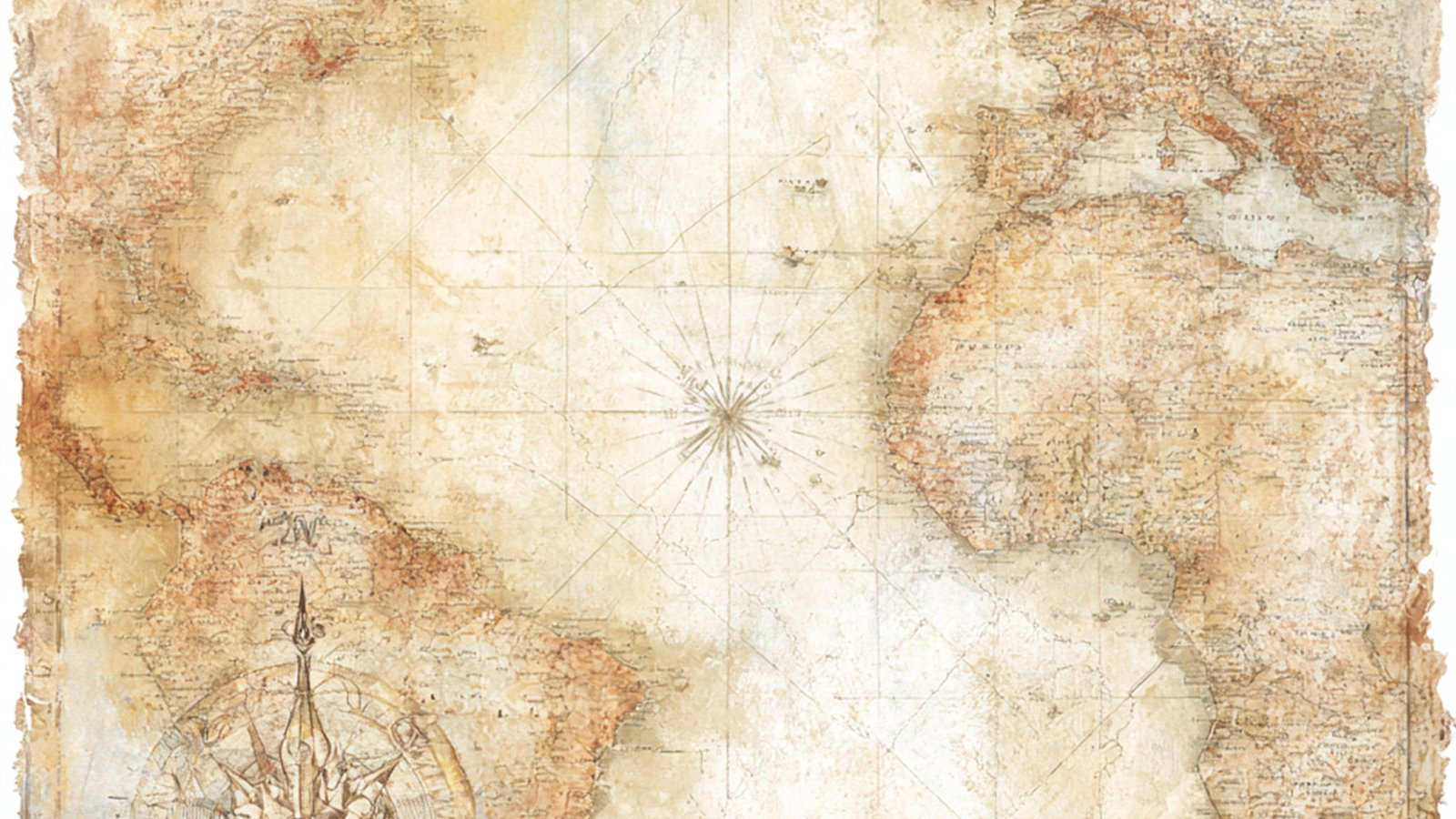
    Old maps deserve a special mention here. Collections like the David Rumsey Map Collection hold thousands of scanned historical maps, and studying how they use colour is a free education in why map pages look so good in a travel junk journal.

    Putting it together: a worked example

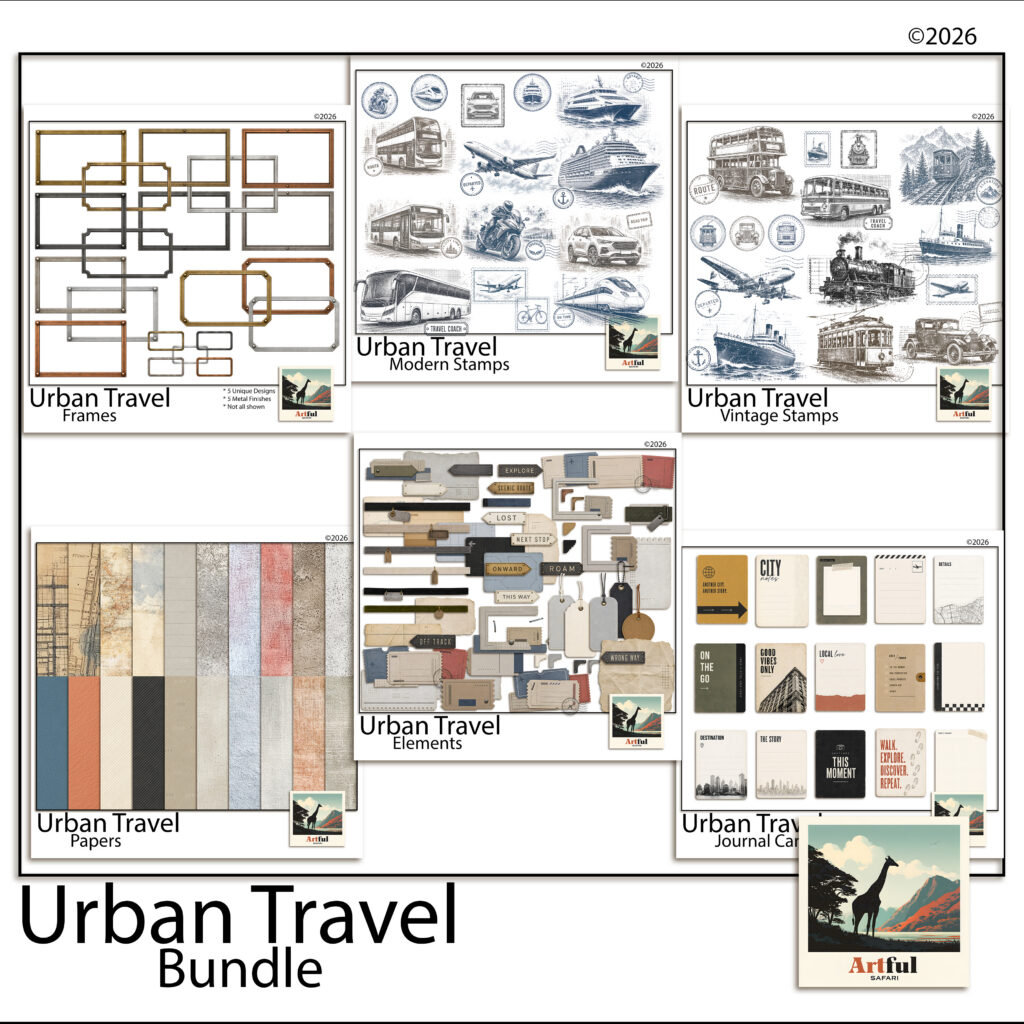
    For the pages in this post I used the Urban Travel bundle, which is built for exactly this kind of journal: 146 coordinated pieces including city map papers, concrete and brushed-metal textures, tickets, metal photo frames, journal cards and both modern and vintage postage stamps, all at 300 DPI.

    Urban Travel digital kit for a travel junk journal — maps, tickets, frames and stamps
    The Urban Travel bundle: map papers, tickets, stamps and journal cards drawn in one style.

    The point of a coordinated set is that the palette decisions are already made. The Urban Travel digital scrapbook bundle keeps every map, ticket and stamp in the same muted city palette, so the six pages above come together in an evening rather than a weekend.

    Start with one page

    A travel junk journal does not need to cover the whole trip. Pick the day you remember best, build the ticket cluster or the map base page, and see how it feels. One finished page has a way of recruiting the next one.

  • Farmhouse Scrapbook Page Ideas: 5 Beautiful Rustic Layouts

    Farmhouse Scrapbook Page Ideas: 5 Beautiful Rustic Layouts

    The best farmhouse scrapbook ideas come down to three things: a muted warm palette, real-looking textures like linen and kraft, and barn or botanical clipart used in small doses. Get those right and almost any photo reads rustic and cosy.

    Below are concrete page recipes you can copy straight onto your canvas, plus the colour and texture choices behind them and where the clipart helps versus where it tips the page into clutter.

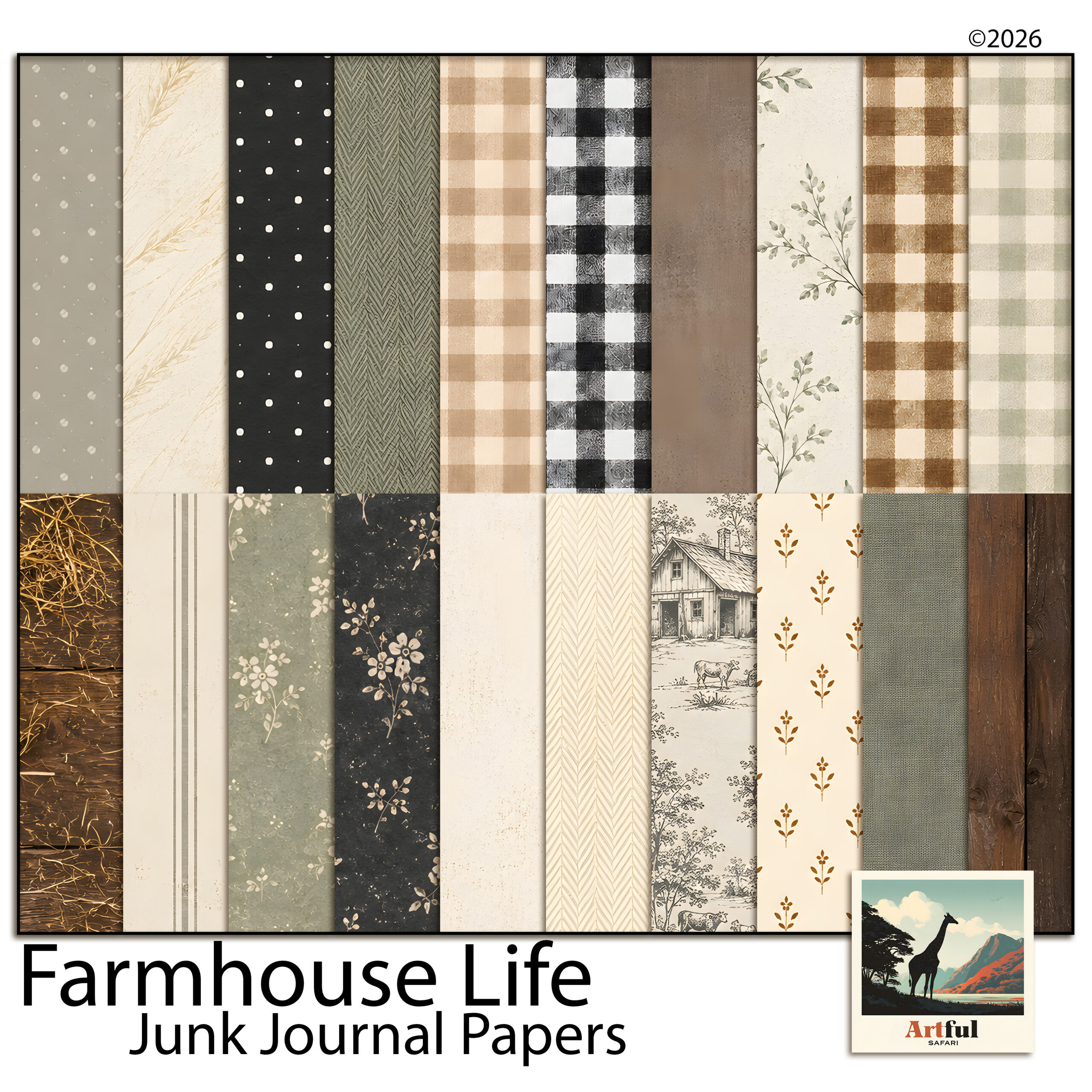
    The papers and elements for pages like these are in the Farmhouse Life collection.

    Farmhouse scrapbook ideas: what makes a page read rustic?

    A farmhouse scrapbook page leans on restraint, not decoration. The look is built from texture and warmth rather than bright colour or busy patterns.

    Three things do most of the work:

    • Muted, warm colour: cream, oatmeal, sage, dusty blue, soft terracotta, charcoal instead of black.
    • Texture you can almost feel: linen weave, kraft, aged paper, ticking stripe, a hint of wood grain.
    • Honest subject matter: barns, jars, eggs, wildflowers, enamelware, handwriting.

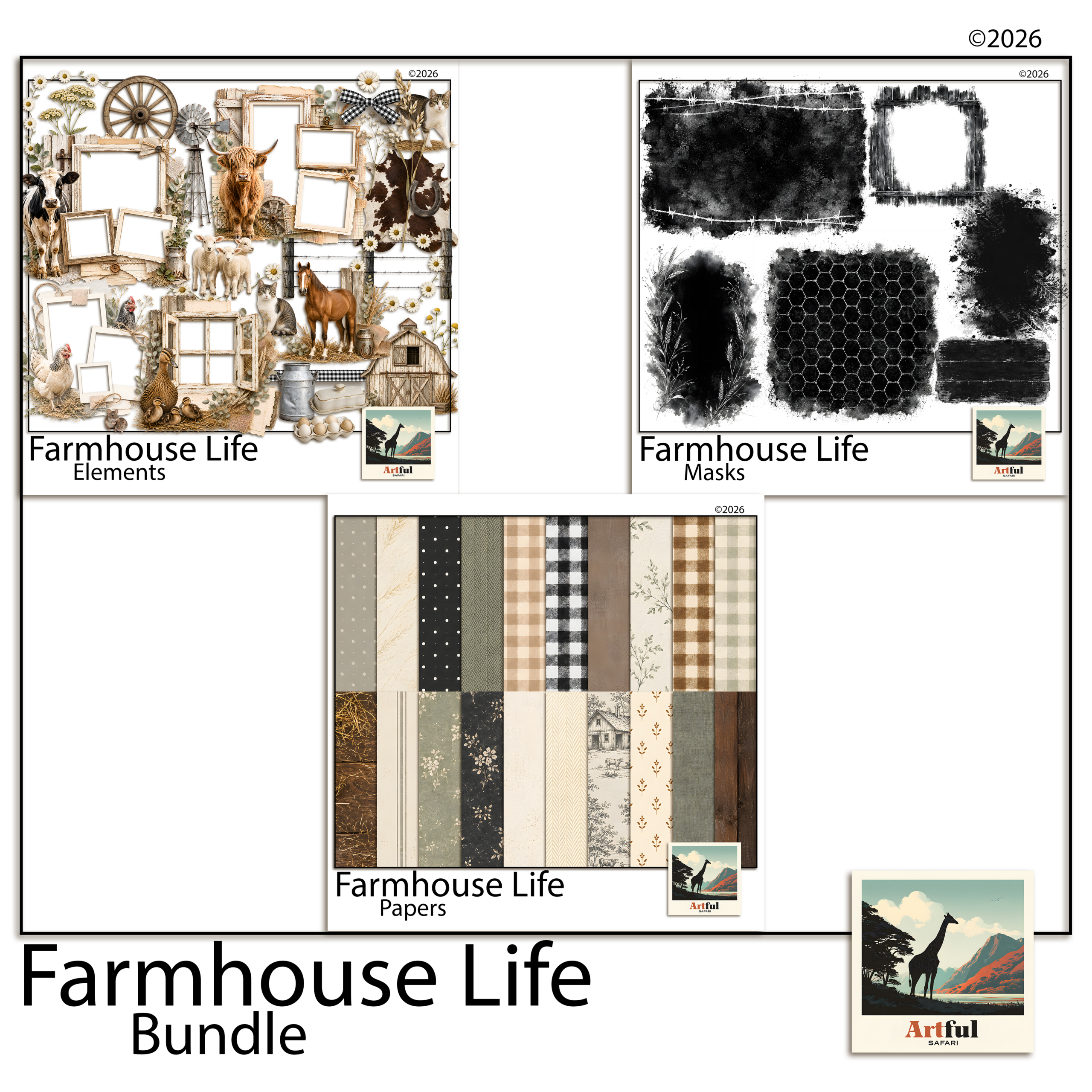
    A matched set saves you guessing. The Farmhouse Life Digital Scrapbook Bundle ships papers, frames and clipart that already share one palette, so pages sit together across a whole album.

    Farmhouse scrapbook ideas built from the Farmhouse Life digital scrapbook bundle
    Matched farmhouse scrapbook papers, frames and elements in the Farmhouse Life Digital Scrapbook Bundle.

    What colours and textures hold a farmhouse scrapbook together?

    Pick one neutral base and two soft accents, then repeat them across every page. That repetition is what makes a stack of pages feel like one album rather than a pile of one-offs.

    RoleUse it forGood choices
    Base neutralPage background, large matsCream, oatmeal, soft kraft
    Accent onePhoto mats, title barSage green, dusty blue
    Accent twoSmall details, berries, ribbonSoft terracotta, mustard
    Texture layerBehind photos, under journalingLinen, ticking stripe, aged paper

    Keep black off the page. Swap it for deep charcoal or warm brown and the whole spread softens.

    5 farmhouse scrapbook layouts you can build today

    Each of these is a recipe, not a rule. Adjust photo counts to fit what you have.

    1. The recipe page

    Kraft background, a linen-textured card in the centre for the handwritten or typed recipe, one photo of the finished dish top-right, a sprig of botanical clipart in the opposite corner. Title across the top in a relaxed script.

    2. The family-history page

    Aged cream paper, an old photo matted on soft brown, a journaling block telling who and when. Add a small jar or key element so the page feels collected rather than printed.

    3. The seasonal-on-the-farm page

    A three-photo grid (planting, growing, harvest) on a sage mat, with a barn motif anchoring the lower corner and a date stamp. Good for a garden or allotment year.

    4. The everyday-life page

    One large photo, a wide cream border, two lines of writing underneath. Nothing else but a single wildflower stem. The space is the design.

    5. The keepsake-recipe-box spread

    Two facing pages of small recipe cards laid like index cards on a ticking-stripe background, tied together with a ribbon graphic down the gutter. Number the cards or add little handwritten tabs so it reads like a real recipe box someone has thumbed through for years.

    One habit makes all five layouts easier: build the background first, drop the photos second, and only add clipart and titles last. Most cluttered pages happen because the decoration went on before the photos had claimed their space. Lay the bones, then season.

    And leave more empty room than feels comfortable. A wide cream margin around a single photo does more for the rustic mood than another graphic ever will. When a page feels off, the fix is almost always to take something away rather than add.

    Where does barn and botanical clipart work, and where is it too much?

    Clipart is seasoning. One or two well-placed pieces anchor a page; a scattered handful turns it into a sticker sheet.

    • Works: a single barn or windmill low in a corner as a quiet anchor; a botanical sprig softening a hard photo edge; a jar or egg as a full stop at the end of a journaling block.
    • Too much: clipart in every corner, three different animals on one page, or elements bigger than the photos. If the eye doesn’t know where to land first, pull pieces off.

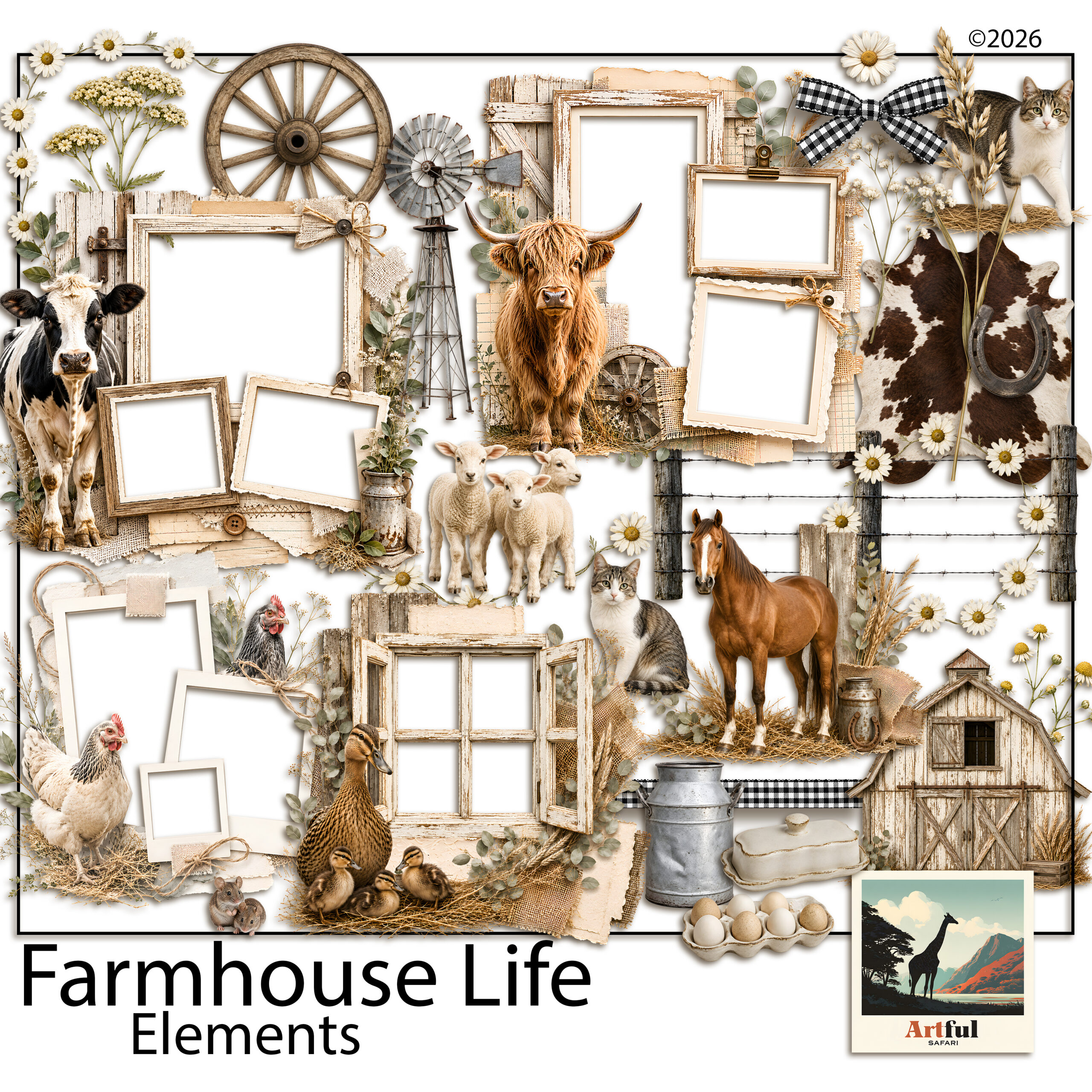
    The Farmhouse Barn Clipart Digital Scrapbook set gives you barns, jars and botanicals as separate transparent pieces, so you can place one at a time instead of fighting a busy patterned paper.

    Farmhouse barn and botanical clipart for rustic scrapbook pages
    Barn, jar and botanical pieces from the Farmhouse Barn Clipart Digital Scrapbook set.

    Which fonts and titles suit a farmhouse scrapbook page?

    Type carries a surprising amount of the mood. Get the lettering wrong and a careful page suddenly looks modern or generic.

    Two pairings do most farmhouse work:

    • A relaxed handwritten script for titles and short captions, the kind that looks like a marker pen rather than a wedding invitation.
    • A plain typewriter or slab serif for journaling and dates, which reads like an old label or recipe card.

    Keep titles short. “Sunday roast”, “The first eggs”, “Nan’s kitchen”. A long title fights the photo for attention. If your kit includes an alphabet, a hand-lettered set of letters often beats a font for that pinned-on, made-by-hand feel.

    How do you turn single pages into a cohesive farmhouse scrapbook?

    A run of farmhouse pages should feel like chapters of one book, not separate cards. Three habits do that.

    1. Repeat the palette. Same base neutral and same two accents on every page, even when the photos change.
    2. Reuse a signature element. Pick one motif, say a small sprig or a ticking-stripe strip, and let it turn up somewhere on most pages as a thread tying them together.
    3. Keep one title style. Same script, same size and placement, so the eye knows where to look as it moves through the album.

    This matters most when you build pages weeks apart. Without a repeated palette and motif, a farmhouse scrapbook drifts and the early pages stop matching the later ones. Decide the three above before page one and the whole thing holds together on its own.

    How do you adapt the look for the seasons?

    Farmhouse style carries through the year if you shift the accents rather than the whole palette. The cream and kraft base stays put; the small details change with the season.

    • Spring: sage greens, eggs, hens, the first blossom, pale washing-line scenes.
    • Summer: sun-faded denim blue, wildflowers, jam jars, harvest baskets.
    • Autumn: warm terracotta and mustard, pumpkins, wheat, preserving and baking pages.
    • Winter: deep charcoal and pine, candles, woollen textures, the kitchen at its busiest.

    Because the base never changes, a year of seasonal pages still reads as one album. That’s the trick to a twelve-month farmhouse scrapbook that doesn’t look like four different projects bolted together.

    Recipe and family-history pages pair naturally with the looser, layered junk journal style. If you want to mix the two, my What Is a Junk Journal? guide explains how that approach works.

    Key takeaways

    • Farmhouse scrapbook pages are built from muted warm colour and real-looking texture, not bright patterns.
    • Pick one neutral base and two soft accents, then repeat them across the album for cohesion.
    • Use the five recipes (recipe, family-history, seasonal, everyday, keepsake-box) as starting layouts.
    • Treat barn and botanical clipart as one or two anchors per page, never wall-to-wall.

    Frequently asked questions

    What colours work for a farmhouse scrapbook?

    Muted warm tones: cream and oatmeal as a base, with sage, dusty blue, soft terracotta or mustard as accents. Swap black for deep charcoal or warm brown to keep it soft.

    How do I make a farmhouse scrapbook page without it looking cluttered?

    Limit clipart to one or two anchor pieces per page, leave generous border space, and repeat the same palette across the album so each spread feels considered.

    What clipart suits a farmhouse theme?

    Barns, windmills, mason jars, eggs, enamelware, wildflowers and botanical sprigs. Transparent PNG pieces you can place one at a time work better than busy patterned paper.

    What textures give the rustic farmhouse look?

    Linen weave, kraft, aged paper, ticking stripe and a hint of wood grain. Layer a textured sheet behind photos and under journaling blocks.

  • What Is a Junk Journal? A Beginner’s Guide in 5 Easy Steps

    What Is a Junk Journal? A Beginner’s Guide in 5 Easy Steps

    What is a junk journal? It’s a handmade book bound from salvaged and mixed papers, old book pages, envelopes, maps, tags and patterned scraps, that you fill with writing, photos, lists and small keepsakes.

    There are no neat-grid rules. You reuse the bits most people throw out and build something layered and worth keeping, which is why it’s an easy craft to start with whatever you already have on the desk.

    When you’re ready to make one, our printable junk journal kits give you matching papers to start with, and many include ephemera too.

    What is a junk journal, and why do people make one?

    A junk journal is a bound book made from odds and ends rather than blank store-bought pages. The junk is the point: ticket stubs, brown paper bags, sheet music, fabric offcuts, packaging, anything with a bit of texture or history gets a home on the page.

    People keep them for a few reasons:

    • To hold memories from a trip, a year or a season without the pressure of a tidy photo album.
    • To use up paper scraps and pretty offcuts that feel too good to bin.
    • To have somewhere to write and stick things that isn’t a fresh, intimidating notebook.

    If a blank page makes you freeze, a junk journal helps. The page starts busy, so you’re adding to something instead of staring at white space. I find that one detail is what gets most people over the first-page hump.

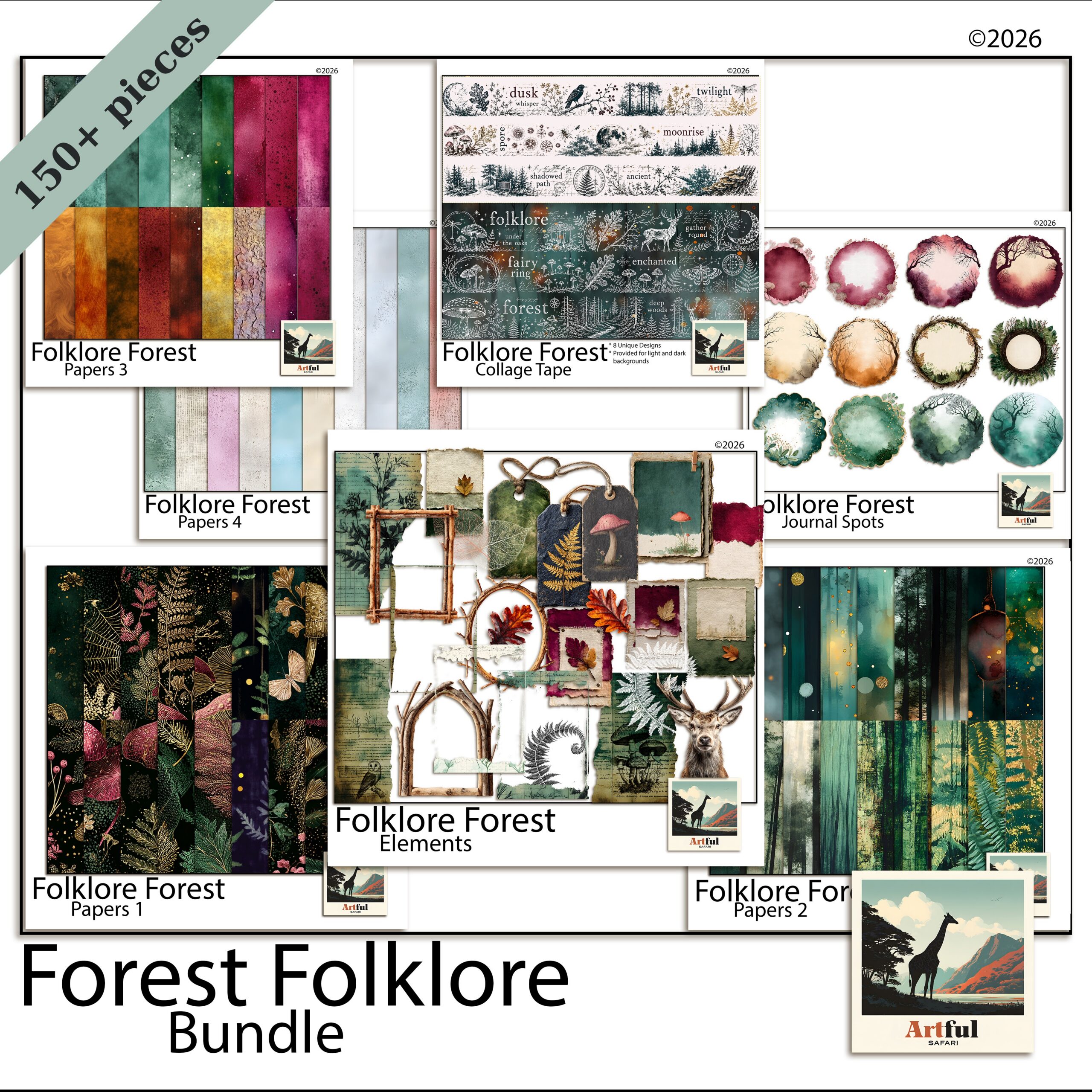
    What is a junk journal shown through Folklore Forest botanical junk journal pages
    Layered botanical pages from the Folklore Forest Botanical Junk Journal Bundle.

    Junk journal vs scrapbook vs planner: what’s the difference?

    They overlap, which is where the confusion comes from. The quick split is about purpose and how much structure each one wants.

    FormatMainly forHow structuredTypical pages
    Junk journalFree mixed-media keeping and writingLoose, no rulesLayered papers, pockets, tuck-spots, journaling
    ScrapbookShowing off photos around a themePlanned layoutsPhoto, paper, title, journaling block
    PlannerOrganising time and tasksDated and griddedCalendars, lists, habit trackers

    A scrapbook page usually has one or two hero photos. A junk journal page might have no photo at all, just layered paper, a pocket and a few lines of writing. If you love the layering but rarely print photos, that style probably suits you better.

    Digital vs physical: which kind should you make?

    A physical journal you stitch, fold and glue by hand. A digital one you build on a tablet or computer in apps like Procreate, Photoshop, GoodNotes or Canva, dropping papers and elements onto layers and rearranging until it sits right.

    • Physical: real texture, you can tuck in a real ticket, but it takes space, supplies and a bit of mess.
    • Digital: nothing to store, undo fixes every mistake, and one set of papers makes endless pages. No glue drying time.

    The two aren’t rivals. These papers are the one digital download you genuinely can print: many makers buy a digital set, print the sheets at home on a heavier paper, then cut and bind a real book. The Farmhouse Life Junk Journal Papers work that way, designed to sit at A4 or Letter so a home printer can handle them.

    Farmhouse Life junk journal papers ready to print and bind
    Printable base papers from the Farmhouse Life Junk Journal Papers.

    What actually goes inside a junk journal?

    Most pages are built in layers, bottom to top:

    1. A base paper for the whole page, often an aged or patterned sheet.
    2. Pockets and tuck-spots made from folded paper or an envelope, to hold loose bits.
    3. Ephemera, the small printed extras: tags, labels, tickets, stamps, journaling cards.
    4. Your own bits, the writing, a photo, a pressed flower, a note to your future self.

    There’s no quota. One page might be a single sheet with a line of writing. The next might have four tucked cards and a fold-out. That swing is normal and part of the look.

    How do you start a junk journal this week?

    Keep the first one small so you actually finish it.

    1. Pick a theme you care about, a holiday, a child’s year, your garden, so the pages have a reason to exist.
    2. Gather a base set of papers. A themed bundle like the Folklore Forest Botanical Junk Journal Bundle gives you matched papers, ephemera and elements without hunting for pieces that go together.
    3. Decide digital or physical. On a tablet, start a new page and drop a base paper on the bottom layer. Building a real book? Fold five or six sheets in half and stitch the spine.
    4. Fill one page, not the book. Base paper, one pocket, one card, a couple of lines of writing. Done.
    5. Come back tomorrow and do the next page. The habit matters more than any single spread.

    Once you’ve made a page or two by hand, building one on a tablet is a small leap. My How to Make a Digital Junk Journal guide walks through it in six steps.

    What mistakes do beginners make?

    Almost everyone hits the same few snags on the first book. None of them are serious, but knowing them up front saves a lot of frustration.

    • Trying to fill every page perfectly before moving on. The book grows over weeks. Leave half-finished pages and come back to them.
    • Buying supplies instead of making pages. It’s easy to collect papers and ephemera for months and never bind a single book. One matched set is enough to start.
    • Over-gluing on paper, over-layering on a tablet. A page can breathe. Some of the best spreads are a single sheet with one tucked card.
    • Worrying it isn’t good enough to keep. The point is the keeping, not a gallery. Wonky edges and crossings-out are part of the look.

    The makers who keep at it are the ones who finished a small, messy first journal rather than planning a perfect one. Done beats neat every time here.

    Is a junk journal a good first paper craft?

    It’s one of the friendliest crafts to start, for a reason worth spelling out: there’s no blank-page fear and almost no wrong move. A scrapbook page can feel like it needs the right photo and a tidy layout. A junk journal asks for none of that.

    It also costs very little to try. A printable paper set, a printer, scissors and glue will get a physical book going. On a tablet, one app and one digital paper set is the whole kit. You can decide whether you love it before spending more.

    And it scales with you. The first book might be five rough pages about one weekend. A year later you might be stitching signatures, adding pockets and fold-outs, and keeping a journal per season. The craft stretches as far as you want to take it, which is rare for something this easy to begin.

    If you’re still deciding between a junk journal and a more photo-led project, think about what you actually want to keep. Lots of photos you’re proud of point towards a scrapbook. A drawer of tickets, letters, recipes and odd bits of paper points squarely at a junk journal. Most people who try both end up keeping both, for different jobs.

    Key takeaways

    • A junk journal is a handmade book made from mixed and salvaged papers, filled with writing, photos and keepsakes.
    • It’s looser than a scrapbook and freer than a planner, with no layout rules to follow.
    • You can make one physically by hand or digitally on a tablet, and the papers are the one digital download you can print to bind a real book.
    • Start small: one theme, one matched paper set, one finished page at a time.

    Frequently asked questions

    What is the point of a junk journal?

    It’s a place to keep memories, writing and keepsakes without the pressure of neat layouts, while reusing paper scraps and ephemera you’d otherwise throw away.

    What is the difference between a junk journal and a scrapbook?

    A scrapbook is built around photos with planned layouts and a theme. A junk journal is looser, often photo-free, and focuses on layered papers, pockets and writing.

    Do you need special supplies to start a junk journal?

    No. You can start with paper scraps, an old book, glue and a pen. A themed digital or printable paper set just gives you matched pieces so it looks pulled together faster.

    Can a junk journal be digital?

    Yes. You can build one on a tablet or computer in apps like Procreate, GoodNotes or Canva by layering digital papers and elements, with nothing to store and easy undo.

    How many pages should my first junk journal have?

    Keep it small, around five or six folded sheets, so you finish it. A short completed journal beats a thick one you abandon halfway.

  • How to Use Clipping Masks in Digital Scrapbooking: 4 Easy Apps

    How to Use Clipping Masks in Digital Scrapbooking: 4 Easy Apps

    Clipping masks let you drop a photo or paper into a shape and have it show only inside that shape, so a snapshot fills a frame or a heart cleanly with nothing spilling over the edges.

    Once you’ve used one, you won’t build a page without them. Here’s how it works, plus step-by-step instructions for Procreate, Photoshop, Canva and PicMonkey.

    What does a clipping mask actually do?

    It uses one layer as a stencil for another. The bottom layer is the shape, a circle, a heart, a torn paper edge, and the layer above it, your photo or paper, shows only where the shape exists. Everything outside the shape hides, but nothing is deleted.

    That last part matters. Your photo is still whole underneath. You can slide it around inside the shape, scale it up, or swap it for another, and the mask stays put. It’s the cleanest way to fit a photo into a frame without cropping it for real.

    Why scrapbookers reach for them

    On a real page you’d cut a photo to fit a frame, and once it’s cut, it’s cut. A mask gives you that fitted look while keeping every option open. Three reasons they earn a place in your workflow:

    • Photos sit inside frames, hearts and torn shapes with clean edges
    • You can reposition or swap the photo at any point, nothing is destroyed
    • The same shape works on page after page, so your album holds together
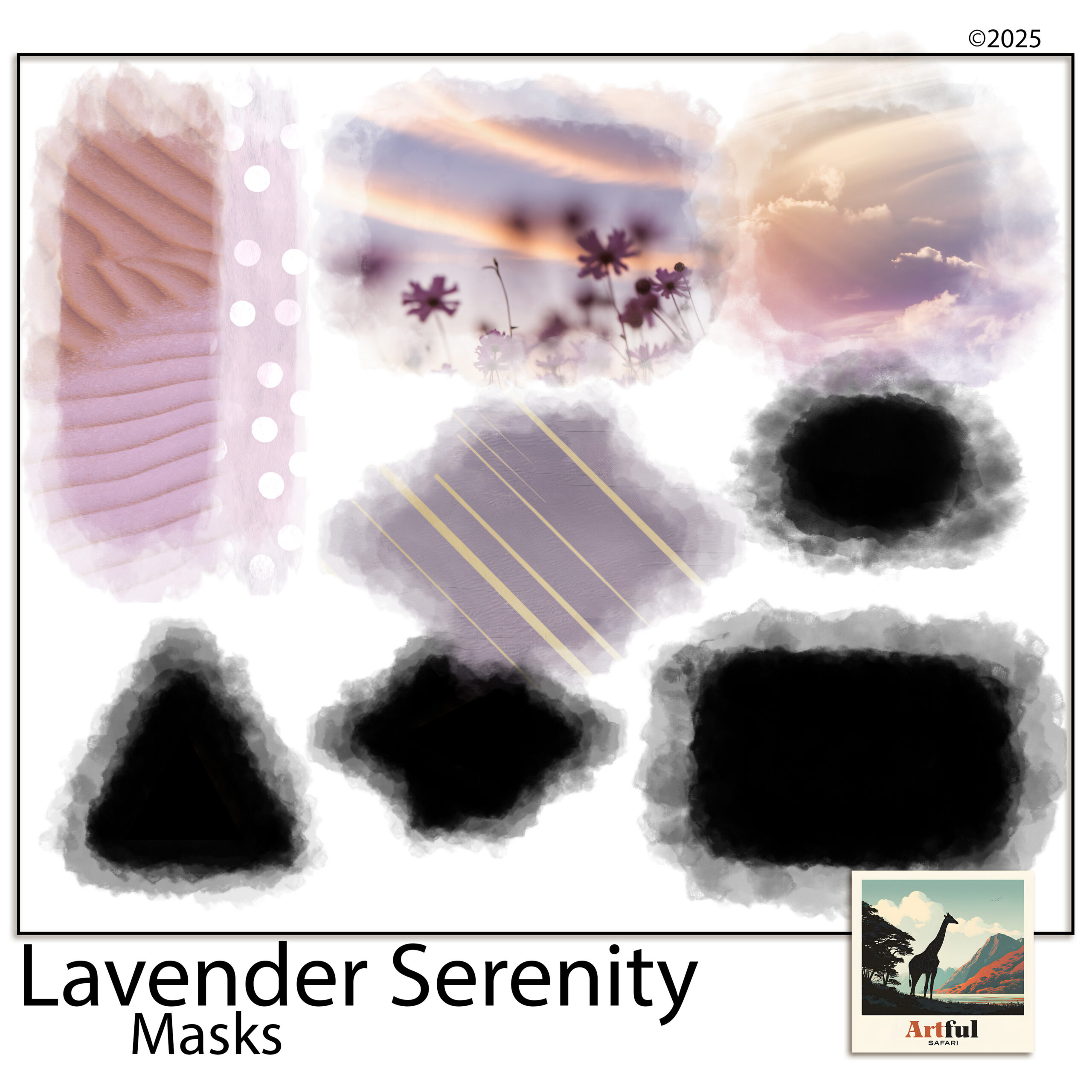
    Clipping masks for digital scrapbooking in soft lavender shapes
    Ready-made shapes from the Clipping Masks for Scrapbooking Lavender set.

    How to use clipping masks in Procreate

    In Procreate the option lives in the layer menu.

    1. Add your mask shape as its own layer (a circle, a torn shape, whatever you’re clipping into).
    2. Add your photo on a new layer directly above the shape.
    3. Tap the photo layer and choose Clipping Mask.
    4. The photo now shows only inside the shape. Tap and drag to reposition it, or pinch to resize.

    Order is everything: the shape must sit below the photo, or the clip grabs the wrong layer. If your photo vanishes, your shape layer is probably empty or hidden, so check it has actual colour in it.

    A quick extra: you can clip a paper or a texture to a shape the same way, not only photos. Want a wood-grain heart or a floral circle? Put the shape down, lay the paper above it, clip, done. Once it clicks, you’ll use it for titles and elements as much as photos.

    How to use clipping masks in Photoshop

    Photoshop builds the same way round, and Adobe’s own guide covers the keyboard shortcuts if you want them.

    1. Place your shape or frame on its own layer.
    2. Drop your photo on the layer directly above it.
    3. Right-click the photo layer and choose Create Clipping Mask (or press Alt/Option and click between the two layers).
    4. Use the Move tool to slide the photo around inside the shape until it sits right.

    If you’re layering papers as well as masking photos, the Digital Scrapbook Papers in Procreate guide pairs well with this one.

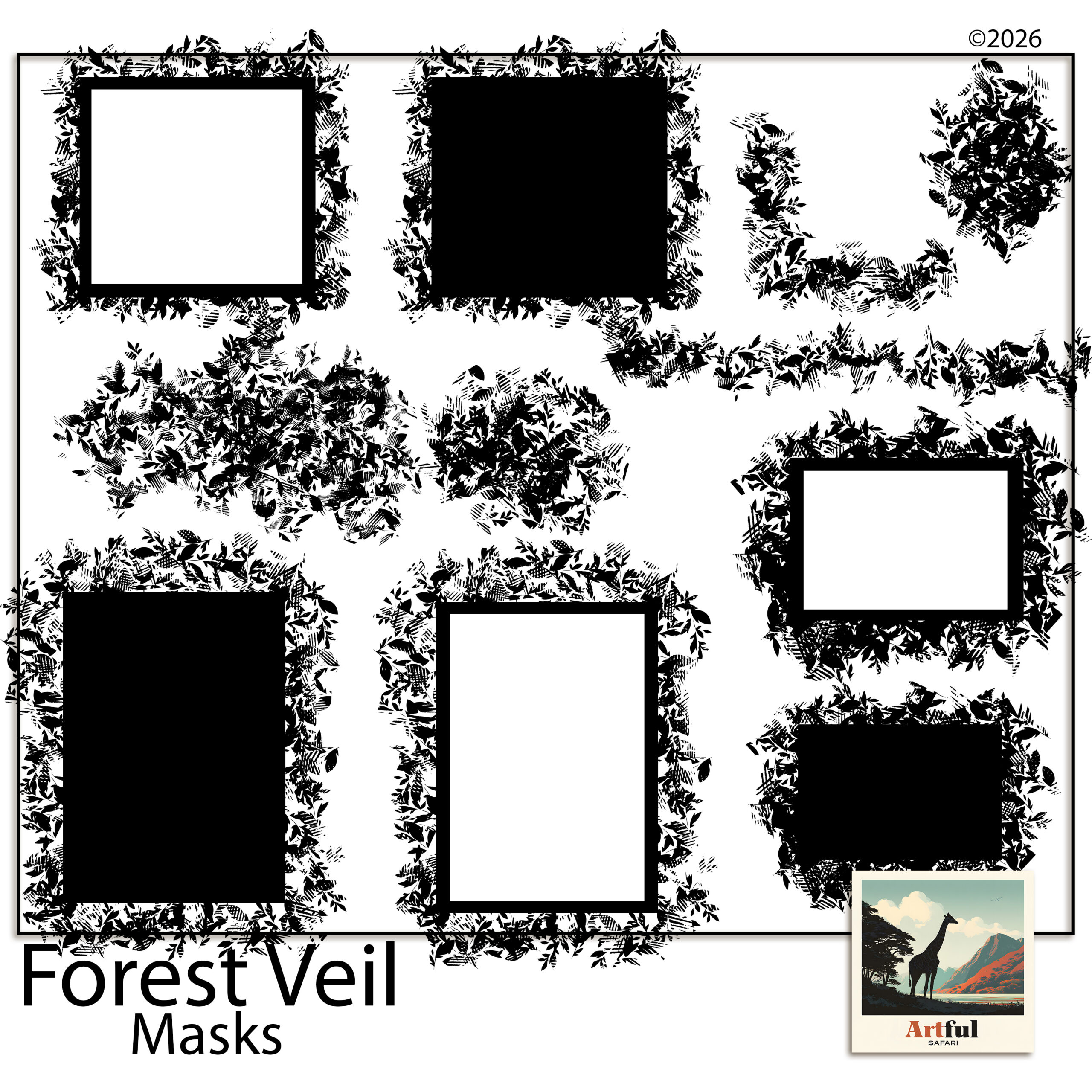
    Forest Veil digital scrapbook masks in organic torn shapes
    Torn, organic edges from the Forest Veil Digital Scrapbook Masks set.

    How to drop a photo into a masked frame in Canva or PicMonkey

    Canva and PicMonkey don’t use the words clipping mask, but the photo-into-frame trick is built in and even simpler.

    1. In Canva, search Frames in the Elements panel and add one to your page.
    2. Drag your photo on top of the frame and let go. Canva drops it inside automatically.
    3. Double-click to reposition or zoom the photo within the frame.
    4. In PicMonkey, the same idea lives under image masks: add the mask, then clip your photo to it.

    For organic, torn-edge looks rather than tidy geometric frames, mask sets like the Forest Veil Digital Scrapbook Masks give you shapes a built-in frame can’t.

    How the four apps line up

    Same result, slightly different words in each app. This is the cheat sheet I keep in my head.

    AppWhat it’s calledHow you apply it
    ProcreateClipping MaskTap the photo layer, choose Clipping Mask
    PhotoshopClipping maskRight-click the layer, Create Clipping Mask
    CanvaFramesDrag the photo onto a frame element
    PicMonkeyImage maskAdd the mask, then clip your photo to it

    What are the most common mistakes?

    Almost every clipping problem traces back to one of these. Here’s how each one looks and the fix.

    What you seeThe causeThe fix
    Photo fills the whole page, ignores the shapeLayers in the wrong orderMove the shape below the photo
    Nothing shows at allShape layer is hidden or emptyMake the shape visible and filled
    Photo looks stretchedResized by one corner, not proportionallyHold to keep proportions while scaling
    Can’t move the photo inside the shapeClipped the wrong layerUndo, select the photo layer, re-clip

    Ready-made clipping masks save you drawing shapes from scratch, so you spend the time placing photos instead of building stencils.

    Can you soften or blend the mask edge?

    Yes, and a soft edge is what separates a photo that’s stamped onto the page from one that sits in it. The trick is to soften the shape layer, not the photo.

    • Feathered edge: blur the shape layer slightly before clipping, so the photo fades out at the rim instead of stopping hard.
    • Torn-paper look: use a mask shape that already has a rough, organic edge, like a deckle or brush-stroke shape, and the photo inherits it.
    • Faded blend into the page: lower the photo layer’s opacity a touch, or set the shape to fade on one side, so the photo melts into the background paper.

    This is exactly what organic mask sets are built for. A soft, irregular shape does in one tap what would take careful erasing by hand, and it keeps every edit reversible because the photo underneath is never touched.

    One habit that prevents most headaches

    Name your layers. Once a page has a shape, a photo, a paper and a title all stacked up, it’s easy to clip the wrong one. A two-second label, photo, mask, base, means you always know which layer you’re grabbing, and the clip lands where you meant it to.

    When should you use a clipping mask instead of cropping?

    Reach for a clipping mask any time you might change your mind, which is most of the time. Cropping throws away the parts of the photo outside the frame, so if you later want the shot a little wider or shifted left, you’re stuck. A mask keeps the whole photo and just hides the overflow.

    The other case is shape. A plain rectangular crop is fine for a tidy grid, but the moment you want a photo inside a circle, a heart or a torn edge, a mask is the only way to get a clean result. Use a straight crop for speed on simple grids, and a mask for anything shaped or anything you might revisit.

    Key takeaways

    • A clipping mask shows your photo only inside a shape, without deleting anything.
    • In Procreate and Photoshop, the shape goes below the photo, then clip the photo to it.
    • Canva and PicMonkey use frames and image masks for the same drag-and-drop result.
    • Most mistakes are layer order; put the shape underneath and the clip behaves.

    Frequently asked questions

    What is a clipping mask in digital scrapbooking?

    It uses one layer as a stencil for another. The shape layer sits below your photo, and the photo shows only where the shape exists. Nothing is deleted, so you can reposition or swap the photo any time.

    Why does my photo cover the whole page instead of the shape?

    Your layers are in the wrong order. The shape has to sit directly below the photo for the clip to work. Move the shape underneath and re-apply the clip.

    Does Canva have clipping masks?

    Canva calls them frames. Search Frames in the Elements panel, add one, then drag your photo onto it and it drops inside automatically. Double-click to reposition or zoom the photo within the frame.

    Can I reuse the same mask shape on different pages?

    Yes. A mask shape is reusable, so one set works across as many pages and photos as you like. Ready-made mask kits save you drawing the shapes yourself.

  • Coastal Scrapbook Ideas: 12 Easy Tricks for Summer Albums

    Coastal Scrapbook Ideas: 12 Easy Tricks for Summer Albums

    The best coastal scrapbook ideas start with restraint: pick a sand-to-sea colour palette, let one or two photos carry the page, and add nautical clipart sparingly so it reads as a real beach memory rather than a gift-shop tea towel.

    Here are the layout ideas, palettes and layering tricks I reach for when I’m building a coastal scrapbook of a summer holiday.

    What makes a coastal scrapbook page work?

    A coastal scrapbook page works when the photos feel like the holiday and the design stays out of their way. Beach photos are already busy, with water, sky and people, so the layout should give them air rather than crowd them.

    Three habits do most of the work:

    • Leave plenty of white or pale space around photos
    • Stick to one soft texture as the background, not three
    • Let a single anchor photo dominate, with smaller shots around it

    The mistake I see most often is treating every photo as equal. Twelve beach shots at the same size turns into wallpaper. Pick the one photo that says the day best, run it large, and let the rest be supporting cast at half the size. The page reads as a memory instead of a contact sheet.

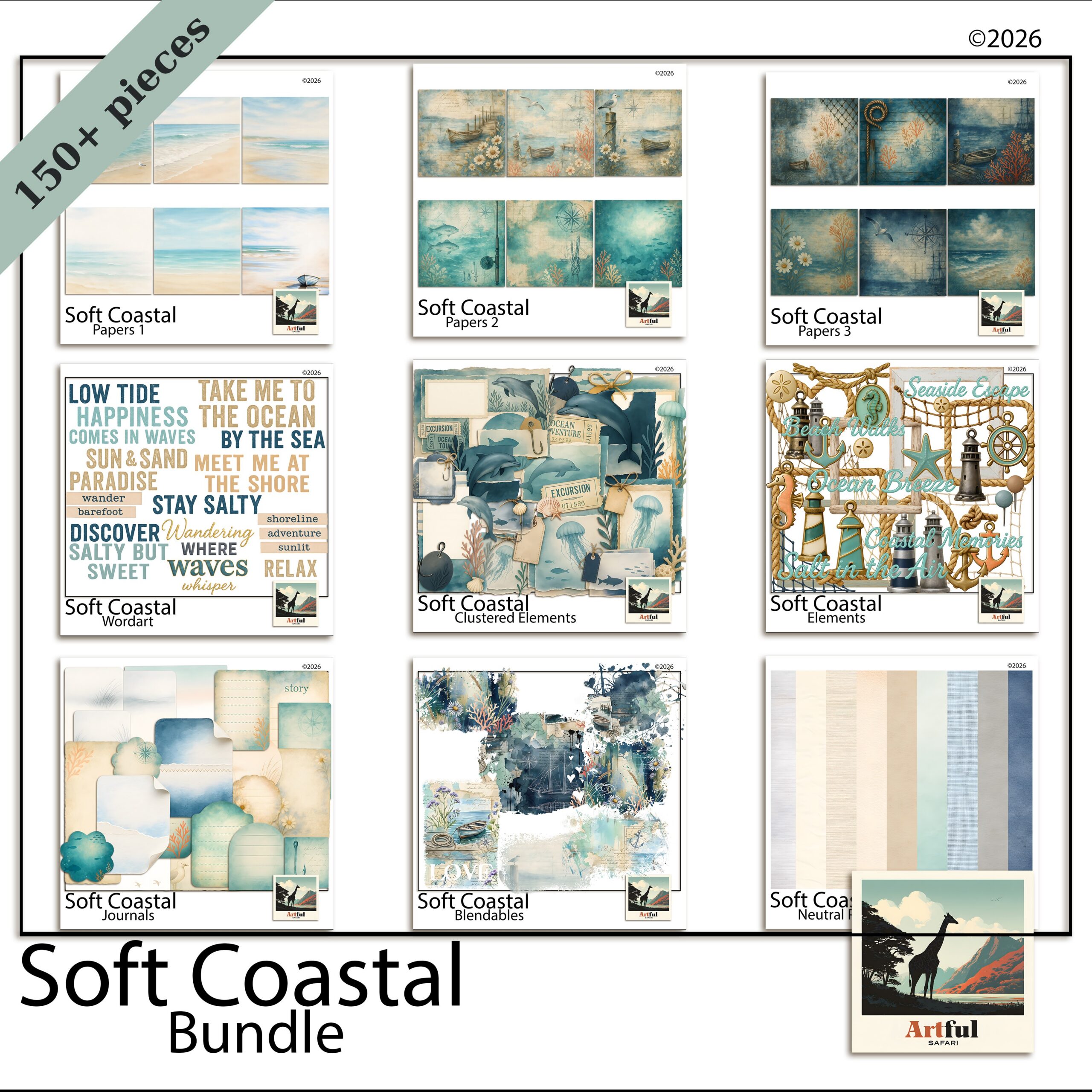
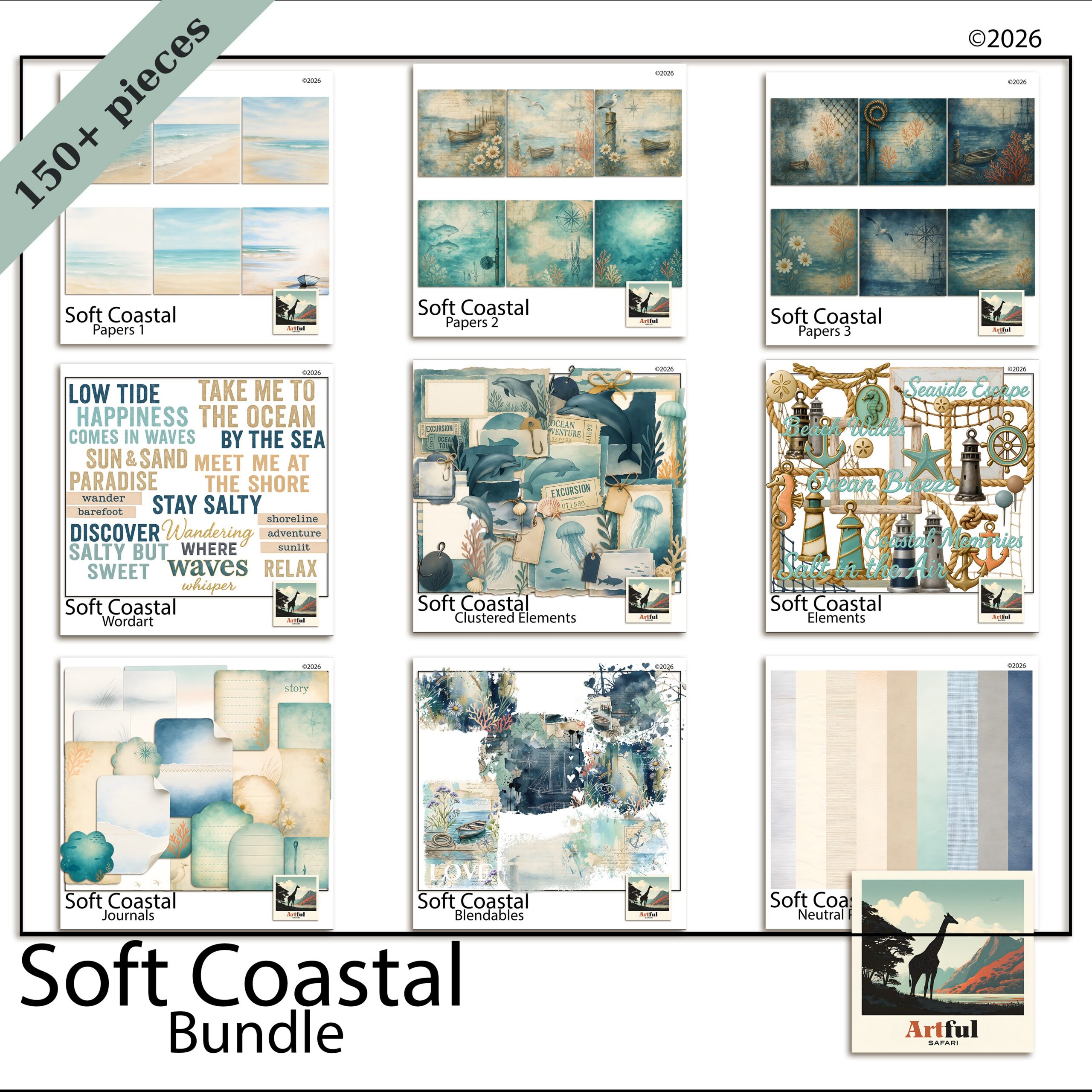
    Coastal scrapbook ideas using the Soft Coastal digital bundle papers and elements
    Pale, sandy papers for a coastal scrapbook base, from the Soft Coastal Digital Scrapbook Bundle.

    Which colour palette suits a beach album?

    The safest coastal palettes pull from the shoreline itself: sand, sea-glass, driftwood and a single deeper accent. Skip bright primary blues unless your photos are genuinely that saturated.

    PaletteUse it forMood
    Sand + sea-glass + ivoryQuiet beach mornings, family daysSoft, airy
    Navy + white + rope tanBoats, harbours, nautical tripsCrisp, classic
    Driftwood + dusty teal + coralSunset swims, rock poolsWarm, lived-in

    Pull the accent colour from something already in the photo, a striped towel or a red bucket, and the whole spread looks deliberate.

    One palette trap worth flagging: pure white. On a beach page, crisp white can look harsh next to warm sand tones. Swap it for ivory, shell or the palest grey and the whole spread softens. Save real white for the rare page where your photos are already cool and bright.

    How do you layer sand and sea papers without muddying them?

    Layering is where coastal scrapbook pages go wrong. Two textured papers fighting each other turn into mud. Keep one paper as the hero and let the others whisper underneath.

    A layering order that holds up

    1. Lay a plain or lightly textured sand paper as the base.
    2. Add a torn strip of a sea or wave paper along one edge only, not the whole page.
    3. Drop your photos on top inside simple frames.
    4. Reduce the opacity of any busy paper to 60-70% so it sinks back.

    If you want the full layering walk-through, How to Make a Travel Scrapbook covers building a holiday album from photos to finished pages.

    Add a sense of water without a literal wave

    You don’t need a photo of the sea to say sea. A pale wash of teal along the bottom third, a band of ripple texture set low, or a single watercolour splash behind a photo all read as water without competing with your snapshots. Suggest the coast, don’t shout it.

    The same trick works for sand. A grainy off-white texture under the whole page, kept low and quiet, gives the spread a beachy feel before you’ve added a single shell. Texture does the theme work so your clipart doesn’t have to.

    Coastal Nautical digital scrapbook clipart with rope, shells and stripes
    Rope, shells and stripes from the Coastal Nautical Digital Scrapbook kit.

    Where does nautical clipart work, and where does it tip into kitsch?

    Nautical clipart works in small doses as punctuation, not decoration. A single rope corner, one small shell, a thin striped border. It tips into kitsch the moment you ring the page with anchors, lighthouses and seagulls all at once.

    My rule: one nautical element per page, two at most, and never as the loudest thing on the spread. The Coastal Nautical Digital Scrapbook kit has rope and shell pieces that sit quietly in a corner instead of taking over.

    • Works: rope as a thin divider, a shell tucked behind a photo corner, a faint compass rose watermark
    • Tips into kitsch: cartoon anchors everywhere, three lighthouses, a banner that shouts AHOY

    Coastal scrapbook ideas for different trips

    Match the layout to the kind of coast you visited.

    • Family beach week: a photo grid of the same spot across days, with a sandy base and one shell accent.
    • Sailing or harbour trip: navy and rope-tan, a single boat photo enlarged, thin rope dividers.
    • Rock-pool and coastal-walk day: driftwood tones, small detail shots of finds, a journaling card listing what you spotted.

    Don’t skip the journaling

    Coastal scrapbook pages lean so hard on pretty papers that the words get forgotten. A short note ages better than any sticker: the name of the beach, who you went with, the thing that made everyone laugh. Drop it on a small card so it sits on the page without fighting the photos. In a few years that line is the part you’ll reread.

    Build the Soft Coastal Digital Scrapbook Bundle as your base and add nautical pieces only where a page needs a little punctuation.

    How do you keep a whole coastal scrapbook from looking samey?

    The risk with a single themed kit is fourteen pages that blur into one. The fix is varying the layout while keeping the palette steady, so the album feels related without feeling repetitive.

    • Switch the photo count: a one-photo full-bleed page next to a six-photo grid gives the eye somewhere to rest and somewhere to browse.
    • Move the title around: top-left on one spread, running up the side on the next, small in a corner on a third.
    • Change the breathing room: alternate a busy, layered page with a near-empty one that’s mostly sand paper and a single photo.
    • Rotate the accent: lean coral on one page, dusty teal on the next, both pulled from the same family.

    Hold the palette and the paper family constant and you can vary everything else freely. That’s what makes a holiday album look designed rather than churned out.

    What about the title and lettering?

    Coastal titles work best when the lettering feels relaxed rather than formal. A loose script or a soft rounded font suits a beach page far better than anything sharp and corporate. Keep the wording simple too: the place name, the year, or a half-sentence you actually said on the day.

    • Colour the title from the palette: a driftwood brown or muted navy reads better than black, which can feel heavy against pale sand.
    • Give it room: a title squeezed into a corner gets lost. Let it sit across the top third or run quietly down one side.
    • One decorative touch, not five: a small shell beside the first letter is plenty. Don’t bury the words under clipart.

    If you want the title to anchor the page, set it large and let a single photo do the rest. Restraint is the whole game with coastal scrapbook pages, in the lettering as much as the layout.

    Key takeaways

    • Pull the coastal scrapbook palette from the shoreline: sand, sea-glass, driftwood, one deeper accent.
    • Keep one textured paper as the hero and fade the rest to 60-70% opacity.
    • Use nautical clipart as punctuation, one or two pieces per page.
    • Match the layout to the trip, and vary layouts to keep the album fresh.

    Frequently asked questions

    What colours work best for a coastal scrapbook?

    Pull from the shoreline: sand, sea-glass, driftwood and ivory, with a single deeper accent like navy or coral. Match the accent to something already in your photo and the coastal scrapbook page looks intentional.

    How much nautical clipart should I use on a page?

    One element, two at most. Use rope, a shell or a thin stripe as punctuation rather than decoration. Ringing a page with anchors and lighthouses is what pushes it into kitsch.

    How do I layer beach papers without them looking muddy?

    Keep one paper as the hero and reduce the opacity of any busy paper to 60-70% so it sits back. Add textured papers as torn strips along one edge instead of covering the whole page.

    Do coastal scrapbook kits work for sailing and harbour trips too?

    Yes. Switch to a navy, white and rope-tan palette, enlarge a single boat photo and use thin rope dividers. The same kit covers soft beach days and crisp nautical trips.

  • Digital vs Paper Scrapbooking: Pick the Best Fit in 6 Questions

    Digital vs Paper Scrapbooking: Pick the Best Fit in 6 Questions

    Digital vs paper scrapbooking comes down to one trade: paper gives you a physical book you can hold, smell and pass around the table, while digital gives you supplies you never run out of, an undo button, and pages that can’t be lost to a spilled cup of tea.

    I make pages both ways, so here is the side-by-side I wish I’d had when I started, with the real costs, the storage reality, and what each one is genuinely better at.

    What’s the real difference between digital and paper scrapbooking?

    Paper scrapbooking is the classic version: cardstock, patterned paper, stickers, glue and a trimmer, all assembled by hand into an album. Digital scrapbooking does the same thing on a screen, in Procreate, Photoshop, Canva or GoodNotes, using digital papers, clipart and frames as the supplies.

    The page you build is the same idea. The materials and the workspace are what change. With paper you cut once and it’s gone. With digital, the same patterned paper sits in a folder and you can drop it onto a hundred pages without buying it twice.

    There’s a third thing people forget: the muscle you build is different. Paper teaches you to trim straight, line up edges and judge how much glue is too much. Digital teaches you layers, opacity and a few keyboard shortcuts. Neither is harder, they just ask different things of you. If you already edit photos on a phone, digital will feel closer to home. If you love a craft table, paper will.

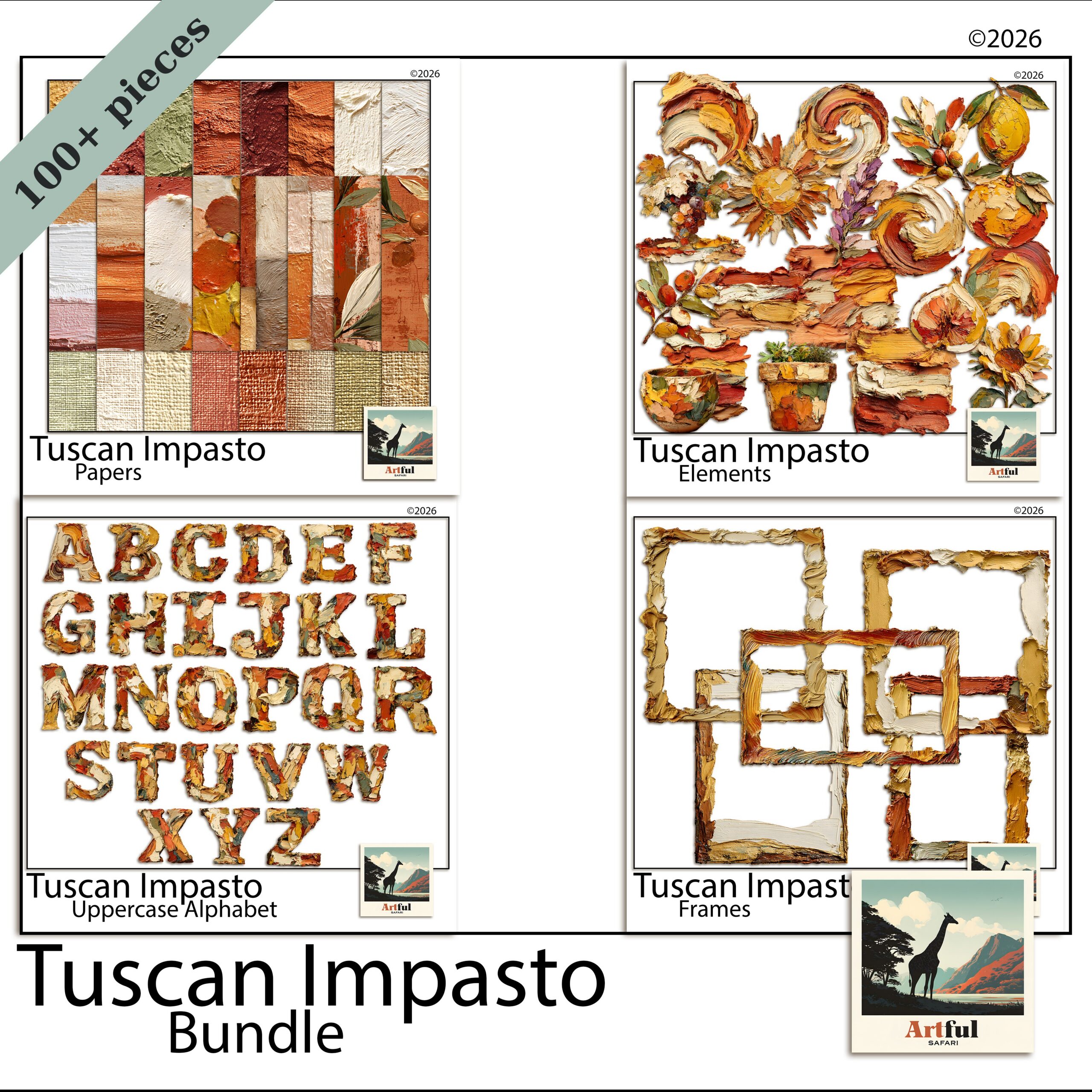
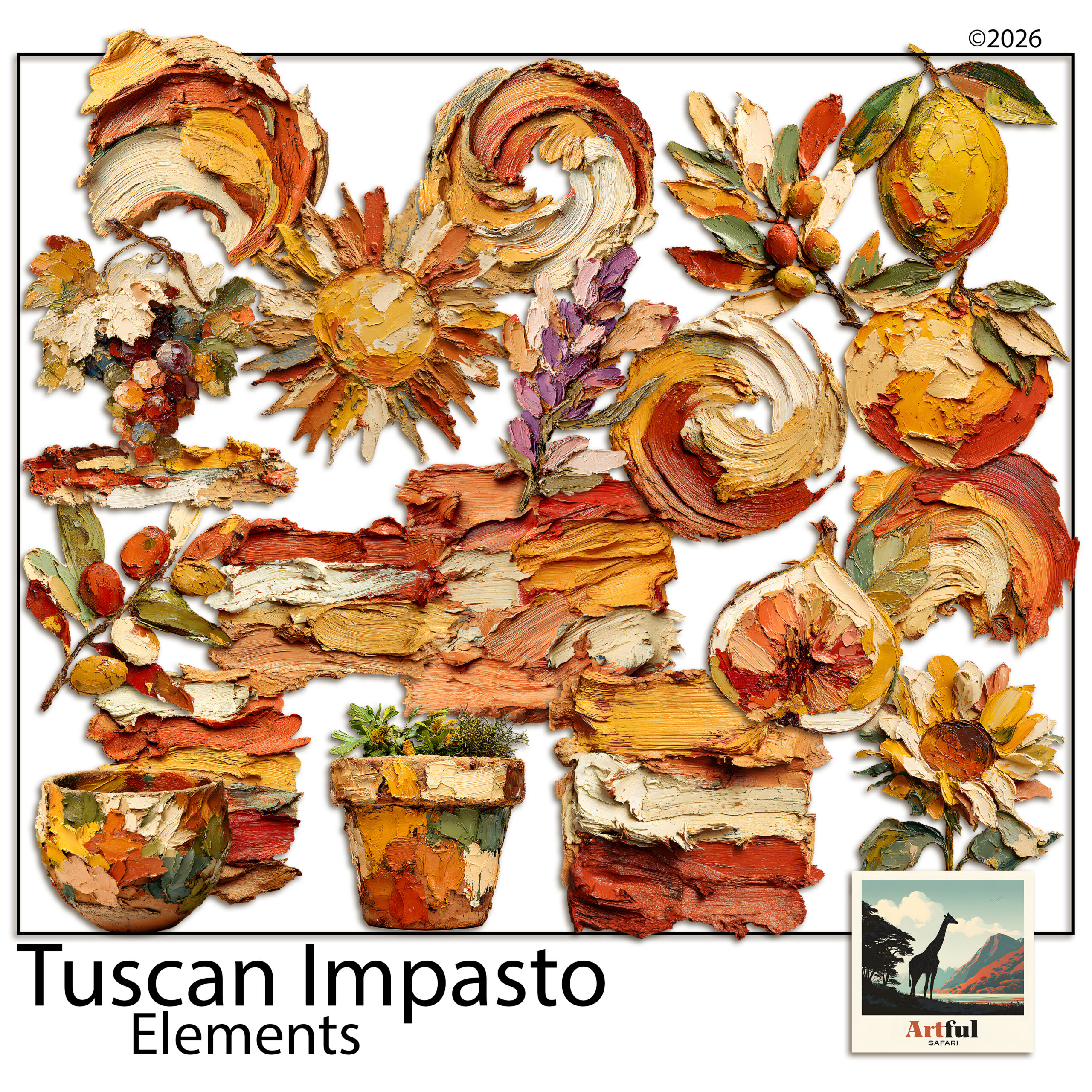
    Digital vs paper scrapbooking supplies from the Tuscan Impasto digital bundle
    One bundle, used again and again: the Tuscan Impasto Digital Scrapbook Bundle.

    Which costs more over a year?

    Paper scrapbooking costs more once you keep going, because every sheet, sticker and embellishment is consumed the moment you use it. Digital has a higher feeling of value per purchase: one bundle covers dozens of pages and never runs down.

    Here is a rough side-by-side for someone making a page or two a week.

    FactorPaper scrapbookingDigital scrapbooking
    Up-front kitTrimmer, glue, albums, paper stashAn app and one or two bundles
    Cost per pageAdds up, supplies get used upNear zero once you own the kit
    RestockingBuy more paper as you goReuse the same files forever
    MistakesA ruined sheet is money goneUndo and try again, no cost

    None of this makes paper a bad buy. You’re paying for a tactile object. It’s a different kind of value, and worth naming before you pick a side.

    One more cost most people miss with paper: the impulse stash. It’s easy to buy a sticker pack or a paper pad you love and never use, and that money is gone. Digital has its own version of this, the bundle you buy and forget, but at least it doesn’t take up a drawer and it’s still there waiting the day you need it.

    How does storage and mess compare?

    Paper scrapbooking takes physical room and stays a little messy by nature. Digital takes folder space and a backup habit. Pick the problem you’d rather manage.

    Paper scrapbooking storage

    • Paper trimmer, off-cuts, and a growing stash of patterned sheets
    • Finished albums that need shelf space
    • Sorting by theme means physical drawers and folders

    Digital storage

    • Folders on your iPad, laptop or cloud drive, sorted by theme
    • No off-cuts, no clean-up, no glue on the table
    • One rule that matters: back it up, or a dead drive takes the lot

    If you want a folder system that doesn’t fall apart after fifty kits, the Digital Scrapbooking for Beginners guide walks through a simple one.

    Worth saying plainly: the mess cuts both ways. Paper’s mess is visible, glue and off-cuts you tidy at the end. Digital’s mess is invisible until it bites, a thousand unsorted files and no idea which paper lives where. Whichever you pick, the tidy habit is the same job in different clothes.

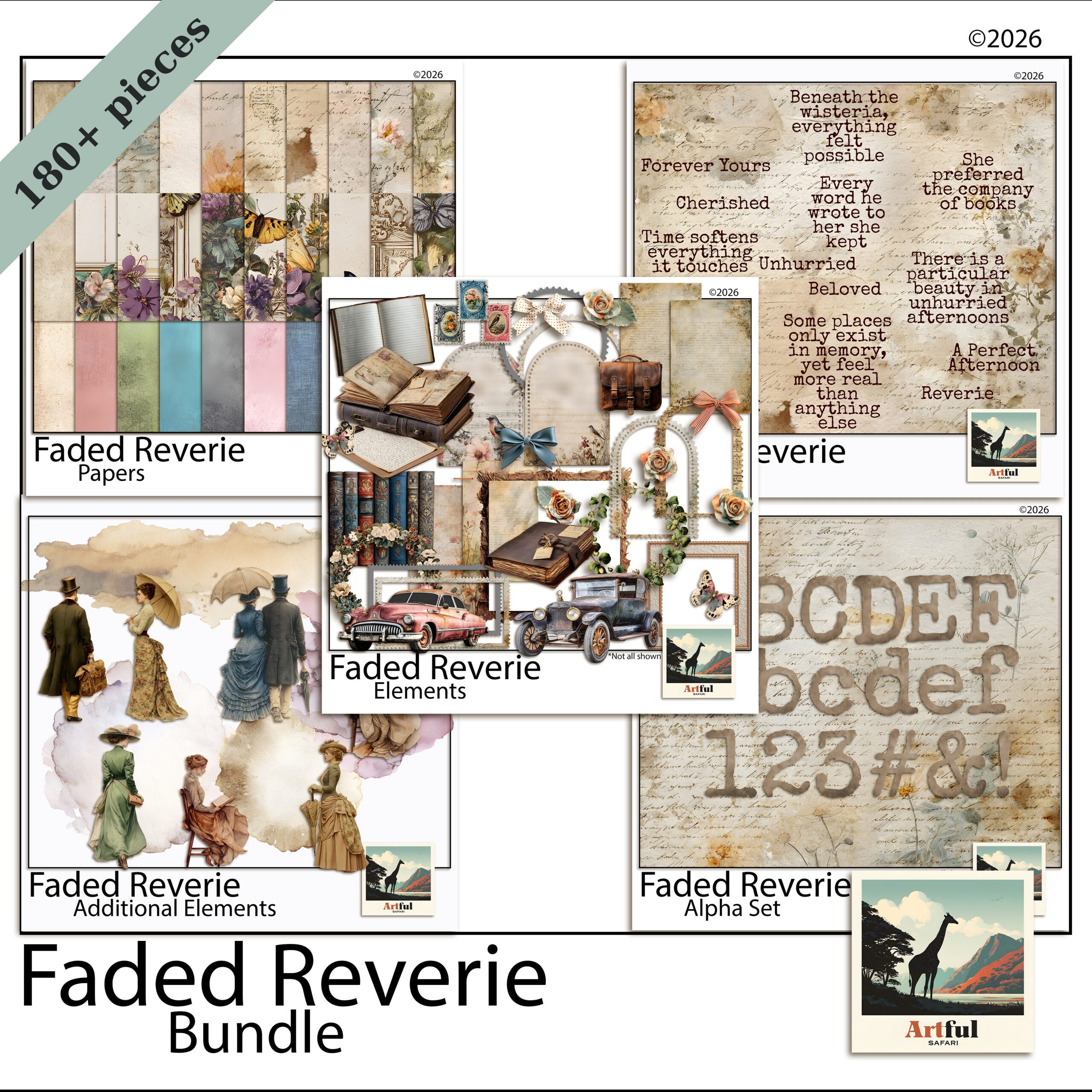
    Faded Reverie digital scrapbook bundle papers and elements
    Soft, reusable papers from the Faded Reverie Digital Scrapbook Bundle.

    What happens when you make a mistake or want to reprint?

    This is where the two part ways the most. On paper, a crooked photo or a smudge of glue means starting that section again. On digital, you nudge the layer, undo the step, or swap the photo, and the page is fixed in seconds.

    Reprinting is the same story. Want a second copy of a paper album for your mum? You rebuild it by hand. Want a second copy of a digital page? You export the file again. A bundle like the Faded Reverie Digital Scrapbook Bundle sits ready for the next project, the next gift, the next year.

    The catch for digital: you stare at a screen instead of touching paper, and some people miss the feel of cutting and gluing. That’s a real loss for some makers, not a small one.

    What is each one genuinely better at?

    Forget the tie-breakers for a second. There are jobs each version simply does better, and knowing them saves you fighting your tools.

    Paper scrapbooking is better at

    • A finished object you can wrap, gift or sit on a coffee table
    • Texture you can feel, like embossing, ribbon and layered card
    • Switching off, with no screen and no notifications

    Digital is better at

    • Reusing one kit across years of pages
    • Fixing a mistake or moving a photo in seconds
    • Making multiple copies for the whole family
    • Working in small pockets of time on an iPad, no setup or pack-down

    The setup gap is bigger than it sounds. Paper needs a clear table, supplies out and time to tidy up after. Digital you open the app, work for ten minutes on the sofa, and close it. For busy weeks, that alone decides it for a lot of people.

    Digital vs paper scrapbooking: which should you pick?

    Pick paper scrapbooking if the physical book is the whole point, you like working with your hands, and you don’t mind buying supplies as you go. Pick digital if you want to reuse kits, fix mistakes instantly, skip the mess, and keep everything backed up.

    Plenty of us do both. I draft a layout digitally because it’s fast to move things around, and I still keep a paper album for the trips that deserve a book on the shelf. You don’t have to marry one.

    Which is friendlier for a beginner?

    Digital, for most people, mainly because of the undo button. The first few paper pages can feel high-stakes when a wonky cut costs you a sheet you liked. On screen you experiment freely, drag a photo around, try three papers, and keep only what works. The learning curve is real either way, but digital lets you fail cheaply while you find your style. Once you’re confident, the choice goes back to taste rather than fear of wasting supplies.

    Quick way to decide

    • Love the craft table and the feel of paper? Start with paper.
    • Short on space, want unlimited supplies, work on an iPad? Start digital.
    • Making gifts or multiple copies? Digital wins on reprints.

    Key takeaways

    • Paper gives you a physical book; digital gives you reusable supplies and instant undo.
    • Over a year, paper scrapbooking costs more per page because supplies get used up.
    • Storage is shelf space versus folders plus a backup habit.
    • Digital wins on fixing mistakes and making second copies; paper wins on the tactile feel.

    Frequently asked questions

    Is digital scrapbooking cheaper than paper?

    Over time, yes. Paper scrapbooking supplies get used up each page, while a digital bundle is reused on as many pages as you like for no extra cost. Paper’s value is the physical book you end up with.

    Can I do both digital and paper scrapbooking?

    Plenty of makers do. A common approach is to plan or draft layouts digitally because it’s quick to move things around, then keep paper albums for the trips that deserve a book on the shelf.

    Do I need an expensive app for digital scrapbooking?

    No. People build pages in Procreate, Photoshop, Canva and GoodNotes. Canva has a free tier, so you can start with digital papers and clipart without buying pricey software.

    What’s the biggest risk with digital scrapbooking?

    Losing files to a dead drive or lost iPad. Keep your kits and finished pages backed up to a cloud drive or external disk and that risk goes away.