40% off until 31 October on selected products·8 days left

Category: Scrapbooking Tutorials

How-to guides for digital scrapbooking and memory keeping – layouts, albums and techniques.

  • How to Make a Digital Junk Journal: 6 Easy Steps

    How to Make a Digital Junk Journal: 6 Easy Steps

    To make a digital junk journal, you stack papers, ephemera and photos as movable layers inside an app like Procreate, GoodNotes or Canva, then save each finished spread as an image. There is no glue and nothing is permanent, so you can rearrange a page as many times as you like.

    The six steps below take you from a blank canvas to a saved spread you can be proud of.

    If you need papers and ephemera to start with, our junk journal kits come as high-resolution image files you can use digitally or print.

    What is a digital junk journal, and what do you need?

    A junk journal is a scrappy, collage-style book full of layered papers, bits of ephemera, photos and handwritten notes. The “junk” part is the charm. It looks busy and lived-in, not tidy.

    A digital one works the same way, except every layer is a file instead of a glued-down scrap. You stack everything inside an app, so nothing is permanent and nothing can be ruined. Delete a layer, slide it three pixels left, change your mind twice. The page does not care.

    The pull of going digital is exactly this: no mess, no drying time, no running out of a paper you love. You can reuse the same lace clipping on ten different pages and it never wears out. And because it all lives in files, you can keep a junk journal on a tablet in your bag and add to it on a train, in a cafe, wherever the mood strikes.

    To start you need three things: an app you are comfortable in, a stylus (or just your finger), and a kit of papers and ephemera. That last one matters more than people expect. A matched kit saves you an hour of hunting for textures that sit well together. Buy a themed bundle and the papers, frames and little bits already share a palette, so your first page looks intentional instead of cobbled together.
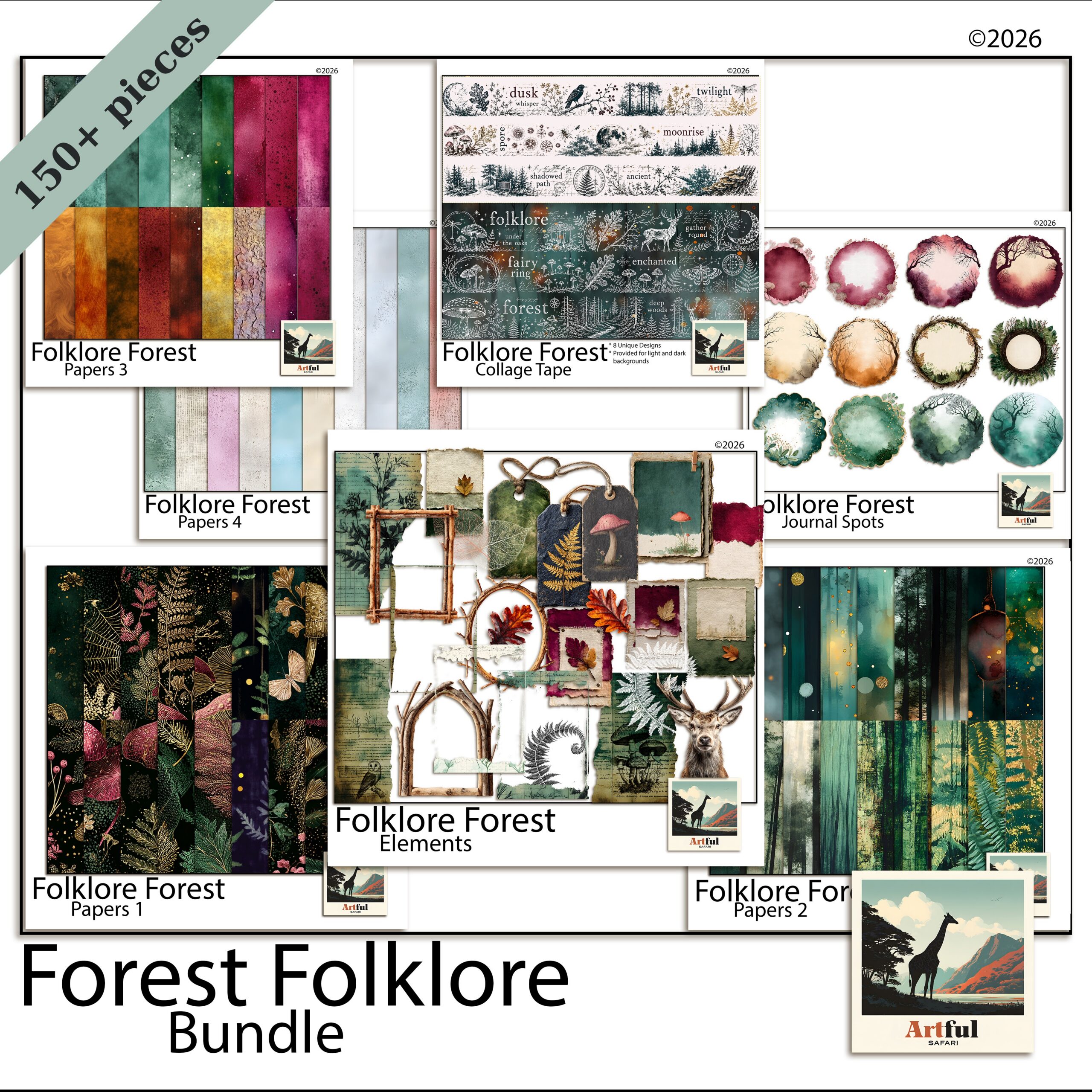
    Folklore Forest digital junk journal bundle open on a tablet
    A themed bundle like the Folklore Forest Botanical Junk Journal Bundle gives you papers, ephemera and frames that already match.

    How to make a digital junk journal in 6 steps

    Here is the whole process from blank canvas to a saved spread. None of it takes special skill. Step one is the only decision that sticks, so I will spend the most time there.

    Step 1: Pick an app and set a canvas

    Open your app and make a new file at roughly 3600 x 3600 px, which is a 12 x 12 inch page at 300 DPI. That is the standard scrapbook size and most kits are built for it. If you prefer a book-page feel, a portrait 8.5 x 11 works too.

    Keep the file in the app’s own format while you build (a Procreate file, a GoodNotes notebook, a Canva design). You only flatten to an image at the very end.

    Step 2: Drop in a base paper

    Import one paper and stretch it to fill the whole canvas. This is your background. Pick something with quiet texture, not a loud pattern, because everything else sits on top of it and a busy base fights the layers.

    Aged, linen and kraft textures are the safe choice for junk-journal pages. They read as old paper and they let the brighter pieces pop.

    Step 3: Layer a second paper for depth

    Add a smaller paper on a new layer, sitting at an angle, covering maybe two-thirds of the page. Torn or deckled edges sell the look. If your kit includes torn-edge papers, use them here. If not, a soft shadow under the edge fakes the same effect.

    This is the move that separates a flat page from a junk-journal page: two or three papers that overlap, not one paper sitting alone.

    Step 4: Add ephemera, a frame and a photo

    Now the fun part. Drop in ephemera: tags, tickets, stamps, botanical clippings, lace, whatever your kit gives you. Tuck them under and over the papers so they look slotted in rather than placed on top.

    Add a frame, then put a photo behind it (a clipping mask does this cleanly in most apps). One photo per spread is plenty for a junk journal. The papers and ephemera are the point.

    Step 5: Write the journaling

    Add a text layer or handwrite with your stylus. A date, a line about what happened, a quote. Junk journals lean personal and a little messy, so handwriting suits them better than a neat font. Keep it short. White space is rare on these pages, so a couple of lines is enough.

    Step 6: Flatten, save and back up

    Duplicate the file first so you keep an editable copy, then flatten the duplicate and export it as a PNG or JPG. Save the editable version too. Back both up to cloud storage or an external drive. The whole appeal of working digitally is that nothing is lost, so do not let it live on one device.

    One spread done. The good news is that steps two to five get faster every time, because you start to know which papers and pieces play nicely together. By page three you will be building spreads in ten minutes.
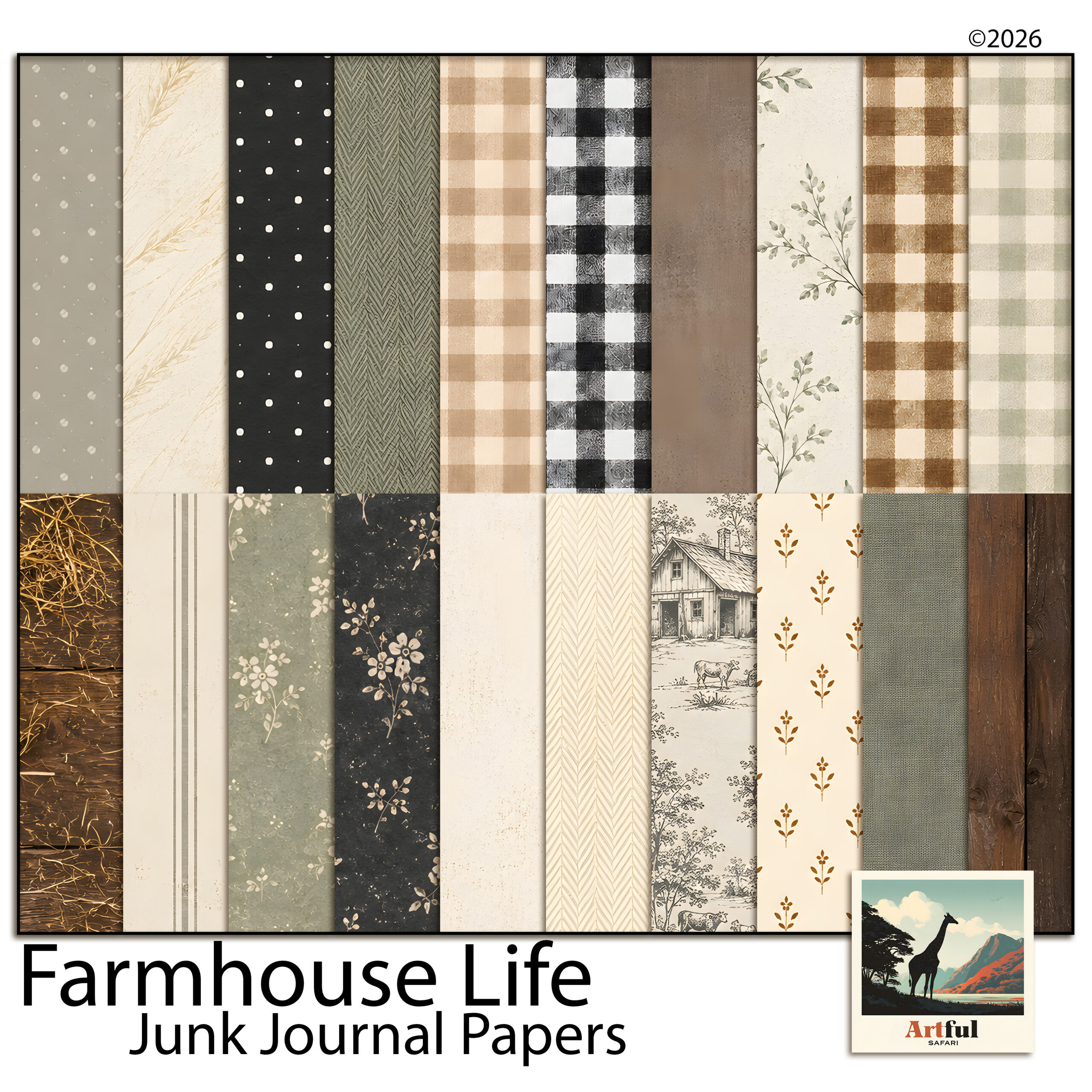
    Farmhouse Life junk journal papers shown as layered textures
    Textured base papers from the Farmhouse Life Junk Journal Papers sit underneath everything else.

    Do you have to print a digital junk journal?

    No, and this trips people up. A digital junk journal is meant to be read on screen. You flip through it on a tablet, share a spread to social, or keep it as a private memory book. Nothing has to leave the device.

    You can print one if you want a physical book to hold, and the textured papers do print beautifully. But that is an optional extra, not a requirement. Plenty of makers keep the whole thing digital and never touch a printer. Treat printing as a choice you make later, not a step you owe the project.

    Which app should you use for a digital junk journal?

    Any of these will build a good page. The right one is the app you already own and already know. Here is how the popular three compare for this kind of work.

    AppBest forLayers & masksCost
    ProcreateFull control, painterly edges, brushesStrong layers, clipping masks, blend modesOne-off iPad purchase
    GoodNotesA book you flip through and write inStickers and images, lighter layeringLow one-off / subscription
    CanvaQuick spreads on any device, browser or appLayers and transparency, no real masksFree tier works; Pro adds more

    If you want pages that look hand-finished, Procreate gives you the most room. If you want something you read like a diary, GoodNotes feels closer to a real notebook. Canva is the fastest start if you have never done this before.

    Common mistakes that make a digital page look flat

    The pages that do not work usually share the same few problems. Easy to fix once you spot them.

    • No overlap. One paper, one photo, lots of empty space. Junk journals want layers touching and tucking under each other.
    • No shadows. Flat pieces look pasted on. A faint drop shadow under papers and ephemera gives the page real depth.
    • Mismatched colours. Five kits, twelve palettes, nothing agrees. A single themed bundle solves this in one go.
    • Too tidy. Perfectly straight, evenly spaced pieces read as a poster, not a journal. Tilt things a few degrees.

    New to the whole idea? Start with What Is a Junk Journal? for the plain-English version before you build your first spread.

    Key takeaways

    • A digital junk journal is the same layered, collage look as a paper one, built as files you can move and undo.
    • Work at 12 x 12 inches and 300 DPI, keep the editable file, and only flatten to PNG or JPG at the end.
    • Overlap two or three papers, tuck in ephemera, add soft shadows. Layers and depth are what make the page.
    • A matched themed bundle saves you from clashing colours and missing pieces.

    Frequently asked questions

    Do I need to print a digital junk journal?

    No. A digital junk journal lives on your device and is read on screen, so there is no printing involved. You only print if you want a physical copy, and that is a separate choice.

    What size should a digital junk journal page be?

    A 12 x 12 inch page at 300 DPI (about 3600 x 3600 px) is the standard and most kits are built for it. A portrait 8.5 x 11 also works if you want a book-page feel.

    Can I make a digital junk journal in Canva?

    Yes. Canva handles uploaded papers, layering and transparency, so it suits beginners well. It does not have true clipping masks, so dropping photos into frames is a little less precise than in Procreate.

    What is the difference between a junk journal and a scrapbook?

    A junk journal is busier and more collage-led, built from layered papers and ephemera with the photo as a small part. A scrapbook usually puts the photos first with cleaner layouts around them.
  • How to Build a Quiet Woodland Scrapbook Page in 5 Steps

    How to Build a Quiet Woodland Scrapbook Page in 5 Steps

    There is a particular kind of photo that never quite suits a busy layout — the quiet ones. A walk under bare trees, a cabin weekend, first snow, an autumn trail with the light coming sideways through the branches. Crowd those pictures with bright patterns and confetti and you lose the very thing that made you keep them. A woodland scrapbook page works the other way round: it gives the memory room to sit still.

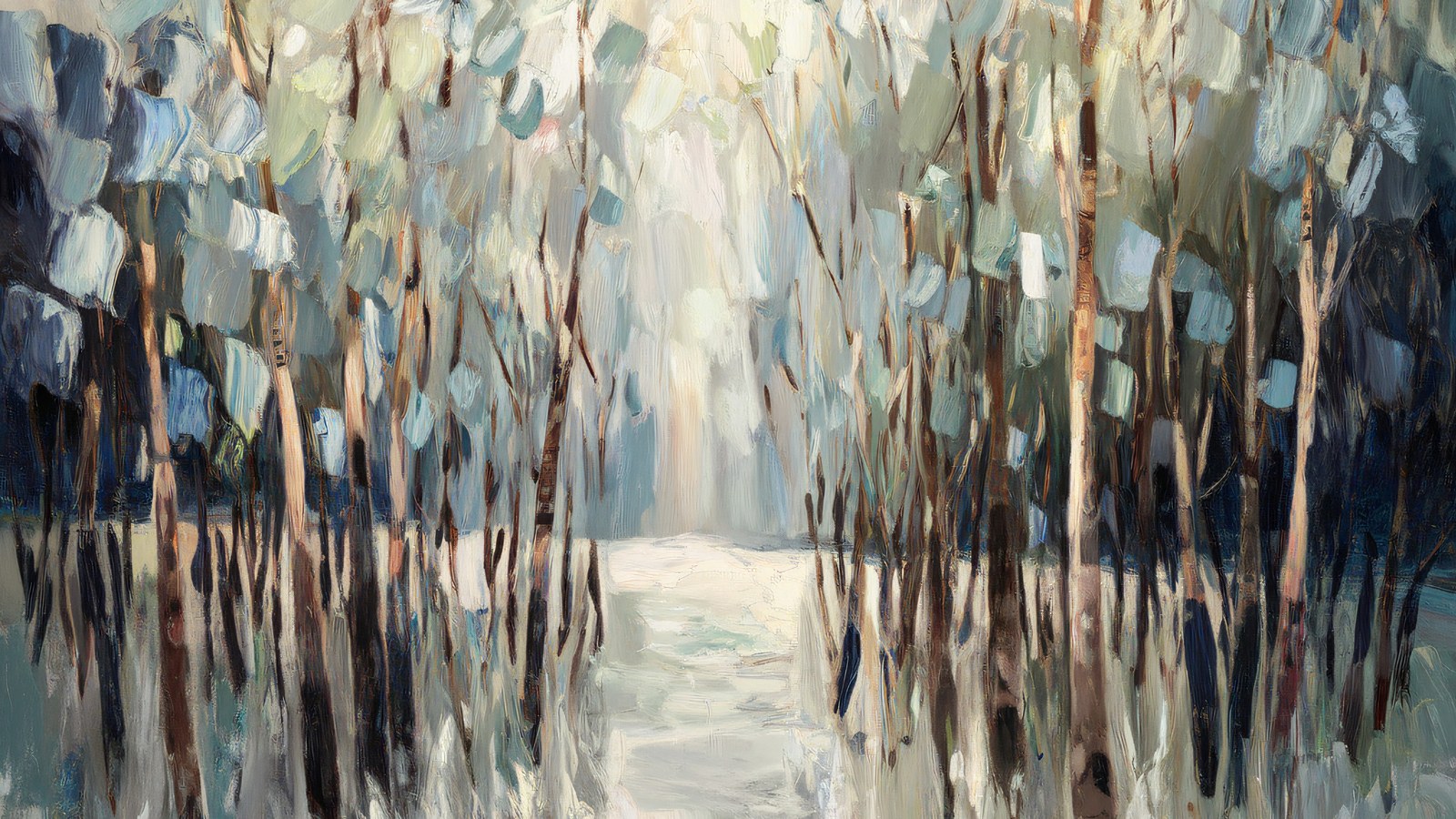
    This guide walks through how to build a woodland scrapbook page from the background up — choosing papers, pairing a soft forest palette, and layering photos so the page feels restful rather than empty. The examples use painted birch tree paper, because birch is about as forgiving a starting point as this style gets, but the same thinking carries across any nature-led spread.

    Start your woodland scrapbook page with a background that can breathe

    Most crowded pages are crowded because the background is already doing too much. A restful woodland scrapbook page usually pairs one expressive sheet with several near-plain ones, and lets the plain sheets carry most of the surface area.

    So it helps to think of your papers in two jobs. The painted scenes — a birch grove, a misty tree line, a single trunk against a pale sky — are your feature sheets. They are lovely, and they are loud enough that one is usually plenty per spread. The textured solids — bark white, warm grey, sage mist, a dusty blue — are your quiet sheets. They read almost as a single colour from arm’s length, which is exactly what you want behind a photo or a block of journaling.

    A simple rule of thumb: if you can read text comfortably laid over a paper, it can go behind your words. If it fights the text, keep it as a feature and mat your photo onto a quiet sheet instead.

    The colour logic of a woodland palette

    Woodland colours already coordinate in nature, which does half the work for you. The trick to keeping a woodland scrapbook page quiet is restraint in the proportions, not the number of colours.

    The old decorator’s 60/30/10 split translates neatly to a scrapbook page. Give roughly 60 per cent of the page to a dominant quiet tone — bark white or a soft grey is ideal because it behaves like a neutral. Give about 30 per cent to a supporting colour from the same family, say sage or a muted blue, on mats and borders. Then keep the last 10 per cent for an accent: a deeper charcoal or a slate blue used sparingly, on a title strip or a small tag, to stop the whole thing drifting into pastel soup.

    That single darker accent matters more than people expect. A page built entirely from pale sage and cream can look washed out on screen; a thin charcoal edge or a dark journaling block gives the eye somewhere to land and makes every soft colour beside it read as deliberate.

    Layering without crowding the page

    Layering is where a woodland scrapbook page is won or lost. The instinct is to fill the space; the better move is to build a small stack in one area and leave the rest open.

    • Anchor with the photo. Mat it on a quiet textured sheet, slightly larger than the photo, so a thin border of paper frames it. One mat is elegant; three stacked mats start to shout.
    • Let a painted scene sit behind, not around. If you use a birch grove as the background, keep photos and text over the calmer part of the image — the misty middle distance rather than the busy trunks — so nothing competes.
    • Give journaling its own quiet block. A rectangle of near-solid paper behind your words reads as intentional and keeps the text legible over any texture.
    • Leave one corner empty. Negative space is a design element. An open corner is what makes the difference between “minimal” and “unfinished” — it frames everything else.

    Putting the woodland scrapbook page together

    Here is how those ideas stack on a real spread. Start with a bark-white texture across the full 12 × 12 page as the base. Drop a painted birch scene into the top two-thirds as a feature band, and mat your main photo onto a soft sage sheet placed over the calmer lower third. Add a slim charcoal strip beneath the photo for the date, and a small block of dusty-blue paper for a line or two of journaling. That is five papers doing five clearly different jobs — and the page still feels quiet, because only one of them is trying to be the star.

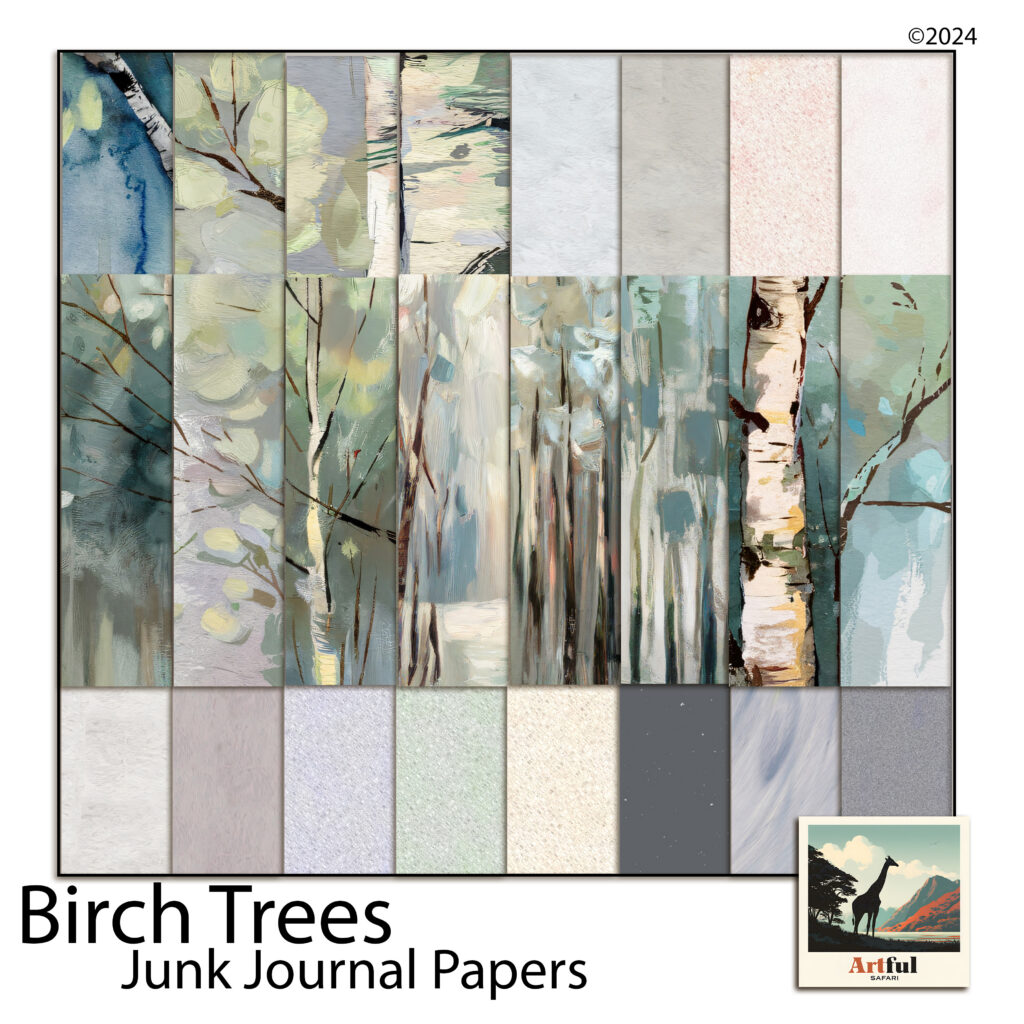
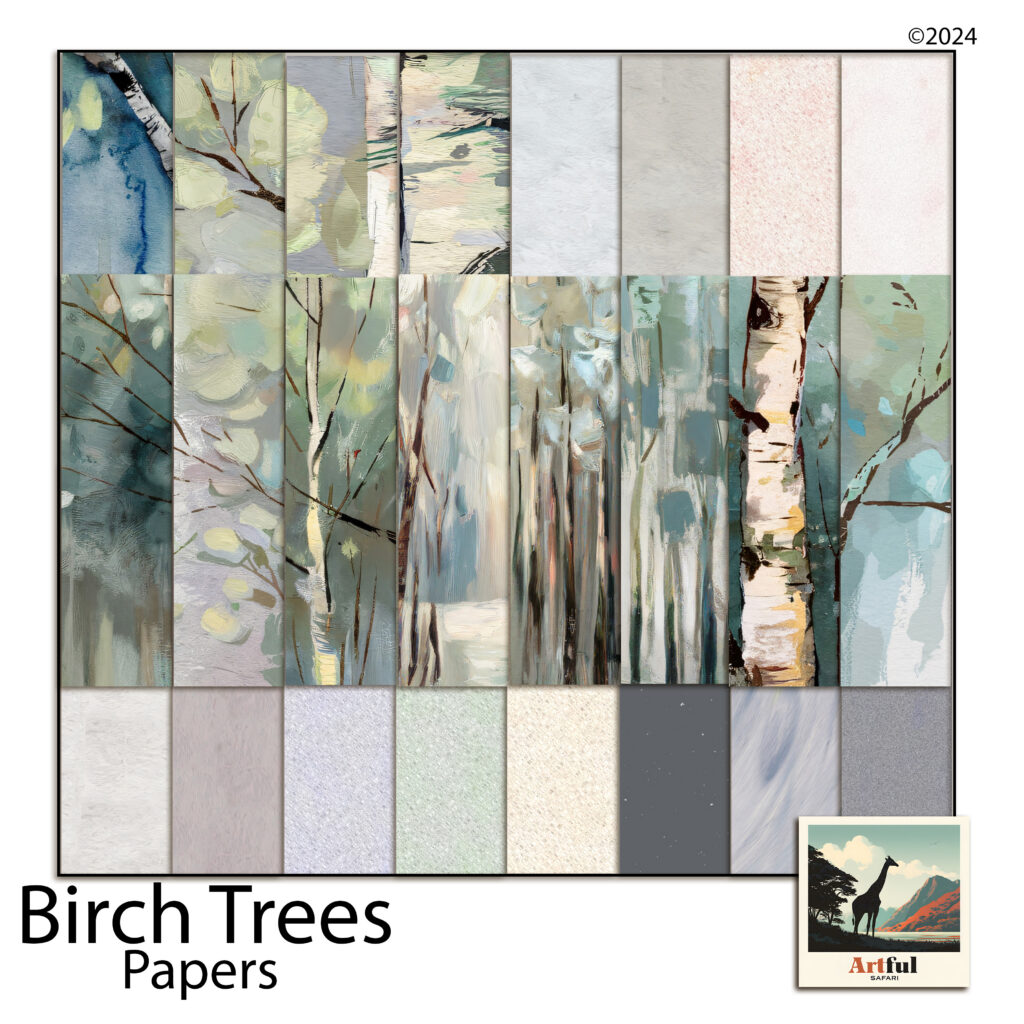
    Painted birch papers and quiet textures for building a woodland scrapbook page
    This woodland scrapbook page recipe uses the painted birch and coordinating textures from the Birch Trees paper collection.

    Because these are digital papers, the whole process is non-destructive — drag a sheet in, resize it, swap it for a different texture if the balance feels off, and nothing is wasted. It is the fastest way to test the 60/30/10 idea, since you can recolour a mat or trade a sage sheet for a blue one and see the page shift in seconds. Everything drops straight into Procreate, Photoshop, Canva, or GoodNotes at the standard 12 × 12 size.

    A few finishing touches

    Once the structure works, small details make the woodland scrapbook page feel considered. Round the corners of a mat by a pixel or two so it sits softer against the painted background. Add the faintest drop shadow under photos and journaling blocks to lift them off the page — woodland pages suit a light touch here, just enough to suggest depth. And keep your title small; on a restful page, a quiet title in a single accent colour says more than a large one.

    The point of a woodland scrapbook page isn’t to decorate the memory — it’s to stay out of its way. Choose one feature, keep the rest quiet, mind your proportions, and leave a little room to breathe. The photos of the quiet moments have been waiting for a page that lets them stay quiet.

  • How to Build a Woodland Junk Journal in 5 Easy Steps

    How to Build a Woodland Junk Journal in 5 Easy Steps

    There’s a reason so many junk journals end up full of trees. A woodland palette — bark white, sage, cream, a bit of charcoal — sits comfortably behind almost anything you glue on top of it: old receipts, handwriting, pressed leaves, a train ticket from 2011. If you’ve been wanting to make a woodland junk journal but you’re not sure where the “look” actually comes from, this is the walkthrough I wish I’d had: how to pick a forest palette, how to balance showy pages against quiet ones, and how to print and layer it all so the finished journal feels collected rather than assembled.

    Start your woodland junk journal with a palette walk, not a supply haul

    The fastest way to a cohesive woodland junk journal is to steal your palette from one real landscape instead of collecting “forest things” from everywhere. A birch stand is a brilliant one to steal from because it’s mostly neutrals: chalky white trunks, black bark scars, leaves that read as sage and soft yellow-green rather than primary green, and whatever the sky is doing behind them — usually a grey-blue mist.

    Write your palette down before you gather anything. For birch it looks like this:

    • Bark white — not printer-paper white; a warm, chalky off-white
    • Sage and yellow-green — the canopy colours, kept dusty
    • Dusty blue-grey — mist, shadow, winter sky
    • Blush and cream — the warmth that stops it going cold
    • Deep charcoal — the bark scars; your contrast colour, used sparingly

    Now everything you add to the journal gets tested against that list. A ribbon, a scrap of book page, a paper clip rusted just so — if it doesn’t sit inside the palette, it waits for another journal. This one rule does more for the finished look than any technique.

    Feature pages and quiet pages — the 1:2 rule

    Open any junk journal that feels “professionally” made and you’ll notice the rhythm: a painterly, look-at-me page, then a couple of subdued ones, then another feature. The quiet pages are doing real work — they give journaling, tuck spots, and ephemera somewhere to live without fighting a busy background.

    A ratio of roughly one feature page to every two quiet pages keeps a woodland junk journal breathing. In practice:

    • Feature pages — full painted scenes: a birch grove, a misty forest path, big expressive trunks. Use them as spread openers, section dividers, or backdrops for a single photo or tag.
    • Quiet pages — textures and near-solids in your palette. These become pockets, tags, journaling cards, mats behind photos, and the “rest” pages between features.

    When you shop or print papers, count with that ratio in mind. A kit that ships only showstoppers is harder to bind into a usable journal than one that includes its own supporting cast.

    Layering that looks collected, not crafted

    Woodland junk journal pages take beautifully to the classic moves, and the palette does half the work for you:

    • Tear, don’t cut, your horizons. A torn edge across a misty forest page reads like a hill line. Tear towards yourself for a white deckled edge that echoes birch bark.
    • Ink your edges in charcoal, not brown. Vintage-style journals usually reach for sepia distress ink; on a birch palette, a soft grey-black edge keeps the cool, misty mood. Save brown for autumn kits.
    • Let one tree cross the gutter. If a painted trunk runs off the right-hand edge of one page, place the next page so a branch or trunk picks up on the left. It stitches the spread together without a single embellishment.
    • Use the quiet pages for the machine-stitched bits. Pockets, belly bands, and tabbed dividers cut from texture pages hold the journal’s structure, so the scenic pages never get buried under hardware.

    Printing woodland papers so they look hand-painted

    Woodland junk journal papers are the one corner of digital scrapbooking where printing is the whole point, so it’s worth doing properly. Three settings matter more than the printer you own:

    • Paper weight: 120–160gsm matte. Standard 80gsm copy paper wrinkles under glue and ink; heavy cardstock fights the needle when you bind. The middle weight folds, stitches, and tears like an old book page.
    • Finish: always matte or uncoated. Painterly birch art on glossy stock looks like a brochure; on matte it looks like a print you found in a folio.
    • Scale: pages designed at 11 × 8.5 inches print full-bleed on US Letter and trim cleanly to A4, A5, or whatever your signature size is. Print a test page at 100% first — never “fit to page”, which shrinks and re-borders the art.

    One quiet advantage of printable pages over sourced ephemera: you can tear a woodland junk journal page badly, glue it down crooked, or overwrite it entirely, then print another. That freedom changes how boldly you work.

    Putting the woodland junk journal together

    Woodland junk journal papers from the Birch Trees kit — 23 printable pages of painted birch scenes and coordinating textures
    The worked example for this guide: 11 painted scenes and 12 quiet coordinating woodland junk journal textures in one kit.

    Here’s how this plays out with a real kit. The Birch Trees junk journal papers follow exactly the feature-to-quiet rhythm above — 11 painted birch and woodland scenes (groves, misty paths, big expressive trunks) alongside 12 coordinating texture pages in bark white, cream, blush, sage mist, dusty blue, and deep charcoal.

    A single print run gives you enough for two signatures: scenes as spread openers and dividers, textures folded into pockets and tag blanks, and the charcoal page cut into edging strips and photo corners for that sparing touch of contrast.

    If you’re binding your first woodland junk journal, start small: one signature, five sheets folded to ten leaves, three feature pages spaced through it. Bind it with waxed linen thread, ink the edges grey, and leave every pocket half-filled — a junk journal wants room to keep collecting.

    A last thought on restraint

    The woods aren’t busy. That’s the whole appeal — a birch forest is a few colours, repeated with variation, given room. Let the journal work the same way: one palette, a steady rhythm of feature and quiet pages, charcoal used like punctuation. Restraint is what makes a finished woodland junk journal feel like a walk somewhere real rather than a craft project about one.

  • How to Make a Tuscany Scrapbook (5 Easy Page Ideas)

    How to Make a Tuscany Scrapbook (5 Easy Page Ideas)

    To make a Tuscany scrapbook, start with your strongest 30 to 40 photos, pick one warm Italian kit so every page already matches, then build outward from a title page using papers, olive and lemon clipart, and a few lines of journaling.

    That order matters. Choose the kit before you touch a single page and the colour-matching that usually eats an afternoon just disappears.

    What you need before you start a Tuscany scrapbook

    A Tuscany trip throws a lot at you: hill towns, long lunches, that gold light at five o’clock. If you open a blank page and try to fit all of it, you stall. So gather three things first.

    • Your photos, copied into one folder. Phone shots are fine.
    • One themed kit so every page already agrees with the next. A warm Italian palette saves you the colour-matching headache.
    • A rough order of the trip, day by day or place by place. You don’t need a plan, just a thread.

    I work in whatever I already have open. Procreate on the iPad, Photoshop on the desktop, Canva in the browser. The steps below hold up in all three. You don’t need a paid app or any design training. If you can drag a photo around a screen, you can build this album.

    One more thing worth doing up front: decide roughly how long you want it. A weekend in Florence and a three-week loop through Chianti are very different albums. Knowing the rough size keeps you from sprawling.

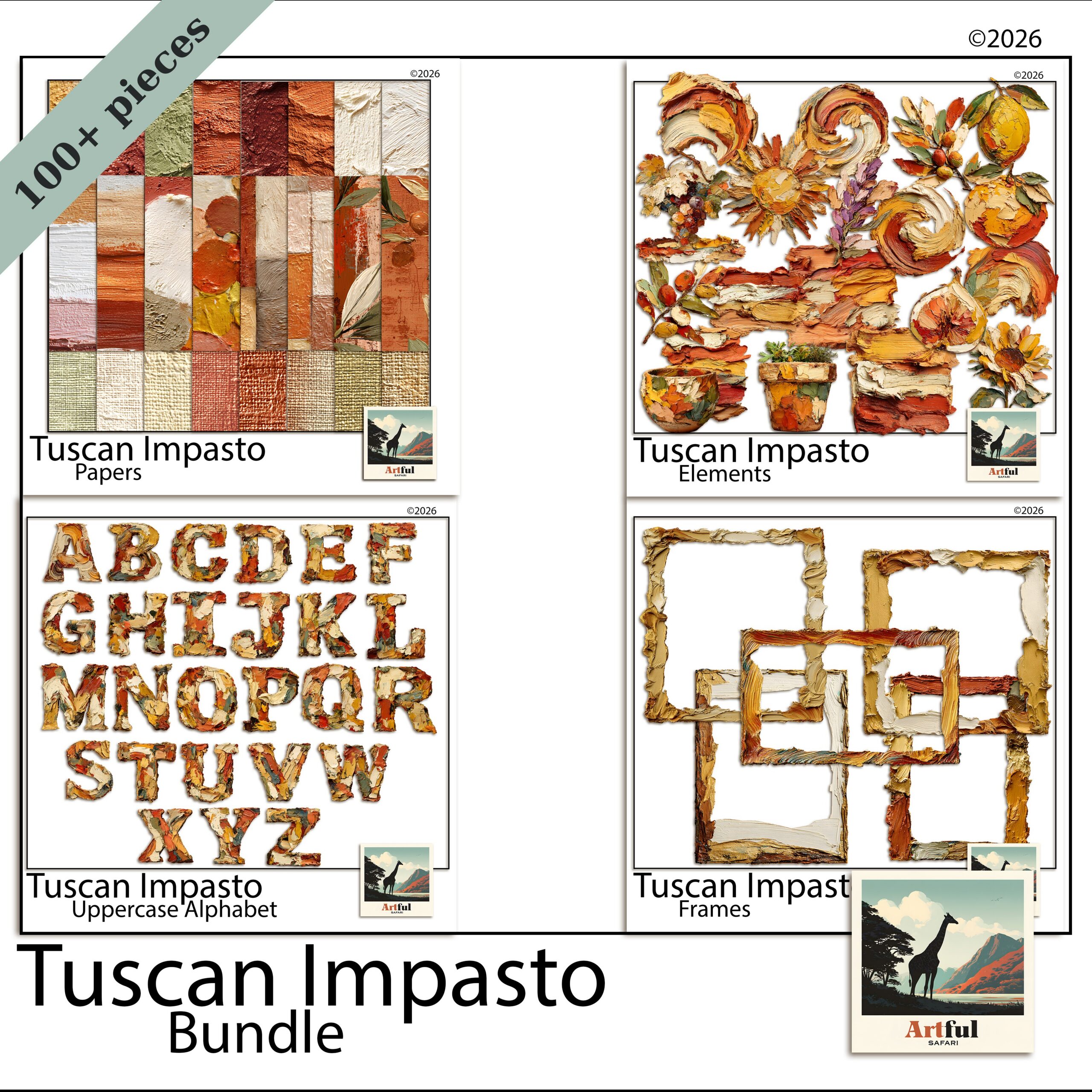
    Tuscany scrapbook bundle with warm ochre papers, olive clipart and frames
    Everything matched out of one kit: the Tuscan Impasto Digital Scrapbook Bundle.

    How do you choose photos for a Tuscany trip album?

    Cut harder than feels comfortable. Thirty to forty photos make a tidy album. Two hundred make a chore you never finish, and the album that never gets finished is the one nobody sees.

    Sort them into three piles:

    1. Anchor shots — the view from the vineyard, the duomo, the bowl of pasta you still think about. One per page, big.
    2. Detail shots — a tile, a lemon on a wall, your wine glass. These go small, in clusters.
    3. People — the ones where someone is actually laughing, not posing.

    If two photos say the same thing, keep the better one and bin the other. Your album gets stronger every time you delete. And don’t worry about chronological order yet. You can shuffle pages later; for now you’re just deciding what earns a place.

    The shots people forget to keep

    Wide, empty shots are the ones I almost always wish I had more of. The road in, an empty piazza at dawn, a table laid before the food arrives. They give a page somewhere to breathe and they set the scene better than another close-up of a plate. If you have a few, hold them back for title pages and quiet spreads.

    Building the title page of your Tuscany scrapbook

    The first page sets the mood, so give it room. Drop a warm paper as the background, sit your best wide shot in the middle, and add a short title. “Tuscany, May 2026” does more than a paragraph would.

    Layer order that works

    Think of it as stacking real paper on a table. Background paper at the bottom, then a photo or a frame, then clipart, then text on top. Keep text on its own layer so you can nudge it without disturbing anything underneath.

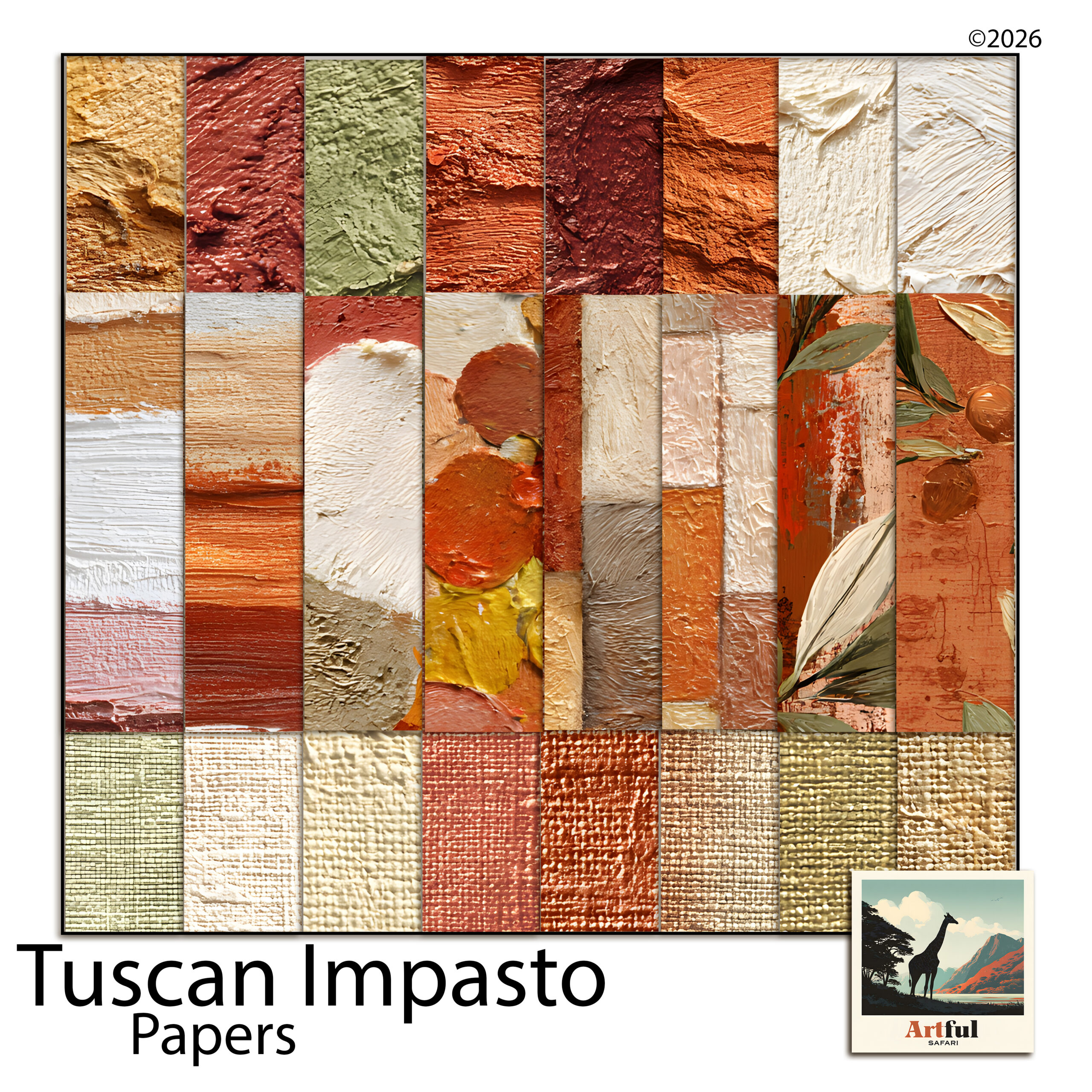
    Olive-toned Italian digital scrapbook papers for backgrounds
    Backgrounds do the heavy lifting in a Tuscany scrapbook: the Italian Digital Scrapbook Paper Olive set.

    The papers carry most of the feeling here. A faded ochre or an olive-print background reads as Italy before you’ve added a single lemon.

    Tuscany scrapbook spreads, page by page

    You don’t need a new idea for every page. Five layouts on rotation will carry a whole album. Here’s what I lean on.

    SpreadWhat goes on itClipart to use
    The long lunchOne food anchor shot, three detail shots in a row underneathOlives, lemons, a sprig of rosemary
    Hill townA wide rooftop view, a journaling card with the town nameAn ornate frame, a single olive branch in a corner
    Vineyard afternoonTwo photos side by side, plenty of paper showingGrapevine, a wine motif, kept small
    The marketA photo grid of four, tight togetherLemons and produce around the edges
    Quiet detailOne small photo, a lot of empty background, a line of journalingAlmost none — let the paper breathe

    Notice the last row. A near-empty page every few spreads gives the eye a rest and makes the busy ones land harder.

    A note on clipart restraint

    Lemons are charming until there are forty of them. One or two pieces per page, tucked into a corner or overlapping a frame, reads as styling. Scattered everywhere, it reads as a sticker sheet that fell over.

    Which parts of a Tuscany scrapbook kit do the most work?

    A Tuscan bundle gives you papers, clipart, frames and journaling cards. They don’t pull equal weight. Here’s what each one is really for.

    Papers carry the mood

    This is the part most people underuse. The background paper decides whether a page feels like sun-baked Italy or a generic photo dump, before any photo goes on. Pick a warm, muted paper and your job is half done. I tend to keep two or three papers in rotation across the album so it hangs together without going flat.

    Clipart adds the small touches

    Olives, lemons, a vine, a wine bottle. These are seasoning, not the meal. Use them to fill an awkward gap in a corner or to link a photo to a journaling card, then stop. The album should look like Tuscany, not like a produce aisle.

    Frames and journaling cards do the structure

    A frame tells the eye “look here first”, so save the ornate one for your strongest photo on each spread. Journaling cards are where the trip actually lives: the name of the trattoria, the road you got lost on, what the wine cost. Photos show what it looked like. The cards are what you’ll be glad you wrote down in ten years.

    Digital or printed: how to finish your Tuscany scrapbook

    Once the Tuscany scrapbook pages are built, you have two ways to keep them.

    • Digital — export each finished page as a high-quality JPG or PDF and keep them in an album on your iPad, or share the set with the people who were on the trip.
    • Printed — send your finished page exports to a photo-book service, or print them at home and slot them into an album. You’re printing your own completed layouts here, which is exactly what they’re built for.

    My own habit is to keep the album digital and order one printed photo book a year as a keepsake. You get the easy sharing and the thing you can hold, without printing every page yourself.

    For a step-by-step on the wider travel-album workflow, the same one I use for any trip, see How to Make a Travel Scrapbook.

    Key takeaways

    • Pick one warm Italian kit first so every page matches without effort.
    • Thirty to forty photos beats two hundred — cut hard, the album gets better.
    • Five rotating spreads carry a full album; one near-empty page every few pages gives the eye a rest.
    • Finish digitally for sharing, or print your completed page exports into a photo book.

    Frequently asked questions

    How many pages should a Tuscany scrapbook have?

    Ten to fifteen pages suits most one-week trips. That gives roughly thirty to forty photos room to breathe without the album dragging.

    What colours say ‘Tuscany’ on a page?

    Warm ochre, faded terracotta, olive green and a soft cream. Keep them muted rather than bright and the pages read as sun-worn Italy.

    Do I need design software to make one?

    No. The same steps work in Procreate, Photoshop or Canva. If you already use one of them for anything, you have what you need.

    Can I print a digital Tuscany scrapbook?

    Yes. Export each finished page as a high-quality JPG or PDF, then send those exports to a photo-book service or print them at home and slot them into an album.