40% off until 31 October on selected products·8 days left

Author: Helene

  • Solo RPG: 8 Easy Ways to Start One Tonight

    Solo RPG: 8 Easy Ways to Start One Tonight

    A solo RPG is a story you play by yourself and write down, one prompt at a time, in a book you keep. Nobody else is involved and there is nothing to memorise. A lot of people now play in a decorated journal rather than a notes app, and you can start tonight with a notebook you already own.

    If the letters RPG make you want to run for the hills, you are in the majority here. The women arriving at this hobby this year mostly came from junk journalling and scrapbooking rather than tabletop gaming, and they say the same thing on the way in: they had no idea what an RPG was and assumed it was for somebody else.

    The craft side of it has its own word now. The YouTuber Journals4breakfast started calling these books RPJs, short for role playing journals, because “solo journaling roleplaying game” is too many words to say out loud.

    RPJ is what you will see in the comments. Solo RPG is what you type into a search box.

    Her video is the one that pulled thousands of journallers into this, and it is the fastest way to see why the reframe works:

    What a solo RPG actually asks you to do

    You read a prompt. You answer it in your journal, in whatever mix of writing, pictures, stickers and glued-down scraps suits you. Then something random decides what happens next, usually two dice or a card off the top of a deck.

    That is the whole loop. Nobody marks it and nobody reads it, so there is no wrong answer, and that is the part most people take longest to believe.
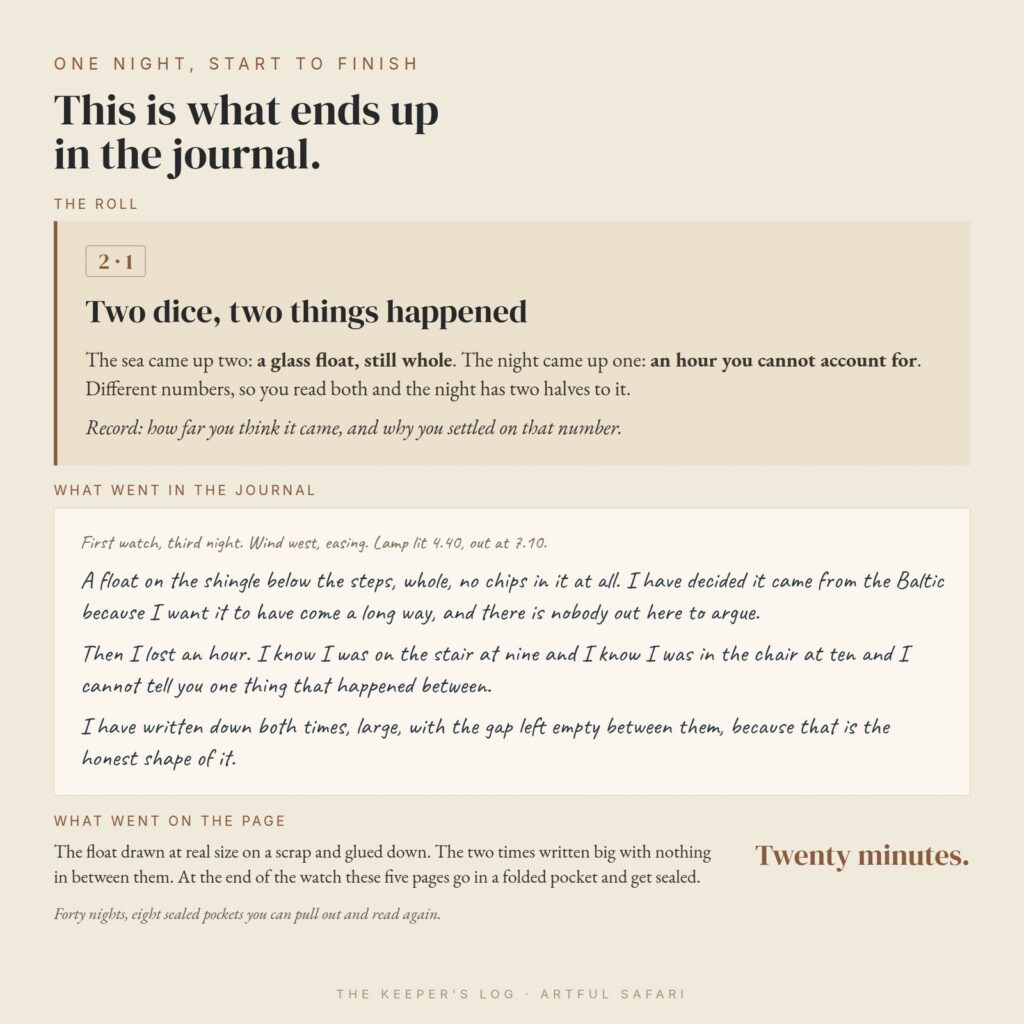
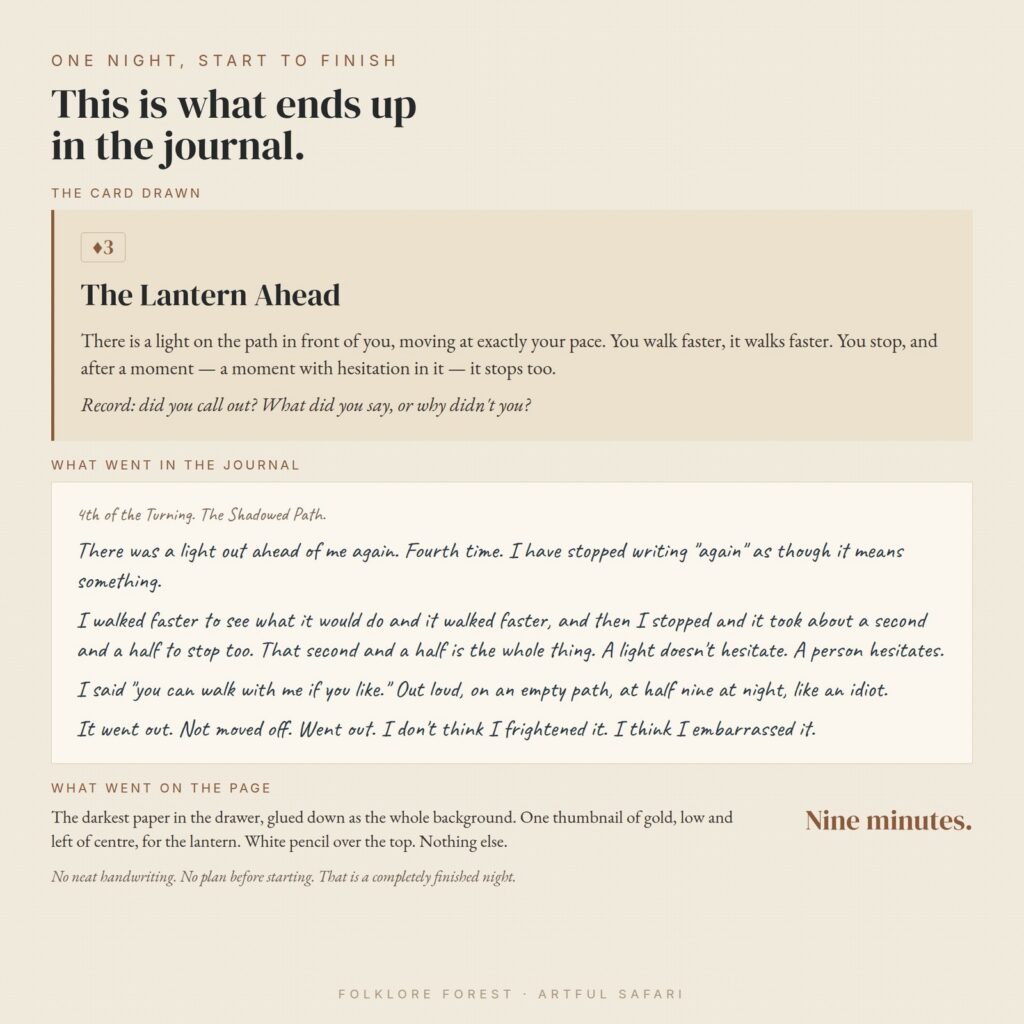
    One night of a solo RPG worked through end to end: the dice reading, the journal entry it produced and what went on the page
    One night, start to finish: what the dice said, what got written, what ended up on the page.

    If you want the long version before you start, we walk through an evening of it in the complete guide to a quiet night of solo journaling.

    Eight different doors into a solo RPG, then. Some cost nothing, one costs about the price of a coffee, and several use only what is already in the house.

    1. Print a free solo RPG tonight

    Itch.io is where most of the small independent games live, and a large share of them are free or name-your-own-price. Browse the solo journaling tag on itch.io and pick one on the strength of its cover, because at zero cost the wrong pick costs you nothing.

    Most of these books run to twenty pages or fewer and print on plain paper. If your printer fights you, our notes on printing journal papers at home cover the settings that usually sort it out.

    2. Buy a small one for about five dollars

    Five dollars is the going rate for a starter game and it is the number people in this community quote at each other constantly. What you get is a slim book of prompts and random tables somebody else has already thought hard about, which is the part that is genuinely difficult to write yourself.

    When newcomers ask which one to begin with, the titles that come back most often are Apothecaria, Colostle and Thousand Year Old Vampire. Any of them will teach you the shape of a solo RPG.
    A riveted metal tag on a leather cord from the Echoes of Time kit

    3. Use the notebook that has been sitting there

    Almost everyone in this hobby owns a beautiful blank book they have never been able to spoil. This is the thing it was waiting for.

    “I’ve got a journal just like your one that I never knew what to do with, now I do.”

    That comment, or a version of it, sits under every video that started this wave. Your stash gets used the same way. Stamps, washi, offcuts and that pack of stickers bought in 2019 all have somewhere to go once a prompt tells you what the page is about.

    4. Let a standard deck of playing cards decide

    Games ask you to pick a number at random so the story can surprise you. Two ordinary dice do it, and so does taking the ace through six out of a deck, shuffling those and turning one over.

    A card also suits anyone who freezes at a blank page, because it gives you something to answer. Some games hand you a deck of character cards instead, so the person who turns up in tonight’s entry is whoever you draw.
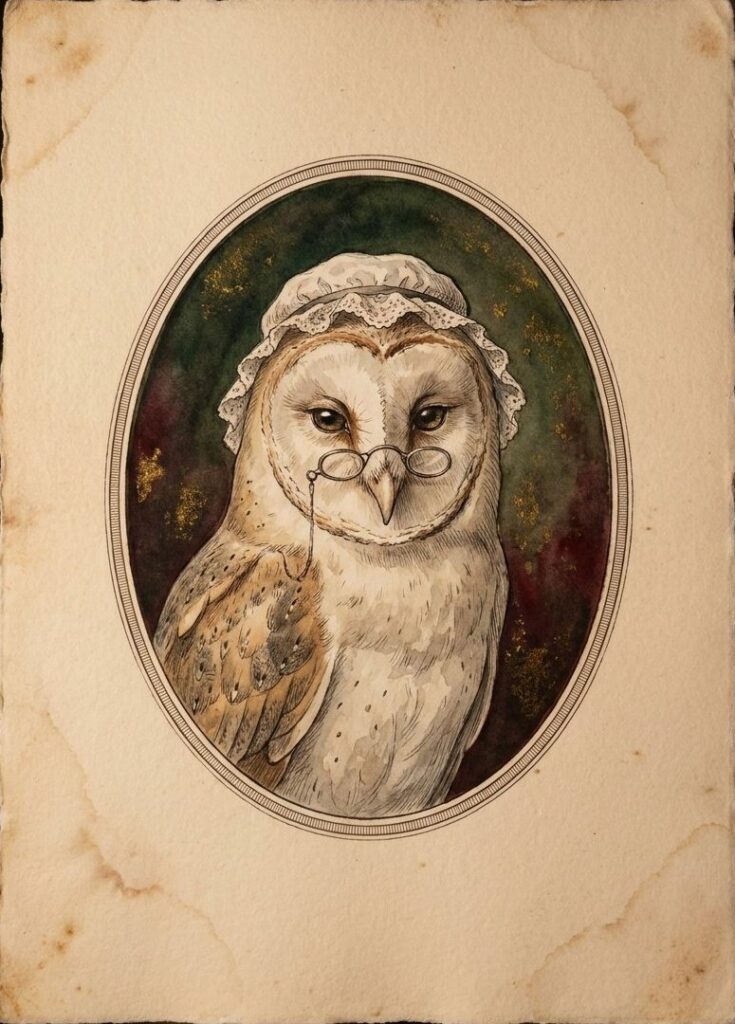
    Grandmother Owl, a solo RPG character card from the Folklore Forest deck, showing a barn owl in a lace cap and spectacles
    Draw a card, and Grandmother Owl is who your character meets tonight.

    Artful Safari’s own games are designed for a standard 52-card deck of playing cards, not tarot.

    Nobody checks any of this. If a game asks for a ten-sided die and you do not own one, two cards or the number generator on your phone will carry you through the first few nights.

    5. Turn a junk journal you already made into the solo RPG book

    Junk journallers keep hitting the same wall. They love making the books and then have nothing to put in them, and a solo RPG turns out to be the answer to “now what”. That collision is most of why the two hobbies met this year.

    Pick a finished book, decide it belongs to your character, and write entries into the pockets and tucked-in tags you already built. If you have not made one yet, start with what a junk journal is and build it around the game instead.

    6. Glue the pages into an old hardback

    An altered book gives you a solid spine and a bit of history for free. One creator printed her game and glued the pages into an old Russian-English chemical dictionary, which sounds mad and looks wonderful.

    Charity shops are full of candidates. A fat hardback nobody wants takes glue and paint better than a new notebook does.

    7. Watch a solo RPG being played before you set anything up

    The quickest way past “I do not understand what I am looking at” is watching somebody do it imperfectly on camera. Shannon Green works through free games and shows the printing in this one, and that is where a lot of people get stuck:

    The comment left under videos like that one, over and over: “Thank you for legit playing the game. It makes sense to me now.”

    8. Answer one prompt on one page and stop

    The smallest possible start is one solo RPG prompt, one page, book closed. You do not need a character sheet or a plan for the rest of it.
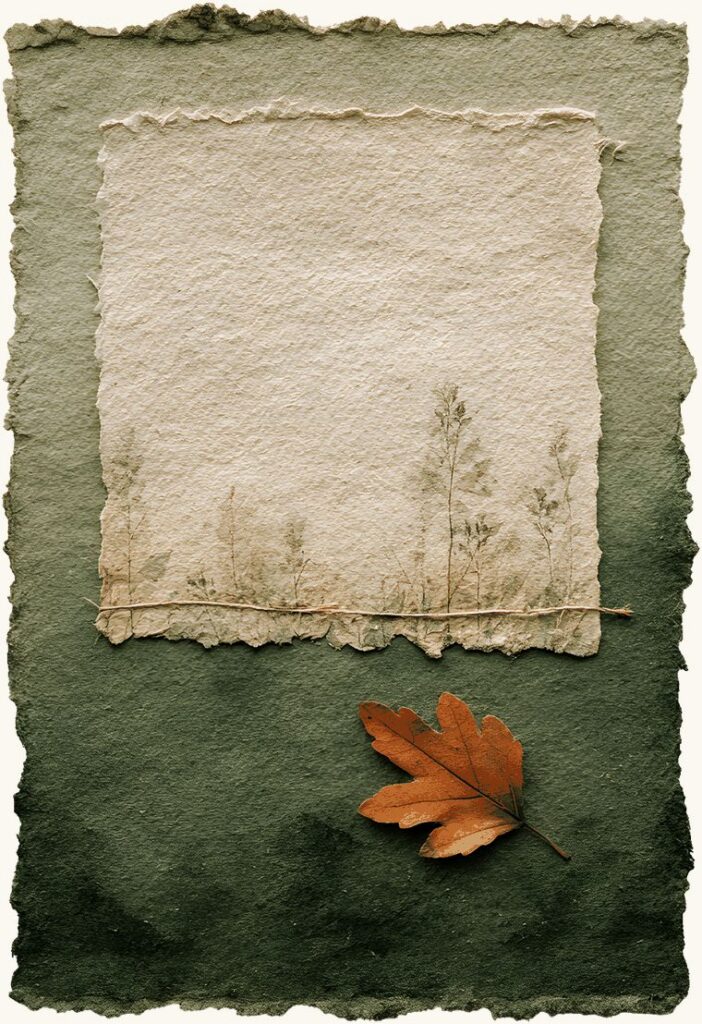
    A blank journal card with a torn paper panel and an oak leaf, sized for a single evening's entry
    One card at a time. A small space is easier to fill than a fresh page.

    This is the door for anyone who has bought a game and then stalled, which is a large group. One page done badly beats a beautiful book you never open. Our first seven nights walkthrough takes it from there.

    Setting up a solo RPG is part of the game, not the wait before it

    Plenty of people spend a long time building the book before they read the first prompt, and they are not doing it wrong. Tabbing, colouring, coffee-dyeing, hunting the stash for the right scrap: that is the hobby, and for a lot of this crowd it is the best bit.

    So “start tonight” means you can open the box tonight. It does not mean you should be finished by Sunday.
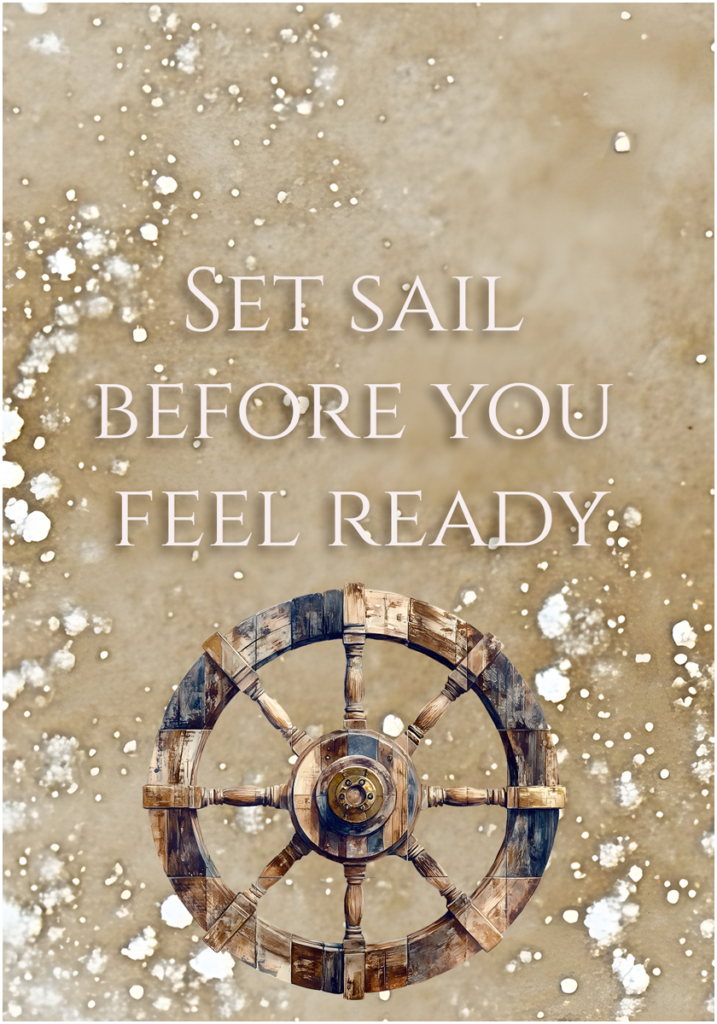
    A journal card reading Set sail before you feel ready, above a ship's wheel

    Where the solo RPG community is, if you want company

    The tabletop side lives on Reddit at r/Solo_Roleplaying, which is worth reading even if you never post. Search it for “journaling game” and you will find hundreds of threads of people recommending titles to each other.

    The craft side is on YouTube and in a small Discord, and it is friendlier to an absolute beginner. Both are free.

    Solo RPG questions people actually ask

    I bought one and I still have not started. What do I do?

    Open the journal and answer the first prompt in three sentences tonight, with a biro. The stall nearly always comes from waiting until the book is ready, and the book is never ready. Once there is one imperfect page in it the pressure drops and the decorating gets easier, because now you are decorating something that exists.

    Do I need dice to play a solo RPG?

    No. Most of our games use a standard 52-card deck of playing cards; only The Keeper’s Log uses two ordinary dice. People do buy dice as a small entry ritual and there is nothing wrong with that, though waiting for a set to arrive is one more reason not to start, so use the cards in the kitchen drawer.

    Do I have to be good at writing?

    No, and nobody will ever read it. Most players write a few lines and put the rest on the page in stickers, stamps, washi and glued-down scraps. One of the creators who started this wave says she has barely written a word and works mostly in watercolour, and a shopping list in your character’s handwriting counts as an entry.

    Which solo RPG should I start with?

    Start with a free one so the choice costs nothing, then buy a paid game once you know what you like. If you want a paid recommendation, Apothecaria, Colostle and Thousand Year Old Vampire are the ones this community hands to newcomers most often. Picking a theme you already love matters more than picking the “right” title.

    Is a solo RPG the same thing as an RPJ?

    Yes, near enough. RPJ stands for role playing journal, a word coined by Journals4breakfast in July 2026 for the craft version of this hobby, where the book itself is half the point. Solo RPG is the older and broader term, and it covers people playing in a plain notebook or a text file too.

    How long does one night take?

    That is up to you. A sitting is usually one prompt and one page. Some people write a few lines and stop, and some get lost in the collage. You can put it down mid-entry and pick it up again whenever you like without losing your place, which is why it fits around interrupted schedules.

    Pick a door and open it

    Any of the eight gets you a first page tonight. The free ones are the sensible place to test whether a solo RPG is your kind of thing at all, and you will know within one entry.

    When you want the papers and cut-outs to build the book around, our Folklore Forest kit pairs a solo RPG, played with a standard 52-card deck, with the journal papers and ephemera to keep it in.
  • Junk Journal Ideas for Beginners: 7 Easy Ways to Start

    Junk Journal Ideas for Beginners: 7 Easy Ways to Start

    A junk journal is what happens when scrapbooking loosens its collar. Same idea, keep the things you love and put them on a page, but messier, more layered, and much more forgiving. Instead of clean grids and neat photo boxes, you stack papers, tuck in bits of ephemera, and let the edges overlap. Nothing has to line up.

    If you’ve been curious about junk journal ideas for beginners but felt put off by the towering collage spreads people post online, start smaller. You don’t need a stash of vintage paper or a craft table. You can build a junk journal digitally in Procreate, Photoshop, Canva or GoodNotes, and because junk-journal papers print beautifully, you can also run them through a printer and glue a real one together. Both count. Both are fun.

    If you’d like papers that already match, and often ephemera too, browse our printable junk journal kits.

    What a junk journal actually is

    Think of it as a scrapbook that stopped worrying about being tidy. A scrapbook page usually centres a photo or two. A junk journal page centres a feeling, or a memory, or just a nice pile of paper you wanted to sit with. You layer a patterned background, add a tag, slip in a ticket, write a few lines, and call it done.

    The “junk” part is the point. Old envelopes, receipts, book pages, stamps, scraps of packaging, they all become raw material. Working digitally, your junk is a folder of PNGs and paper textures instead of a shoebox, but the instinct is the same. Grab things that feel like you and arrange them until the page looks lived-in.

    Why beginners take to it: there’s no wrong version. A crooked tag reads as character, not a mistake. That’s the freedom a blank scrapbook page rarely gives you.

    Junk journal ideas to start without overthinking it

    The fastest way to stall is to plan a masterpiece. Don’t. Make one small spread, finish it, and let the next one teach you something. Here are beginner-friendly junk journal ideas to get the first few pages down.

    Start with one simple spread

    Pick two facing pages and give yourself three jobs: a background, one focal piece, a little writing. That’s a whole spread. Lay a patterned paper across both pages so they feel connected, drop a single tag or journaling card slightly off-centre, and write two or three lines next to it. Resist the urge to fill every corner. White space is allowed.

    Use patterned papers as your base

    Papers do most of the heavy lifting. A florals-and-script background instantly sets a mood, and everything you add on top borrows that mood for free. Try this:

    • Choose one main paper for the spread and a second, quieter one for accents.
    • Tear or roughly cut a strip of the accent paper and lay it along a page edge.
    • Digitally, drop the paper opacity a touch under your ephemera so the top layer pops.
    • If you’re printing, matte photo paper or plain 120gsm both hold up well for gluing.

    Layer ephemera on top

    Ephemera is the small stuff: tags, tickets, journaling cards, postage stamps, labels, little illustrations. This is where a flat page turns into a junk journal. Stack two or three pieces so they overlap, angle one slightly, and let a corner poke out from behind another. Odd numbers and slight angles look natural. A stamp half-tucked under a tag looks like it was always there.

    A beginner junk journal spread showing these ideas in practice, with a patterned floral base, layered tags, a journaling card and a vintage postage stamp tucked under one corner
    The first of these junk journal ideas in practice: one patterned base, a couple of tags, a journaling card, and a stamp tucked under the edge. Nothing lines up, and that’s the look.

    Add a pocket or a tuck-spot

    Junk journals love hidden bits. A pocket gives you somewhere to slip a folded note, a spare tag, or a photo you don’t want glued down. Digitally, you can fake a pocket with a paper rectangle glued on three sides and a tag peeking out the top, so it reads as a pocket even though nothing’s really tucked. On a printed journal, glue a real half-pocket and fill it. Of all the junk journal ideas here, this one gives a finished page the most reason to be opened again.

    Junk journal ideas that keep the pages coming

    Once the first spread is done, the trouble isn’t skill, it’s momentum. These junk journal ideas give you a reason to open the book again tomorrow.

    Prompt pages

    Give yourself a one-line prompt at the top of a spread and let the rest fill in over the week. Things like “small good things”, “what I noticed today”, “songs on repeat”. The prompt does the deciding for you, so you’re never staring at a blank page wondering what it’s for.

    Collection spreads

    Pick a theme and gather. A tea-and-coffee page, a books-I-read page, a places-I-walked page. Collections are forgiving junk journal ideas because you add to them slowly, a scrap at a time, and they look better the fuller they get. Great for using up leftover ephemera that doesn’t fit anywhere else.

    A keep-it-low-pressure rule

    Set one rule that lets you finish: every page gets a base, a focal piece, and a scrap of writing, and then you close the book. No page has to be finished in one sitting, and no page has to impress anyone. The journals people actually complete are the ones where “good enough” was the goal from the start.

    Getting started

    The cheapest junk journal ideas come from raiding your own scraps and free digital papers, and plenty of people start exactly that way. But the fiddliest part for beginners is getting pieces that look right together. A ready-made set like the Jane Austen Regency junk journal kit gives you papers and ephemera already designed to layer, so your first spread comes together in minutes whether you build it in Procreate or print it and glue it by hand.

    Whichever way you go, the trick with all of these junk journal ideas is the same. Start with one small spread, layer a few scraps you like, and let the messy edges be the point. Finish that page and you’re already a junk journaller. The next one is easier.

  • Digital Scrapbooking Software: 6 Best Options Compared

    Digital Scrapbooking Software: 6 Best Options Compared

    Every digital scrapbook page starts with the same question: what do I actually open to make this? The answer changes depending on whether you draw, whether you like templates, whether you own an iPad, and how much you want to learn before you can place a single photo.

    There’s no single best digital scrapbooking software. There are a few good ones, each strong for a different kind of person. Here’s how they compare and who each one suits, so you can pick a tool and start rather than reading forum threads for a week.

    Whichever app you use, our digital scrapbook papers work as page backgrounds in it.

    Drawing-first digital scrapbooking software

    Procreate (iPad)

    Procreate is a favourite among digital scrapbookers who own an iPad and an Apple Pencil. It’s a painting app at heart, so layers, blend modes, masks and brushes are all there, and moving photos and papers around feels natural with the pen. Once you understand layers, building a page is quick.

    • Fast, tactile page-building with the Pencil, and a one-off price rather than a subscription
    • Layers, clipping masks and blend modes cover almost everything a scrapbook page needs
    • iPad only, so there’s no desktop version if you work on a laptop
    • Type handling is basic compared with Photoshop, which matters if you letter a lot of pages

    The full-control desktop options

    Adobe Photoshop

    Photoshop is the digital scrapbooking software most long-timers grew up on, and it still does more than anything else. Smart objects, layer styles, precise masking, actions to batch repetitive steps. If you want total control over shadows, blending and colour, this is the ceiling.

    • The most control of any option, and almost every tutorial you’ll find assumes it
    • Handles large multi-layer pages and template files that other apps choke on
    • A steeper learning curve, and the subscription runs on whether you like it or not
    • More app than a simple page needs, which can feel heavy when you just want to drop in three photos

    Affinity Photo

    Affinity Photo does most of what Photoshop does for a single payment, no monthly fee. It opens PSD files, supports layers and masks, and reads the layered templates many kit designers ship. For someone who wants Photoshop-style control but resents the subscription, it’s the sensible swap.

    • Buy it once and own it, with a desktop and iPad version in the box
    • Reads PSD templates and layered kits well enough for most scrapbooking work
    • A smaller tutorial pool than Photoshop, so you sometimes have to translate steps yourself
    • A few advanced Photoshop features don’t have exact equivalents, though rarely ones a scrapbooker misses

    The easiest place to start

    Canva

    Canva runs in a browser or on your phone, and you can make a decent page in the first ten minutes with no training. It’s template-led, so you drag your photos into a ready layout and swap the colours. For beginners, or for anyone who wants a quick page without opening heavier digital scrapbooking software, it’s the softest landing.

    • Almost no learning curve, and it works on phone, tablet and computer from the same account
    • Good for quick pages and sharing straight to social
    • Less precise control over layers and blending, so intricate pages hit a wall
    • The free tier limits some elements, and heavy template use can make pages look samey unless you bring your own papers
    A coastal page built in digital scrapbooking software, with photos layered over soft blue papers and shell elements
    The same page can be built in almost any digital scrapbooking software. The papers and elements are what give it a look.

    The notebook-style option

    GoodNotes and Notability

    These started as note-taking apps rather than digital scrapbooking software, and a lot of people scrapbook in them without ever calling it that. You import a page, drop photos in, write over the top by hand, and the result feels like a journal rather than a designed layout. If your scrapbooking leans towards memory-keeping and daily journaling, this style fits.

    • Handwriting and stickers feel natural, and pages come together fast
    • Great for journal-style spreads and travel logs kept over time
    • Limited layer control, so you can’t tuck a photo behind a paper edge the way you can in Procreate or Photoshop
    • Better suited to loose, hand-drawn pages than tightly composed ones

    A word on dedicated scrapbook apps and photo-book makers

    You’ll also find dedicated digital scrapbooking software, plus the photo-book makers from print services. They can be pleasant and quick, and some people are happy staying inside them. The catch is that most lock you into their own elements and their own export, so you can’t bring in a kit you bought elsewhere or move your work to another program later. If you think you’ll grow, a general tool you actually own gives you more room than a closed one.

    So which digital scrapbooking software should you pick?

    If you have an iPad and like drawing, start with Procreate. If you want the most control and don’t mind the climb, Photoshop is still the top of the pile, and Affinity Photo gets you most of the way for a single payment. If you’re brand new or want the quickest possible page, open Canva today. If your pages are really a journal, GoodNotes or Notability will feel more like home than any design app.

    One thing settles the choice for a lot of people: what device you already own, and whether you’d rather learn a bit now for more control later, or make something nice this afternoon. Both are fine answers.

    Whatever you open, you still need papers and elements

    Here’s the part the tool comparisons skip. Digital scrapbooking software is the workbench, not the materials. Procreate gives you brushes and layers, but a blank canvas. Photoshop opens an empty file. Canva hands you templates, but they’re everyone else’s templates. To make a page that looks like yours, you need digital papers, embellishments, frames and cut-out elements to lay onto the canvas.

    That’s where a themed kit does the heavy lifting. You download a set of coordinated papers and elements as PNG and JPG files, then drag them into whichever app you chose. The files don’t care which digital scrapbooking software you’re in. Whichever you land on, a themed set like the Soft Coastal digital scrapbook bundle drops straight onto the canvas and gives you a full page to build from.

    Pick the digital scrapbooking software that matches your device and your patience, gather a few kits you love, and make a page. The software is only ever half the answer.

  • Solo Journaling RPG: The Complete Guide to 1 Quiet Night

    Solo Journaling RPG: The Complete Guide to 1 Quiet Night

    People ask the same question about this hobby every time, and it is a fair one. Are you writing a story? Are you journalling your own thoughts? What actually happens?

    The short answer is that a solo journaling RPG gives you a reason to open the notebook and something specific to put in it. You are not handed a story to read and you are not left facing a blank page. You are given a role, a world and a small piece of chance that decides what happened to you tonight, and the writing is yours.

    What follows is the whole of it, including one full night written out so you can see exactly what comes out the other end.

    You can compare all of our solo journaling RPGs side by side, including which one to start with.

    What a solo journaling RPG actually is

    The format grew out of tabletop role-playing games and then threw away most of what makes those hard to start. There is no group to organise and no evening to schedule around five other people, and in most cases there is nothing to add up at all.

    What survived is the part that was always doing the work: something outside you decides what happens, and then you decide what it meant.

    In a solo journaling RPG that something is usually a deck of cards or a pair of dice. You turn a card, you look up what it says, and you write the entry in your own handwriting in your own notebook. The book you bought is the thing you read. The journal is the thing you make.

    That distinction catches people out, so it is worth saying plainly. You do not write in the game. You do not print the game and glue it into a journal. The game sits open beside you like a recipe book, and everything you produce goes into a notebook that is already yours.

    The four parts every solo journaling RPG is built from

    Once you have seen two or three of them, the same skeleton shows up underneath. Every solo journaling RPG worth the money has these four parts, and knowing them makes any new one readable in about ten minutes.

    1. A randomiser

    Something that takes the choosing away from you. Nine times in ten it is a standard 52-card deck, because everybody has one in a drawer and fifty-two is a convenient number of anything. Some games use two dice instead. A few use both.

    This is the part that makes it a game rather than a diary. Left to yourself you would write about the same sort of evening every time, because everyone has a habit. The randomiser breaks the habit, and about a quarter of your year ends up being a kind of page you would never have chosen to make.

    2. A table that turns the result into a situation

    The suit usually decides where and the number decides what. Four suits, four regions of whatever world you are in. Nine or ten numbers, so thirty-six or forty situations before the court cards start.

    A good table gives you a specific, physical thing rather than a mood. “A doorstep with no house” is a situation. “Reflect on loneliness” is a writing exercise, and you will resent it by night four.

    3. A prompt that asks for one thing

    Underneath each situation sits a question. In a well-made solo journaling RPG it is narrow and answerable: did you call out, and what did you say. Not “how did this make you feel”.

    Narrow questions are easier to answer and produce better writing, which is the opposite of what most people expect before they try it.

    4. Something to make

    This is the part that separates a solo journaling RPG from a pure writing game, and it is the reason the format landed so hard with junk journallers. Every entry ends with an instruction for your hands. Mount the specimen. Tape the edge. Draw the thing badly and label it anyway.

    Ten months later, the making is what you want back. Not the writing. If you are new to the paper side of it, our guide to what a junk journal actually is covers the materials, and none of it needs to be bought.

    One night of a solo journaling RPG, start to finish

    Here is a single night of a solo journaling RPG in full, from the card to the finished page. It is somebody’s real one, not a tidied-up sample.

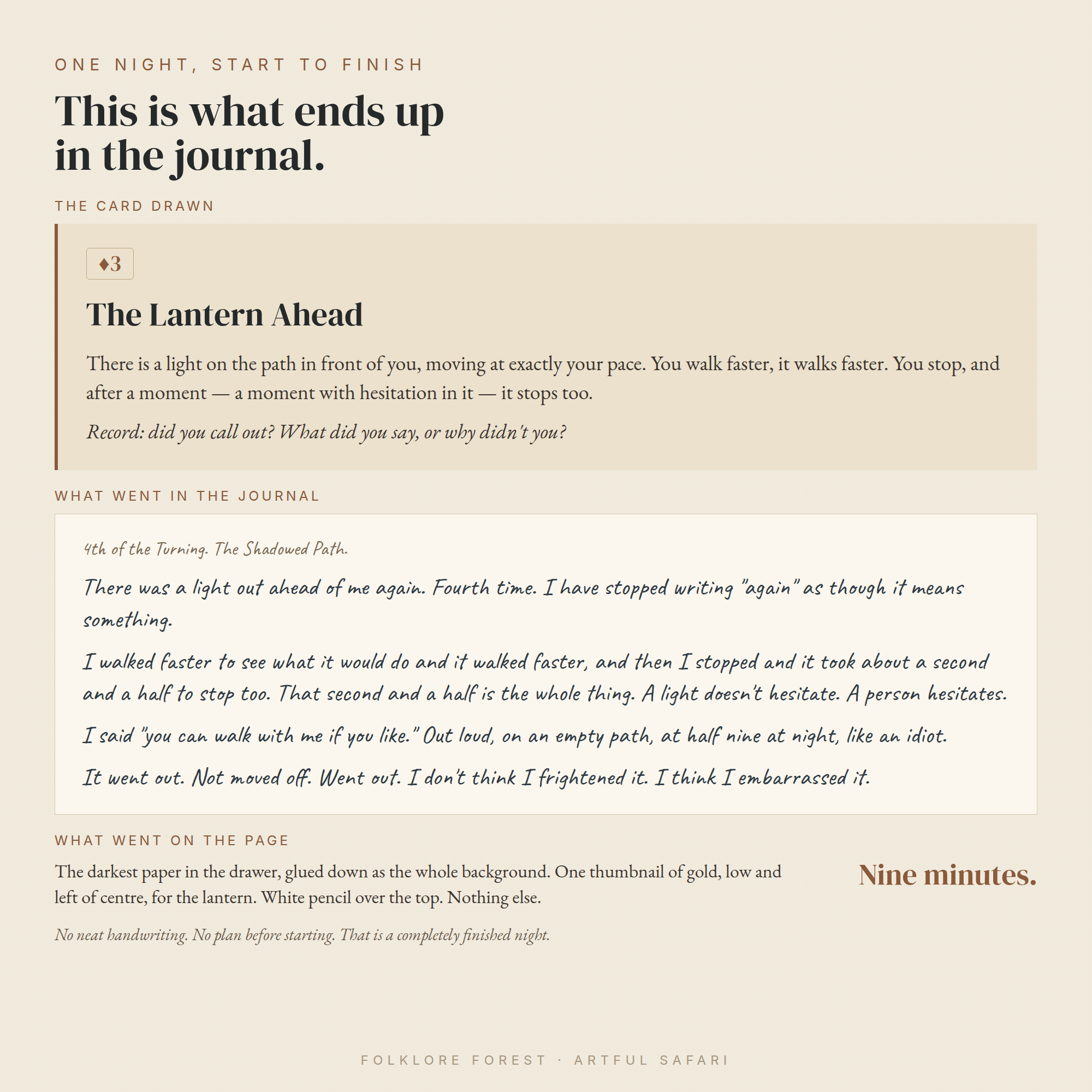
    The game is Folklore Forest, which is a solo journaling RPG about a wood that is forgetting itself. You have the last keeper’s notebook, their cottage, and their habit of walking out at dusk with a pencil.

    The card was the three of diamonds. Diamonds is the Shadowed Path, the track through the wood, so the entry is The Lantern Ahead: there is a light on the path in front of you moving at exactly your pace. You walk faster, it walks faster. You stop, and after a moment with hesitation in it, it stops too.

    Underneath, one question. Did you call out, and what did you say, or why didn’t you.

    What went into the journal, unedited:

    4th of the Turning. The Shadowed Path.

    There was a light out ahead of me again. Fourth time. I have stopped writing “again” as though it means something.

    I walked faster to see what it would do and it walked faster, and then I stopped and it took about a second and a half to stop too. That second and a half is the whole thing. A light doesn’t hesitate. A person hesitates.

    I said “you can walk with me if you like.” Out loud, on an empty path, at half nine at night, like an idiot.

    It went out. Not moved off. Went out. I don’t think I frightened it. I think I embarrassed it.

    Then the page. The darkest paper in the drawer went down as the whole background. One thumbnail of gold, low and slightly left of centre, stood in for the lantern. The writing went over the top in white pencil. Nothing else.

    The whole night took nine minutes.

    One night of a solo journaling RPG start to finish: the card drawn, the journal entry it produced and what went on the page
    The card, the entry it produced, and what went on the page.

    Notice what did not happen there. No neat handwriting. No plan for the page before it was started. No attempt to write well. Four short paragraphs, one of them a joke at the writer’s own expense, and that is a completely finished night.

    Nobody else drawing that same card gets that entry. The card decided what happened. The writer decided what it meant, and the second and a half of hesitation is not in the book anywhere.

    The randomiser changes the writing more than the setting does

    Two solo journaling RPG titles with the same theme can feel completely different because of what they roll and how often. This is the single most useful thing to look at before you buy one.

    One card a night, fifty-two nights

    The long form, and the shape most people picture when they hear solo journaling RPG. A card is a night, the deck is a year, and you play whenever you feel like it. Play one a week and the year in the book is the year on your calendar. Play most evenings and you will be finished before the summer.

    This shape suits people who want the hobby to be ongoing rather than a project with a deadline. It also produces the thickest journal, because fifty-two pages of anything is a book.

    Two dice, forty nights, in blocks

    The Keeper’s Log uses two dice you can tell apart, one for the sea and one for the night. Different numbers and you read both, so two things happened. The same number on both and a different list opens.

    The blocks matter more than the dice. Forty nights arrive as eight watches of five, and at the end of each watch you fold a pocket, put those five pages inside and seal it. A solo journaling RPG with a structure like that gives you something finished eight times instead of once, which is worth a lot when motivation is the actual constraint.

    Thirteen nights, and a decision at the end

    The Crimson Parlour runs on a fixed thirteen nights because somebody has been killed in the house and the coroner arrives on Twelfth Night. The suits are rooms rather than moods. Hearts is the parlour, where people perform in front of each other. Clubs is below stairs, where you find out who was actually standing where.

    Each night clears one person, and on the last night you name somebody. You will usually be right. Not always, and a solo journaling RPG that admits that up front is being straight with you: this is a mystery you live in for a fortnight, not a logic puzzle with one provable answer.

    One card, one evening, finished tonight

    The shortest shape. The Unanswered Letter is a single evening. You turn one card, the suit tells you who wrote to you and the rank tells you what they want, and then you write the letter they sent before you write a word of your own reply.

    Most of what you produce is somebody else’s letter, which is a strange and very effective way in. It also makes this the easiest kind of solo journaling RPG to try first, because a format you can finish in one sitting cannot be abandoned.

    One card per book you finish

    The unit does not have to be a night. The Borrowed Shelf plays a turn when you finish reading something. The suit decides what you keep out of the book, a person or a place or an object or one sentence copied in your own hand, and the rank decides what you read next.

    A year of that is a stack of pages made by hand, a quarter of them of a kind you would never have chosen.

    What you need to play a solo journaling RPG

    Very little, and this is not a sales line. The whole appeal of a solo journaling RPG is that the barrier is a drawer, not a shopping list.

    • A deck of playing cards, or two dice, depending on what the game asks for. Any deck. The one in the drawer with the bent corner.
    • A notebook. Messier is better, because things are going to be glued into it. A junk journal is ideal and a cheap exercise book is fine.
    • Something to write with and something to stick with. Glue, tape, thread, whatever you have.
    • Paper you already own. Envelopes, old book pages, tea-stained scraps. A well-written solo journaling RPG leads every making instruction with something anyone owns and mentions the printables second, if at all.

    That last point is worth checking before you buy. If the instructions assume you have the game’s own printable ephemera, you have bought a craft kit with a story attached rather than a game.

    How long a solo journaling RPG session takes

    Ten minutes if you are tired. An hour if you are not. There is no correct amount, and a solo journaling RPG that tells you three sentences is a finished entry is telling you the truth.

    The only thing that reliably spoils it is trying to catch up on the nights you missed. There is nothing to catch up on. The nights you did not play are simply nights nothing happened, which is what most nights are.

    Loss, and the rule that matters

    Most solo journaling RPG designs have some mechanic that takes something away, because a year with no stakes is a diary. In card-driven ones it is usually the aces.

    Here is the thing to check, and it is the difference between a game people finish and a game people quit at night fifteen. A loss mechanic must never destroy work you made with your hands.

    Covering a page over, sealing it, writing across it, marking it as forgotten: all fine, and genuinely affecting. Instructing you to tear out or paint over a spread you spent half an hour building is not a stake, it is a punishment for having bothered. A solo journaling RPG that asks that of you has misunderstood who is playing it.

    The good ones give you a currency to refuse with, and make the arithmetic tight enough that you cannot save everything. That is where the actual decision lives: not whether you lose a page, but which page you decide was worth spending on.

    Why it beats a prompt list

    Prompt journals sell in enormous numbers and mostly sit unused after week two. The reason is not laziness. A list of prompts asks you to choose, every single time, and choosing is the expensive part of an evening you are already tired in.

    A solo journaling RPG removes the choice and replaces it with a small event. There is a difference between “write about a time you felt watched” and “there is a light on the path moving at exactly your pace”. One is homework. The other has already happened to you and now you have to write it down.

    It does not suit everybody, and it would be silly to pretend otherwise. Some people want the blank page, and being told what happened to them tonight is exactly the wrong thing. You find out fairly quickly which sort you are, usually somewhere around night four, and there is no harm in discovering you are the other sort.

    The second thing a prompt list cannot give you is continuity. Fifty-two prompts are fifty-two separate evenings. Fifty-two cards drawn from one deck, in one wood, in one year, add up to something, and by night thirty you are writing about a thing you invented on night four.

    How to choose your first solo journaling RPG

    Four questions, in this order.

    • How long is it? One evening, thirteen nights, forty, fifty-two. Pick shorter than you think. A finished short one beats an abandoned long one, and nobody has ever regretted starting with the small game.
    • Does it show you a real entry? A solo journaling RPG that will not show you what a finished night looks like usually has not been played to the end by anybody, including the person who wrote it.
    • Do the making instructions need the kit? They should lead with a scrap of envelope and mention the printables in brackets.
    • What does it take away, and how? Covered, never destroyed.

    If you would like the beginner version of this with the first week broken down night by night, we wrote a simple guide to your first seven quiet nights that assumes no experience at all.

    Three things that go wrong in a first solo journaling RPG

    Drawing more than one card is the common one. One card is a practice. Six cards on a wet Sunday is a project, and projects get abandoned. Almost every solo journaling RPG says this somewhere and almost every new player ignores it.

    Then there is trying to write well. The entries that hold up a year later are the ones that sound like a person muttering. Bad handwriting is correct. So is a joke at your own expense.

    And skipping the making. It feels like the optional bit on night one and it is the only bit you will want back in October.

    So what actually happens

    You turn a card. You read what happened. You write it down in your own words, badly, in a notebook that is already yours. You glue something in. You close the book.

    Do that fifty-two times and you are holding a year of a life that did not happen, made of paper you already had. That is the whole of it, and it is why a solo journaling RPG is one of the very few hobbies where the sensible move is to start tonight and find out.

  • Anniversary Scrapbook Ideas: 6 Memorable Pages for Any Year

    Anniversary Scrapbook Ideas: 6 Memorable Pages for Any Year

    An anniversary is a strange thing to sum up. A year, or ten, or thirty, and you’re meant to fit it into a card. An anniversary scrapbook gives you more room. When you build one on a screen, you can keep adding pages long after you thought you were finished, move things around at midnight, and swap a photo you found buried in your camera roll for a better one.

    If you’re marking a milestone and want more than a card, here are anniversary scrapbook ideas that suit the way you actually keep photos now, on your phone and in the cloud rather than in a shoebox.

    Anniversary scrapbook page ideas that hold a whole relationship

    The hardest part of a wedding anniversary scrapbook is deciding what goes in. You have years of material and no obvious order. So give it structure. These are the pages that tend to earn their place.

    An “our story” timeline

    One long page, left to right, marking the moments that actually changed things. First message. First trip. The flat with the terrible kitchen. The dog. Keep the dates loose if you can’t remember them exactly. Nobody is checking. A timeline works well as the opening page because it sets the shape for everything that follows, and a reader can see the whole arc before they slow down on the detail.

    A page per year

    This is the backbone of most anniversary scrapbook page ideas, and for good reason. One year, one spread. A photo or two, a line about what was going on, maybe the song you played to death that summer. Years where not much happened still get a page, because “the quiet year we bought the house” is part of the story too. If you’re making this for a tenth or twenty-fifth, this section alone can carry the whole book.

    The everyday rituals

    The things you’d never photograph on purpose. Who makes the tea. The walk you always take. The way one of you reads the last page of a book first. These are the parts a relationship is mostly made of, and they vanish first from memory because they never felt worth recording. Give them a page. Written plainly, they land harder than any big holiday photo.

    Building out the rest of the anniversary scrapbook

    Once you have the year-by-year spine, you can add pages that cut across the whole timeline. These break up the run of dated pages and give the book some texture.

    The places you’ve lived and travelled

    A map page, or just a grid of the addresses and cities with a photo of each. Every flat, every trip, in order. It’s surprising how much a list of places tells you about a couple. You can lay it out as a simple route and let the reader follow it, or keep it loose with photos scattered around a soft background colour.

    Letters or messages to each other

    Screenshot a few early messages, the ones that made you laugh or that you still remember. Set them on a page as they were, typos and all. You can also write a short letter for the page, one to the other, and leave space for a reply written later. If this is a gift, a single written page addressed to the person reading it will do more than any photo.

    A “this year” recap

    Not the whole relationship, just the last twelve months. What you did, where you went, the small wins. This is the page you update each anniversary, so the book grows a little every year instead of sitting finished on a shelf. Keep the layout the same each time and it becomes a run you can flip through.

    Making it as a gift

    A digital anniversary scrapbook has one obvious advantage as a present. You can finish it the night before. No ordering, no waiting for delivery, no realising on the day that the colours came out wrong. You work on the file, and when it’s ready it’s ready. If you think of a better photo an hour before you hand it over, you swap it in.

    A few things that help when it’s a gift rather than a private keepsake:

    • Decide early whether it’s finished or ongoing. A closed book is a lovely one-off. An ongoing one, with the “this year” page waiting, becomes a small tradition.
    • Keep the colour palette steady across every page. It’s the quickest way to make a mixed pile of photos from different years look like one thing.
    • Leave the first spread until last. You’ll know what the book is really about once the rest is done, and the opening page should reflect that.
    • Read it out loud in your head before you share it. The captions that sound like a person, not a caption, are the ones that get remembered.
    A digital anniversary scrapbook spread with a year-by-year layout, soft botanical background and handwritten-style captions
    A page-per-year spread from a digital anniversary scrapbook, built on screen so you can keep adding to it each year.

    A short worked example

    Say it’s a fifth anniversary and you have a weekend to build the anniversary scrapbook. Start with the “our story” timeline as page one, so you’ve committed to the shape. Then five year pages, one photo each, a single sentence under each about what that year held. That’s your core, and it took an afternoon.

    On the second day you add the extras. A places page with the two flats and the three trips you managed. A messages page with four early texts. A ritual page about the Sunday morning coffee that never changes. Then the “this year” recap, which you leave slightly unfinished on purpose, because next year you’ll open the file and add to it. Last, you go back to page one and rewrite the opening line now that you can see the whole thing. Done by Sunday night, and it didn’t cost you a frantic week.

    Putting it together

    You can build all of this from scratch, but it goes faster if you start with backgrounds, frames and small illustrated pieces that already share a look, so every anniversary scrapbook page feels part of the same book. A set like the Enchanted Hours digital scrapbook bundle gives you soft, warm elements you can drop straight onto a year page or a letter page without hunting for matching colours. Pick your palette from it first, then let the photos and words do the rest.

    Whatever your anniversary scrapbook ends up holding, the point isn’t a perfect layout. It’s that in ten years someone opens the file, lands on the quiet-year page, and remembers exactly what that year felt like. That’s the whole reason to make it.

  • Wedding Scrapbook Ideas: 6 Beautiful Pages Worth Keeping

    Wedding Scrapbook Ideas: 6 Beautiful Pages Worth Keeping

    A wedding gives you more photos than you know what to do with. The morning coffee with your maid of honour, the shot of the rings on the windowsill, the blur of the first dance. Sitting down afterwards to turn all of it into a wedding scrapbook you’ll actually look back on is a lovely job, and it can feel like a lot.

    Building the album on a screen makes it easier. You can move a photo, swap a colour, undo a bad idea, all without touching a single sheet of paper. Here are wedding scrapbook ideas laid out page by page, so you have somewhere to start.

    Wedding scrapbook page ideas, told in order

    The simplest way to plan a digital wedding scrapbook is to follow the day as it happened. Each moment becomes its own page or spread, and the story tells itself.

    How we got here

    Open before the wedding even starts. A short page about the two of you, how you met, the proposal, maybe a photo from years back next to a recent one. It sets the tone and gives the reader a reason to care about everyone who shows up on the following pages.

    The getting-ready morning

    This is often the warmest set of photos you’ll have. Robes and rollers, the dress hanging on the door, someone doing your makeup while your mum watches. Keep this page loose and a little candid. A few overlapping snaps, a scrap of handwriting, the time on a clock.

    The ceremony and the vows

    Give the words their own page. Type out your vows, or the reading a friend gave, and let them sit on a clean background with plenty of space around them. One photo of the moment is enough here. The point of this page is the writing, so don’t crowd it.

    The details

    Weddings are made of small things that took months to decide. Photograph them properly and they earn a page of their own:

    • The rings, close up, on something with texture
    • The bouquet and the buttonholes
    • The dress and the shoes before anyone puts them on
    • Table settings, place cards, the cake
    • The stationery, if you had it made

    A grid works well for details. Same size, even spacing, one photo per square. It lets each thing be seen without any of them fighting for attention.

    The people

    The guests are half the reason a wedding feels the way it does. A page for family groups, one for the friends who travelled, a corner for the children who fell asleep by nine. Names help. In twenty years you’ll be glad you wrote down who everyone was.

    The first dance and the party

    End loud. This is where you let go of neat layouts. Motion-blurred dancing, someone mid-laugh, the sparklers outside, the last drink of the night. Darker photos want a darker background so they don’t look washed out. Let this spread feel like the end of a long, good day.

    Styling a romantic wedding scrapbook page

    Romantic doesn’t mean busy. The pages that read as elegant usually have more empty space than you’d expect, not less. A few ideas that hold up across Procreate, Canva or Photoshop:

    • Pick one soft colour family and stay in it. Blush, cream, sage, a little gold. Two or three colours across the whole album keeps it feeling like one book.
    • Use florals as a frame, not a filling. A spray of watercolour roses in one corner does more than a border wrapped round the whole page.
    • Choose an elegant paper texture and reuse it. A soft linen or a faint marble under everything ties spreads together without shouting.
    • Give photos room to breathe. Wide margins read as expensive. Edges jammed to the border read as rushed.
    • Limit yourself to two fonts. One flowing script for names and dates, one plain serif for anything you actually need people to read.

    When a page feels off, the fix is almost always to remove something rather than add. Take the third flower away. Shrink the photo and let the background do the work.

    A digital wedding scrapbook page with soft blush florals framing one photo and the couple's vows set in a script font
    A wedding scrapbook vows page kept simple: one photo, wide margins, and florals sitting in a single corner.

    A short worked example: the vows page

    Say you want to build the wedding scrapbook page for your vows. Start with a cream paper texture across the full canvas. Set your margins wide, so the writing sits well inside the edges with air all round it.

    Drop your vows into the centre in a plain serif, dark grey rather than pure black, which is softer on a cream background. Put the two names above in a script font, larger, with the date underneath in small letters. On the right, add one photo from the ceremony, framed with a thin line or a faded torn edge.

    Then the florals. A single spray of roses in the bottom-left corner, maybe a couple of loose stems trailing up the side. Nothing across the text. Step back and look at it as a whole. If your eye goes straight to the words, you’re done. If it snags on the flowers first, make them smaller.

    Putting the wedding scrapbook together

    The thing that makes a wedding album feel finished is when every page looks like it belongs to the same set. That’s easier when your papers, frames and florals were designed to go together in the first place. A romantic set like the Gilded Rose digital scrapbook bundle gives you the florals, papers and frames already matched, so you can drop them onto a canvas and spend your time on the photos and the words instead of hunting for pieces that suit each other.

    Start the wedding scrapbook with one page. The vows, or the getting-ready morning, whichever pulls at you. Once the first spread comes together, the rest of the day tends to follow.

  • How to Make a Digital Scrapbook in 7 Easy Steps

    How to Make a Digital Scrapbook in 7 Easy Steps

    Making a digital scrapbook is easier than most people expect. You pick an app, set up a blank page, drop in a background, add your photos and a few decorations, write a line or two, and save it as an image you can share anywhere. No cutting, no glue, and nothing to store in a cupboard.

    Here is how to make a digital scrapbook step by step, start to finish, in an evening. I will keep it plain and practical so you can follow along with your own photos.

    Step 1: choose your app

    Any layout app that works in layers will do. The four most people reach for:

    • Procreate (iPad) suits you if you like drawing and want fine control with an Apple Pencil.
    • Canva (browser or phone) is the friendliest starting point, free to use, and works on almost any device.
    • Photoshop (or Photoshop on iPad) is for people who already know it and want full masking and blend control.
    • GoodNotes suits digital planners and journallers who want their pages to sit alongside notes and diaries.

    Do not overthink this. If you are unsure, open Canva and start. You can always move to something with more depth later.

    Step 2: set up your digital scrapbook page

    Every digital scrapbook page starts as a blank square. The common size is 12 by 12 inches at 300 dpi, which is 3600 by 3600 pixels. That square is the standard because most kits and papers are built to fit it, so your pieces line up without any fuss.

    In Canva you create a custom size and type in 3600 x 3600 px. In Procreate you make a new canvas at 12 x 12 inches, 300 dpi. Whatever the app, aim for that square and you will be in good shape.

    A quick word on layers before you start. A digital page is a stack of see-through sheets. The background sits at the bottom, photos go above it, and decorations sit on top. Keeping each thing on its own layer means you can move, resize or delete any piece without touching the rest.

    Step 3: lay a background paper

    The background is your bottom layer and it sets the mood for the whole digital scrapbook page. Import a patterned or textured paper and stretch it to fill the full square. That single sheet does a lot of the design work for you.

    A couple of things that help here:

    • Pick a background that is not too busy, so your photos still read as the main event.
    • If a pattern feels loud, drop the layer opacity a little to soften it behind everything else.

    Step 4: add your photos and mask them into frames

    Now bring in the photos. Import one, place it where you want it, and resize by dragging a corner so it keeps its proportions.

    Masking is the part that makes a page look finished. A mask lets a frame or shape decide which bit of the photo shows through, so the photo sits neatly inside the frame instead of overlapping its edges. In Canva you drop a photo into a frame element and it clips automatically. In Procreate or Photoshop you put the photo above the frame shape and use a clipping mask so the photo only appears inside that shape.

    If masking feels fiddly the first time, start with one framed photo per page. Get comfortable with the move, then add more.

    A finished 12 by 12 digital scrapbook page with a patterned background, two masked photos in frames and a few layered decorations
    A worked example of a digital scrapbook page: background paper, two photos masked into frames, and a handful of elements to tie the corners together.

    Step 5: layer transparent PNG elements

    Elements are the small decorations that pull a page together. Think leaves, ribbons, tape strips, little illustrations, word art. They come as transparent PNG files, which means they have no white box around them and sit cleanly over whatever is underneath.

    Add them on layers above your photos. A few pointers that keep a page from looking cluttered:

    • Tuck a couple of elements slightly behind a photo frame so they look layered rather than stuck on.
    • Group your decorations near the corners or along one edge instead of scattering them everywhere.
    • Repeat a colour from your photos in the elements you choose, so the whole page feels like it belongs together.

    Restraint reads better than piling on every sticker you own. Three or four well placed pieces usually beat a dozen.

    Step 6: add journaling and text

    A digital scrapbook page tells you more in a year if it has a few words on it. Add a text layer and write the date, the place, or a short line about what was happening. This is the journaling.

    Keep it readable. Pick a clear font for anything you actually want to read, and save the fancy script for a title or a single word. Dark text on a light patch, or light text on a dark patch, so it does not fight the background. If your paper is busy behind the words, put a soft shape or a semi-transparent band under the text to lift it off the pattern.

    Step 7: save, export and back it up

    When the page looks right, flatten it into a single image to share. Export as a JPG if you want a smaller file for posting online, or a PNG if you want the sharpest quality. Export at the full 3600 pixel size and you can use the page anywhere from a phone screen to a photo book.

    Then back it up. Save the finished image and, if your app allows, keep the layered working file too so you can tweak the page later. Send both to cloud storage or an external drive. A digital scrapbook only exists as files, so a second copy somewhere else is what keeps it safe.

    Putting your digital scrapbook together

    The slowest part of a first page is usually hunting for a background, a frame and a set of elements that actually match. Starting from a themed kit like the New Stories digital scrapbook bundle skips that step, because the papers, frames and PNG elements are already designed to sit together. You drop them onto your 12 by 12 canvas and the colours and style line up on their own.

    Once you have made one page, the rest come quickly. The steps stay the same every time: blank square, background, photos in frames, a few elements, a line of journaling, then save and back up. Open your app tonight and make a single digital scrapbook page. That first one teaches you more than any amount of reading.

  • What Is Digital Scrapbooking? An Easy Beginner’s Guide for 2026

    What Is Digital Scrapbooking? An Easy Beginner’s Guide for 2026

    You’ve probably heard the term digital scrapbooking and wondered what it actually means. Is it just making a photo book? Is it hard? Do you need to be good at design software? Short answers: no, no, and no.

    This is a start-here guide for anyone who’s curious. By the end you’ll know what digital scrapbooking is, how it’s different from the paper kind and from an automatic photo book, what you need to begin, and how a single page comes together layer by layer.

    To try it, start with a few digital scrapbook papers as page backgrounds.

    What digital scrapbooking actually is

    Digital scrapbooking is building memory pages on a screen instead of with paper and glue. You take your photos, arrange them on a background, add decorative bits around them, write a few lines about the day, and save the finished page as an image. The whole thing lives on your device. Nothing gets cut, stuck, or spilled.

    A page usually comes out square, something like a 30x30cm layout, though you can work at any size you like. You make it in an app you probably already have or can download in a minute, using the same photos sitting in your camera roll right now.

    How it’s different from paper scrapbooking

    Paper scrapbooking means physical supplies: card, patterned sheets, stickers, a trimmer, adhesive, a drawer full of bits. Digital scrapbooking swaps all of that for files. A patterned sheet becomes a background image. A sticker becomes a small graphic you drag onto the page. If you don’t like where something sits, you move it. If you change your mind about a colour, you undo it. There’s no waste and no mess, and you can remake the same page five different ways without using up a single thing.

    How it’s different from an automatic photo book

    Those photo-book apps that drop your pictures into a template and spit out a finished book are quick, but you’re stuck with whatever layout the software picked. Digital scrapbooking is the opposite. You decide everything: which photo goes where, how big it sits, what surrounds it, what the page says. It takes a bit longer, and that’s the point. The page ends up looking like your memory rather than a factory template.

    What you need to start

    Digital scrapbooking needs less kit than you’d think. Four things, and you likely have most already.

    • A device. A tablet, phone, or computer all work. An iPad with a stylus is a favourite for a lot of people, but it’s not required.
    • An app. Procreate, Photoshop, and even GoodNotes all handle layouts. Canva is free and runs in a browser, so it’s an easy first stop.
    • Your photos. Whatever’s already on your device is fine.
    • A digital kit. This is a set of matching backgrounds (called papers) and small graphics (called elements) that you drop onto the page. Kits are what make a page look designed rather than plain.

    That last one is where a lot of beginners get stuck, so it’s worth understanding. A digital kit is a folder of image files: a handful of patterned or textured background papers, plus separate elements like frames, leaves, tape, labels, and little illustrations, each saved so it sits neatly on top of your page. Because everything in one kit is designed to go together, the colours already match and you don’t have to think about whether a green leaf clashes with a blue paper. You just pick and place.

    What a page is made of

    Every digital scrapbook page is built from layers, stacked one on top of the next like sheets of glass. Understanding the stack is the thing that makes it all click.

    • The background paper. This is the bottom layer, the surface everything else sits on. Usually a patterned or textured sheet from your kit.
    • Your photos. These go on top of the paper. One big photo, or a few smaller ones grouped together.
    • Elements. Frames around the photos, a sprig of foliage in a corner, a strip of tape holding a picture down, a label. These sit above the paper and around the photos, filling the empty space and tying it together.
    • Journaling. A few lines of text: the date, where you were, what happened, how it felt. This is the layer that turns a nice arrangement into an actual memory.

    Because each part is its own layer, you can move any one of them without disturbing the rest. Nudge a photo, swap a background, delete an element you’ve gone off. Nothing is permanent until you decide it is.

    A coastal digital scrapbooking page showing a background paper, a framed photo, scattered elements and a line of journaling stacked as layers
    One finished digital scrapbooking page, built from the same layers everyone starts with: paper on the bottom, photo, elements around it, and a few words at the end.

    Building your first digital scrapbooking page

    Here’s how the layers come together in practice. Open your app and make a new square canvas, roughly 30x30cm. Then work bottom to top.

    • Drop in a background paper from your kit. That’s your surface set.
    • Add a photo on top. Resize it, move it around, decide whether it sits centre or off to one side. Leave some breathing room; you’ll want space for the rest.
    • Bring in a few elements. Put a frame around the photo, tuck some foliage behind a corner, add a strip of tape across the top. Two or three touches is plenty for a first go. Resist the urge to fill every gap.
    • Write your journaling. A date and a sentence is enough. “First swim of the summer, freezing, worth it.”
    • Save the page as an image. Done. It lives in your photos now, ready to share or keep.

    Your first page won’t be perfect and that’s completely normal. The good news is that redoing it costs you nothing. Move things, try a different paper, swap the photo. Because it’s all digital, experimenting is the whole fun of it.

    Where to get the pieces

    The device and app are the easy part. The kit is what saves a beginner from staring at a blank canvas, because the papers and elements are already made to sit together. A themed set like the Weathered Tide digital scrapbook bundle gives you coordinated coastal papers and elements in one download, so your first digital scrapbooking page has matching parts before you’ve placed a single thing.

    That’s really all digital scrapbooking is. A device, an app, your photos, and a kit to pull from. Start with one page about one small day and see how it feels. Most people who try it once end up making a second before they’ve even finished the first.

  • Sage Green Palette: 5 Easy Colour Pairings for Scrapbook Pages

    Sage Green Palette: 5 Easy Colour Pairings for Scrapbook Pages

    A sage green palette is one of the easiest colour schemes to fall for, and one of the easiest to get wrong. It photographs beautifully on someone else’s layout and then goes strangely lifeless on yours.

    The reason is almost always the same. Sage is a muted, low-saturation green, so a sage green palette built entirely from other muted, low-saturation colours has nothing to push against. Below are five pairings that fix it, and two colours worth keeping off the page.

    Why a sage green palette goes flat

    Sage sits between grey and green, which is exactly what makes it restful. It is a desaturated shade of green with a lot of grey mixed in, so its natural instinct is to recede.

    That works in your favour behind a photo. It works against you when every other element on the page is also receding.

    A page needs somewhere for the eye to land first. If your sage green palette is six soft greens and a cream, there is no first. The eye skims the whole thing and moves on, which is why the layout reads as pleasant but forgettable.

    The fix is not more colour. It is one or two deliberate points of contrast, placed where you want the reader to look.

    1. Warm cream does more than white

    White next to sage looks clinical. The green picks up the grey in the white and both go cold.

    Warm cream, ivory and unbleached paper tones do the opposite. They read as light without draining the warmth out of the green, and they give you somewhere to put journaling that is not fighting the background.

    If you are matting a photo, try a cream mat rather than a white one and compare the two side by side. The difference is larger than it sounds.

    2. Dusty rose, in small amounts

    Rose and sage sit near enough to opposite on the colour wheel to create contrast, but both are muted enough that it never turns loud. This is the pairing that rescues most soft green layouts.

    Keep the ratio uneven. Roughly one part rose to five parts green is plenty, applied as a flower, a strip of paper, or a bit of ribbon rather than a whole background sheet.

    We went into this pairing in more depth in our guide to layering dusty rose paper, and most of it transfers straight across.

    3. One charcoal anchor

    Every soft page benefits from one genuinely dark element. Not black, which reads as a hole, but a warm charcoal or a deep forest green pulled from the darkest part of your papers.

    Use it once. A charcoal title, a dark photo corner, or a single deep-toned leaf cluster gives the eye its landing point and makes everything around it look intentional.

    This is the single most effective change you can make to a sage green palette that feels washed out.

    4. Terracotta for warmth

    If rose is too sweet for the page, terracotta does a similar job with more earth in it. It suits travel pages, garden pages and anything with a photo taken in strong sunlight.

    Terracotta and sage together read as a sage green palette that has been outside. Rose and sage read as one that has been indoors near a window.

    Both are correct. They just set a different mood, so pick whichever matches the photograph.

    5. Brass rather than yellow gold

    Bright yellow gold sits badly against grey-greens. It looks like it was added afterwards, because tonally it was.

    Antique brass, aged gold and soft copper have enough brown in them to sit down properly into a sage green palette. A thin brass line, a small aged charm or a few flecks of metallic in the paper itself is usually all it takes.

    If you are building your combination from scratch, dropping your greens into the Adobe colour wheel and looking at the analogous and split-complementary sets is a quick way to test a metallic before you commit to it.

    Two colours to keep out of a sage green palette

    Bright white. Covered above, but it is worth repeating because it is the most common mistake. Swap it for cream everywhere, including your journaling cards.

    Navy. Navy and sage both want to be the calm, cool anchor on a page, so together they argue. If you want that depth, take it from a dark forest green or a warm charcoal instead, which keeps the page in one family.

    Dusty blue is the exception worth knowing about, since it is light enough not to compete. We wrote about warming up dusty blue pages separately, and the same warming tricks apply here.

    Which photos suit a sage green palette

    This is the step most people skip, and it decides more than the paper choice does.

    Sage flatters photographs taken in soft, indirect light. Overcast days, shade, window light, anything where the shadows are open rather than hard. Those photos already share the palette’s low contrast, so the page holds together without any effort from you.

    It fights bright, saturated photos. A midday beach shot or anything with strong primary colours in it will pull every bit of attention off the page, and no amount of careful layering wins that argument.

    Two ways round it if you love the photo. Print or export it slightly desaturated so it sits closer to the papers, or lean into the clash and treat the photo as the single loud element, keeping the rest of the sage green palette almost bare.

    Black-and-white photographs are the safe option and worth remembering. They pick up whatever warmth is around them, so a sage green palette makes them read as soft rather than stark.

    Putting a sage green palette on the page

    Here is the order that works, whether you are cutting paper or working in Procreate, Canva or Photoshop.

    • Start with the quietest sheet you have as the background. A plain wash, not a floral.
    • Mat the photo in warm cream, slightly larger than the photo itself.
    • Add one floral element, weighted to a corner rather than centred.
    • Place your single dark anchor opposite it, on the diagonal.
    • Finish with the metallic, sparingly, last.

    The floral corner is doing most of the work, so it is worth having sheets where the florals already sit around an open centre rather than across the middle of the page.

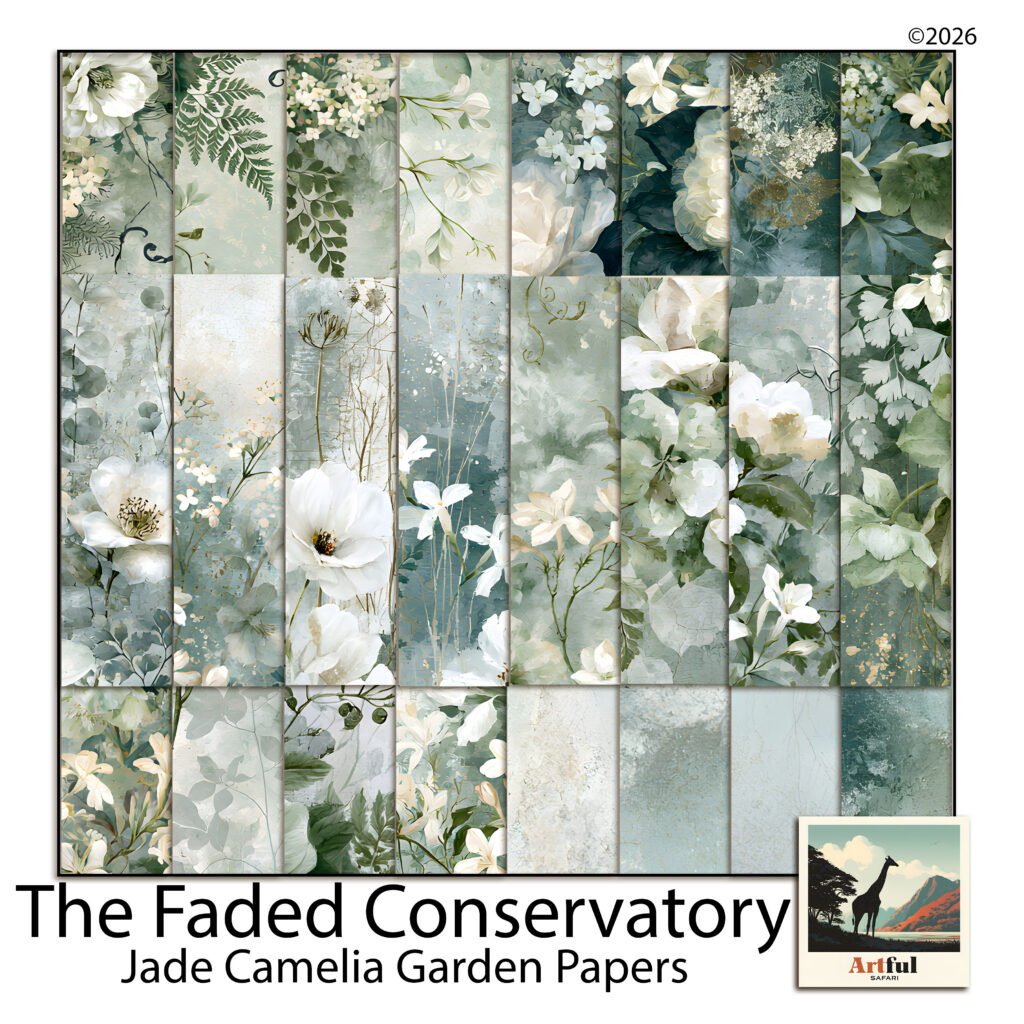
    Sage green palette papers with white camellias and ferns from the Jade Camelia Garden kit
    A sage green palette built from watercolour camellias, ferns and plain plaster washes.

    The pages above come from our Jade Camelia Garden paper kit, which was put together with exactly this problem in mind. Roughly a third of the sheets are near-plain washes, precisely so there is somewhere quiet to put a photo.

    Any set of soft green papers will do the same job. The thing to check before you buy or before you start cutting is that the collection includes blenders, not only florals.

    Where most people go wrong

    The instinct with a beautiful set of floral papers is to use the most beautiful sheet as the background. It almost never works, because the photo then has to compete with the paper for attention.

    Put the loudest sheet somewhere small. A strip along one edge, a mat behind a tag, the inside of a folded pocket. Give the background to the sheet you would otherwise skip.

    Do that, add the charcoal anchor, and a sage green palette stops being restful in the bad sense and starts being restful in the way you wanted.

  • Canva Digital Scrapbook: Make Your First Page in 6 Easy Steps

    Canva Digital Scrapbook: Make Your First Page in 6 Easy Steps

    If you want to make a Canva digital scrapbook and you already have an account, you have most of what you need. Canva runs in a browser, it handles layers, photos and text on one page, and the free tier goes a long way before you hit a wall. For a lot of hobbyists it’s the easiest place to start.

    This is a practical walk through building a Canva digital scrapbook page from a blank canvas, plus where Canva helps and where it gets in your way once you want a page that looks properly finished.

    Our digital scrapbook papers upload to Canva like any other image, ready to use as page backgrounds.

    Why a Canva digital scrapbook is a good place to start

    Scrapbooking in Canva works because the tools are already the right shape for the job. You drag a photo onto the page, drop it into a frame, then stack text and stickers on top. No file exporting between apps, no fiddly setup. Everything saves as you go, and you can pick the page back up on another device.

    You can also work at your own pace. Save a half-finished page, come back the next day, and nothing is lost. That matters when you’re fitting scrapbooking around everything else. A few things it does well:

    • Free-transform photos, resize and rotate anything with a corner handle.
    • Frames and grids that crop a photo to a shape without you masking anything by hand.
    • A built-in library of shapes, lines and text styles, so a page comes together fast.
    • Transparent PNG support, which is the whole reason you can layer decorative elements over a background.

    Where it gets limited: the free sticker and background library is generic, so lots of Canva digital scrapbook pages end up looking the same. Real texture and hand-drawn detail are thin unless you bring your own artwork in. And once you want a themed page with matching colours across every element, sourcing all those pieces one by one inside Canva is slow.

    Set up your page and background

    Pick a canvas size

    Start a new design with a custom size. A square around 3600 x 3600 pixels is a safe size for a Canva digital scrapbook page. It stays sharp on screen and gives you room to zoom in later. If you plan to post to a phone-shaped feed, a portrait size works too. The page lives on a screen, so you’re choosing pixels, not a paper size.

    Drop in a background paper

    Upload your background paper through the Uploads panel, then drag it onto the canvas and pull the corners until it covers the whole page. Send it to the back so everything else sits on top. If you’re using one of Canva’s own backgrounds, search by colour rather than by keyword. You’ll get closer to the palette you actually want.

    A Canva digital scrapbook page being built, with a soft floral background paper, two photos in frames and layered transparent flower elements
    Background first, then photos into frames, then the small elements on top. Building a Canva digital scrapbook in that order keeps the layers easy to manage.

    Build the page, layer by layer

    Add photos into frames or a grid

    Open the Elements panel and search for “frame”. Drag one or two onto the page, then drag a photo straight into each frame and it crops to fit. Double-click to nudge the photo around inside the frame until the crop looks right. If you want several photos sitting together in a block, use a grid instead. It keeps the spacing even without you measuring anything.

    Layer your transparent PNG elements

    This is where a Canva digital scrapbook page starts to feel like the real thing. Upload your decorative pieces, flowers, leaves, ribbons, little painted shapes, and drag them onto the page one at a time. Because they’re transparent PNGs, they sit over the background and photos cleanly. A few habits that help:

    • Tuck a couple of elements slightly behind a photo frame so it looks layered, not pasted on. Right-click and use Send Backward to set the order.
    • Vary the size. One larger element as an anchor, a few smaller ones scattered around it.
    • Let some pieces run off the edge of the page. It reads as more relaxed than everything centred and tidy.
    • Group elements you’re happy with, so you can move a cluster as one.

    Add your text and journaling

    Add a heading for the date or the moment, then a smaller text box for a line or two of journaling. Keep to two fonts at most, one for the title and one for the body. Match the text colour to a shade already in your background or your elements and the whole page pulls together. If a script font sits over a busy patch of background, drop a soft shape behind it so the words stay readable.

    Download and share

    When the Canva digital scrapbook page is done, use Share, then Download. Choose PNG for the best quality on screen, or JPG if you want a smaller file for posting. Tick “transparent background” only if you’ve deliberately left the paper off and want the page to sit on something else later.

    From there the page is yours to post to a feed, drop into a photo book app, keep in an album on your phone, or send to family. It stays a screen file the whole way through.

    Putting your Canva digital scrapbook together

    The steps are simple once you’ve done a page or two. The slow part is finding backgrounds and elements that match, in colours you actually like, without your pages looking like everyone else’s Canva template. If you’d rather not build every element from scratch, a themed set like the Ethereal Meadow digital scrapbook bundle gives you matching papers and transparent PNG pieces you upload straight into Canva, so a coordinated page takes minutes instead of an afternoon of hunting.

    Start your Canva digital scrapbook with one page. Background, a photo or two, a handful of elements, a line of text. Once that first one clicks, the rest come quickly, and you’ll work out your own way of doing it.